


Windows: WMI and PowerShell Access
On this page
In this lesson, you will learn:
- WMI and PowerShell for Windows discovery
- What rights the Windows account needs
- Common Windows blockers
🔁 Quick look back: Last time: How Discovery Selects and Uses Credentials. You learned how Discovery stores credentials and chooses which one to try.
1 The Problem: Windows Scans Need the Right Rights
A normal domain user can log in to Windows servers. But Discovery needs to read system details. With too few rights:
- Logins work, but queries fail.
- Serial numbers and software lists stay empty.
👉 The fix: Give svc-snow-disc exactly the remote read rights Discovery needs, and no admin rights beyond that.
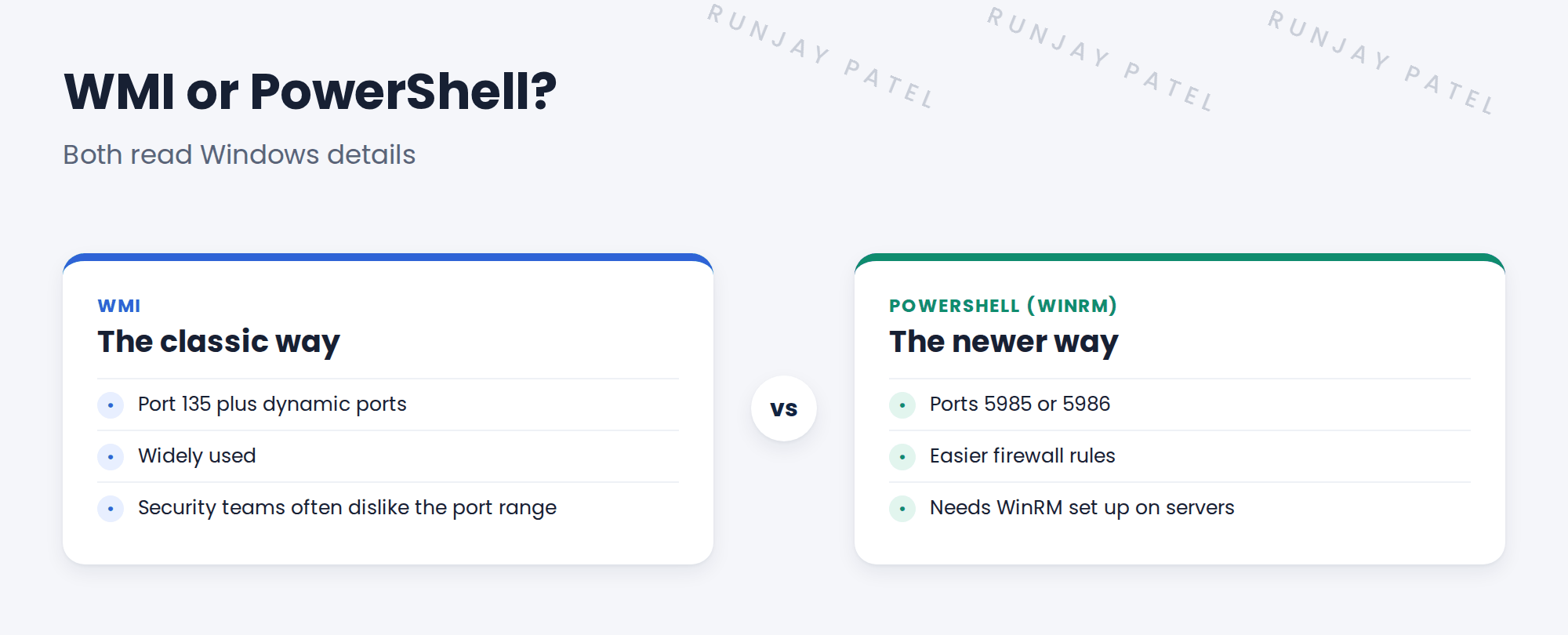
2 The Windows account
- A domain service account, SNWR used svc-snow-disc.
- Rights to read WMI data remotely on each server.
- For PowerShell, rights to connect over WinRM.
- No domain admin.
💡 Good to know: ServiceNow docs list the exact rights for your release. Give those to Priya, rather than guessing.
3 Common blockers
- A host firewall blocks the ports.
- WinRM isn’t enabled on the server.
- The account lacks remote WMI rights.
- Discovery uses a Linux MID Server.
4 Project Clear View: How We Implemented It
📍 Situation: Priya created svc-snow-disc and asked what rights it needs.
🧭 Decision: Grant exactly the documented remote read rights, then test on one server.
🛠️ Steps we took:
- Gave Priya the documented rights list.
- She applied it through group policy to the server OU.
- Created the SNWR Windows Discovery credential on snwrtest.
- Tested it against snwr-app-01.
✅ What we verified:
- The test returned the OS, serial number and software.
- No admin rights were needed.
📁 Evidence: SNWR Windows Discovery in the credential register.
5 Quick recap
- Discovery reads Windows over WMI or PowerShell (WinRM).
- The account needs remote read rights, not domain admin.
- Common blockers: firewalls, WinRM off, missing rights, Linux MID.
- Test on one server before scanning more.
6 Check yourself
Think of your answer first. Then tap to check.
1 Which ports does WinRM use? Show answer
5985 or 5986.
2 Does svc-snow-disc need domain admin? Show answer
No. Only the documented remote read rights.
3 Name one common Windows blocker. Show answer
Any of: host firewall, WinRM off, missing rights, a Linux MID Server.
Nice work! SNWR’s Windows credential works. 🎉
Next up: Linux and Unix: SSH, sudo and Least Privilege
Was this lesson helpful?
Please log in to share lesson feedback.
Have a question or doubt?
Ask here and get help from instructors and fellow learners.
Only logged-in learners can post.





