


What a Discovery Implementer Does
On this page
In this lesson, you will learn:
- What ServiceNow Discovery does, in one sentence
- The six jobs a Discovery implementer does on a project
- Who you work with at the client, and who decides what
- How you spent your first days on Project Clear View
🔁 Quick look back: This path builds on Fundamentals › CMDB Essentials. There you learned what a CI is and how CIs get into the CMDB. It also follows on from ITSM Implementation, where SNWR went live with ITSM. Now you will fill that CMDB with real data.
1 The Problem: SNWR’s CMDB Is Filled In by Hand
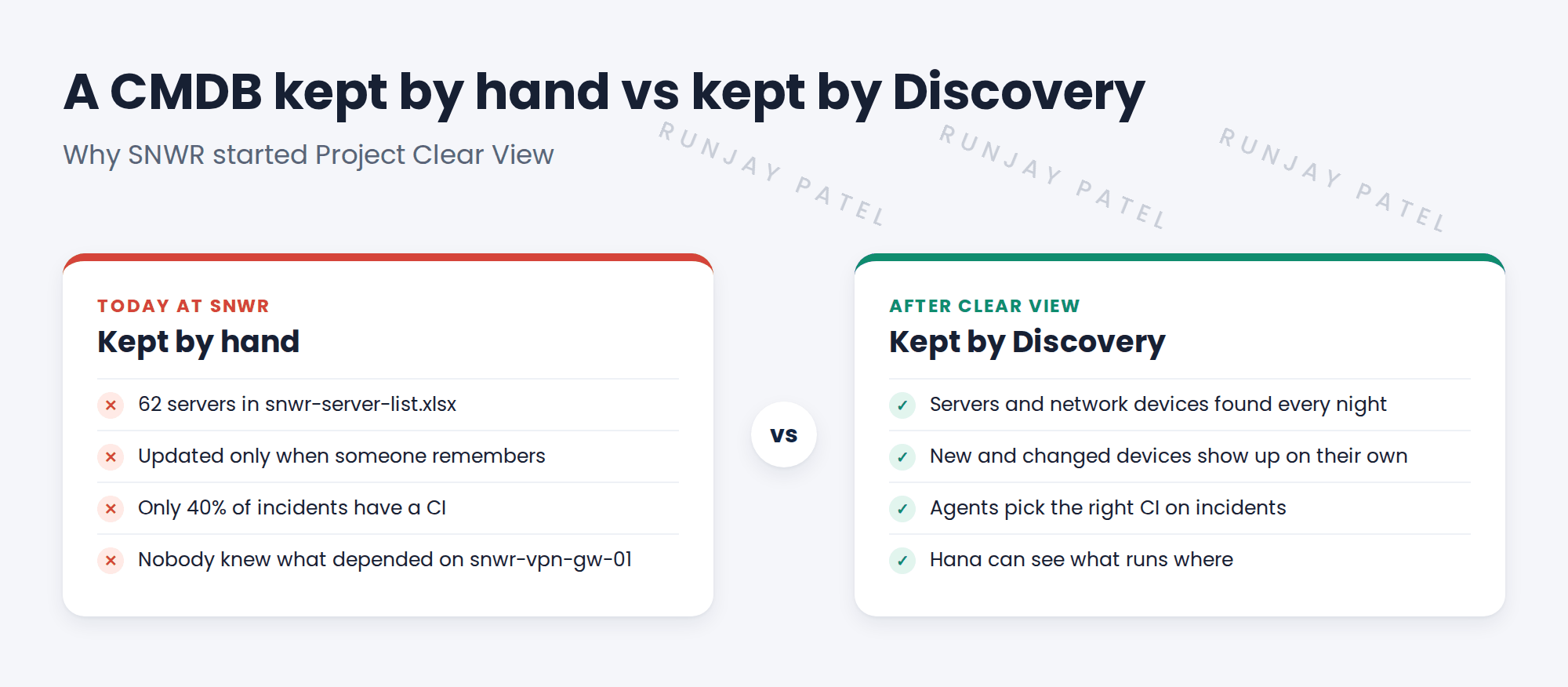
You have just joined Project Clear View as the Discovery implementer. SNWR is your client. SNWR already has ServiceNow and a CMDB. But people fill in the CMDB by hand. In your first meeting, you hear what that means:
- Abel, a Service Desk agent, can’t find the server behind an email incident. So he leaves the CI field empty.
- The list of servers is a spreadsheet called snwr-server-list.xlsx. It has 62 servers. Nobody is sure it’s right.
- Last month the VPN went down. A certificate on snwr-vpn-gw-01 had expired. Nobody knew what else depended on that device.
👉 The fix: Discovery finds SNWR’s servers and network devices by itself and keeps the CMDB up to date. Your job is to make that happen safely. You do it from the first meeting to handover.
2 What Discovery does, in one sentence
ServiceNow Discovery finds the devices and software on a network and records them in the CMDB. It does this again and again, on a schedule. So the data stays fresh.
Key term: CMDB
The Configuration Management Database. It’s the list of everything IT runs, and how those things connect.
Key term: CI
A configuration item. One record in the CMDB, such as the server snwr-mail-01.
Key term: Implementer
The person who sets up a ServiceNow product for a client. On Clear View, that’s you.
Discovery doesn’t know everything. It can find a server, its disks and the software on it. But it can’t know who owns the server or what it costs. People still add that part.
💡 Good to know: Need a refresher? See Fundamentals › CMDB Essentials › CMDB & Configuration Items for what a CI is and how CIs get into the CMDB.
3 The six jobs of a Discovery implementer
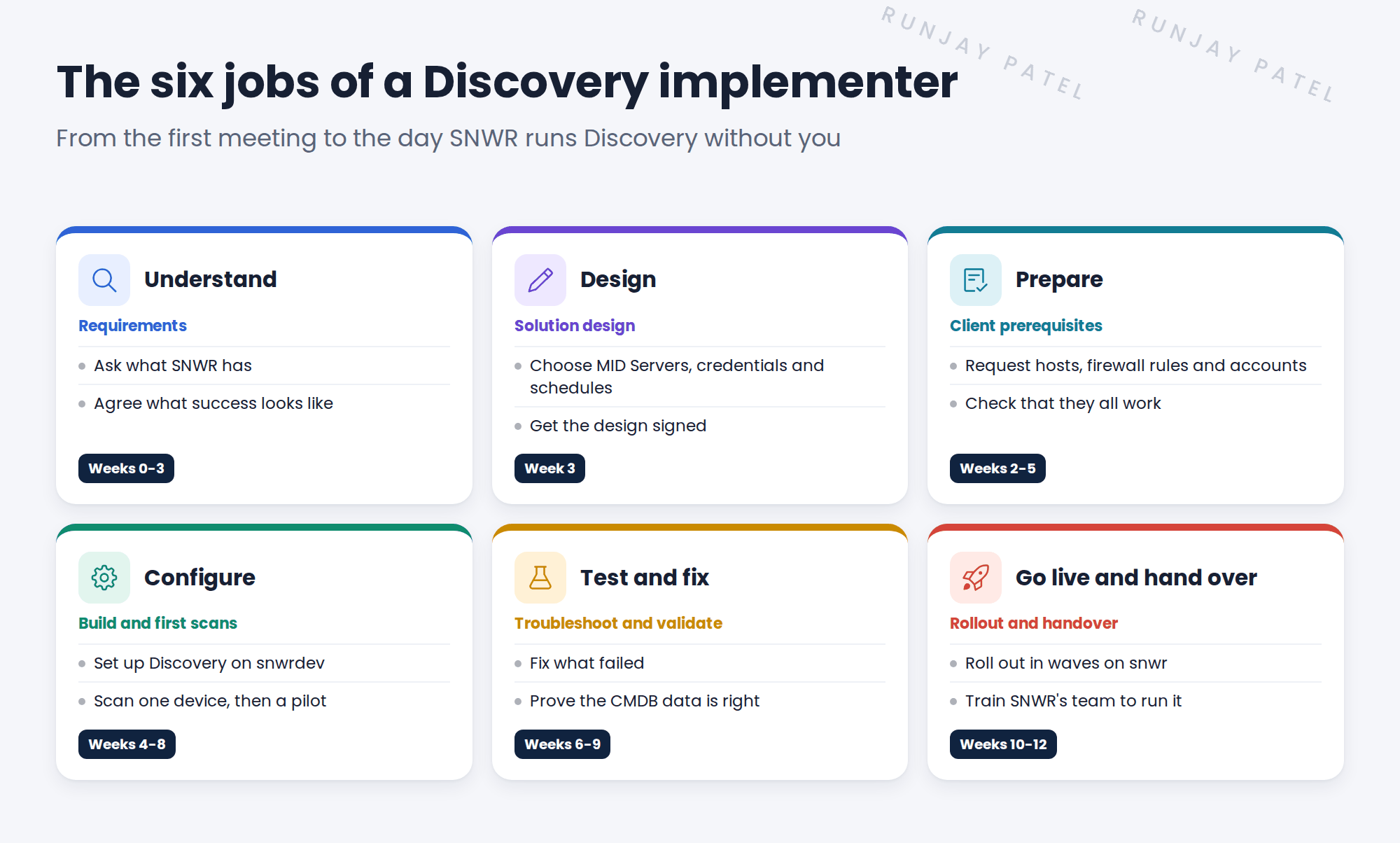
Setting up Discovery is more than clicking buttons. Most of the work happens before the first scan. Here are the six jobs you’ll do on Clear View:
- Understand. Ask what the client has and what they need. Agree how you’ll measure success.
- Design. Decide where MID Servers go, which accounts to use and when scans run. Get the design signed.
- Prepare. Request the servers, firewall rules and accounts you need. Then check that each one works.
- Configure. Set up Discovery. Scan one device first, then a small group, then more.
- Test and fix. Fix what fails. Prove that the CMDB data is right.
- Go live and hand over. Turn it on in production, step by step. Then train the client’s team to run it.
📝 Note: A MID Server is a small program that runs inside the client’s network. It does the scanning for ServiceNow. You’ll learn all about it later in this path.
4 Who you work with
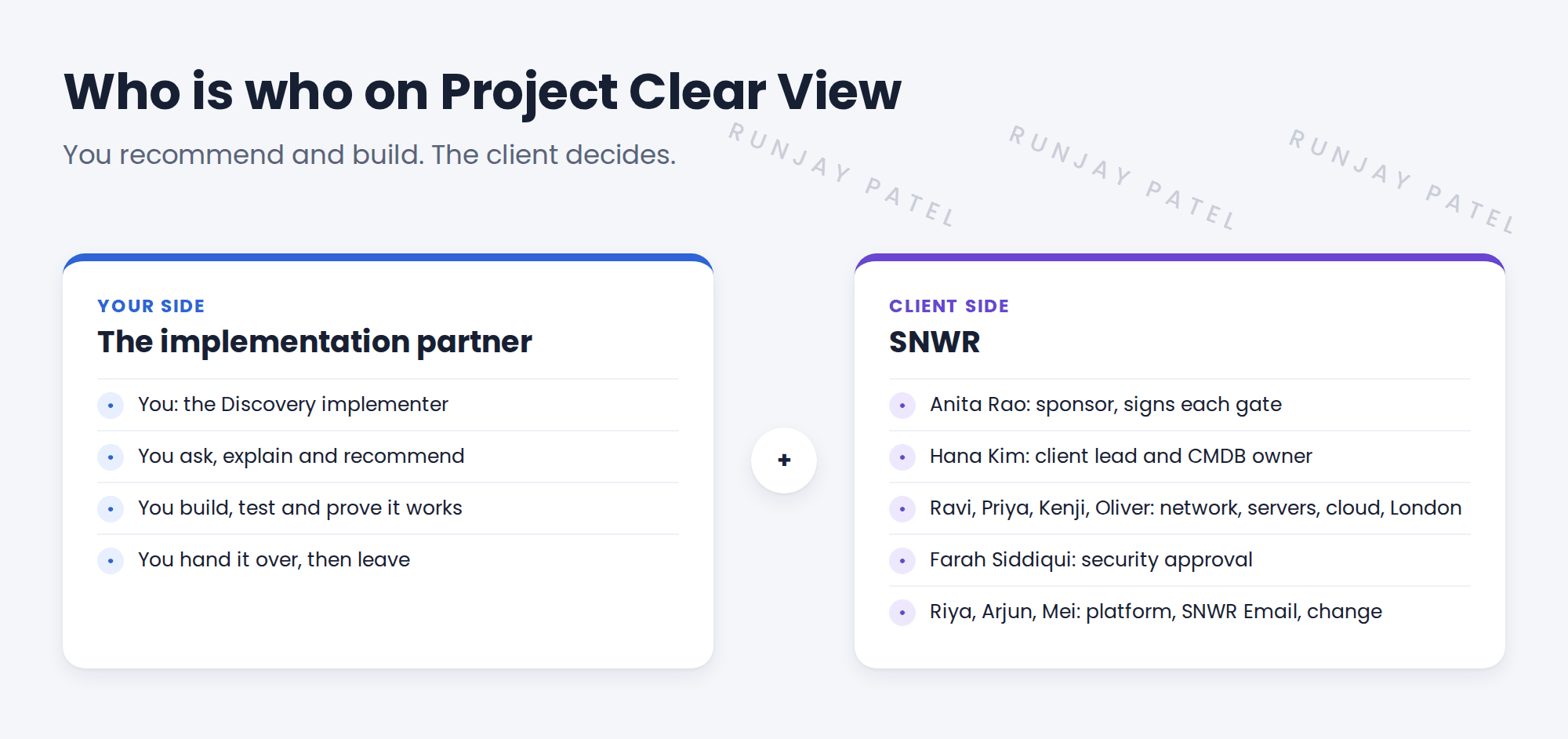
You don’t work alone. You work for the partner company, and SNWR is the client. Many people at SNWR help you, and some of them must approve your work.
| Person at SNWR | What they do on Clear View |
|---|---|
| Anita Rao, CIO | The sponsor. She pays for the project and signs each sign-off gate. |
| Hana Kim, configuration manager | Your client lead. She owns the CMDB and decides what data is right. |
| Ravi Iyer, network engineer | Knows the networks. Opens firewall rules for your scans. |
| Priya Nair, server team lead | Builds the MID Server hosts and creates server accounts. |
| Farah Siddiqui, security lead | Approves how and when you scan. Nothing runs without her yes. |
You’ll also meet Riya Sharma (platform), Kenji Watanabe (cloud), Oliver Grant (London), Arjun Mehta (SNWR Email) and Mei Chen (change).
⭐ Remember: You recommend. The client decides. Your job is to explain the choices clearly, so SNWR can make good decisions.
5 What makes a good implementer
- Listen first. Learn the client’s pain before you touch any system.
- Explain simply. Anita and Farah aren’t Discovery experts. Use plain words.
- Write things down. Every decision, request and sign-off goes into a project document.
- Never scan without approval. Every scan needs an agreed range, time and change.
- Check your work. A scan that finished isn’t the same as data that’s right.
⚠️ Heads up: Discovery touches the client’s live network. One wrong IP range could scan devices that must never be scanned, like building systems. That’s why approvals matter so much.
6 Project Clear View: How We Implemented It
📍 Situation: It’s week 0. The statement of work (SOW) is signed. An SOW is the contract that says what you’ll deliver. You’ve just been named the Discovery implementer, and kickoff is next Monday.
🧭 Decision: Before touching any system, learn the client. Read the SOW, hear Hana’s view, and write down what ‘done’ looks like.
🛠️ Steps we took:
- Read SOW SNWR-SOW-014. You marked the scope: servers and network devices at Mumbai HQ and London Office, the AWS account, and the Finance zone.
- Had a 30-minute call with Hana Kim. She told you about the spreadsheet, the empty CI fields and the VPN outage.
- Wrote the six jobs into a one-page plan, with a rough week for each job.
- Listed the SNWR people you need, and what you need from each of them.
- Asked Riya for read-only access to snwrdev. You want to look before you change anything.
✅ What we verified:
- Hana agreed that the one-page plan matches the SOW.
- Everyone on the people list knows the project exists and what you’ll ask of them.
- You can log in to snwrdev. You have no access to production yet, and you don’t need it.
📁 Evidence: The Clear View one-page plan and people list, saved in the project folder. Both go into the kickoff pack later (see Before Kickoff › Preparing the Kickoff Pack).
💡 Good to know: By the end of Clear View, Discovery will scan SNWR every night. It will keep 67 servers and 16 network devices up to date in the CMDB. And Hana’s team will run it without you. This path follows that project, week by week.
7 Quick recap
- Discovery finds devices and software on a network. It records them as CIs in the CMDB, again and again.
- A Discovery implementer does six jobs: understand, design, prepare, configure, test and fix, go live and hand over.
- You work for the partner. SNWR is the client. You recommend, and the client decides.
- Hana Kim is your client lead. Farah and Ravi must approve anything that touches the network.
- Listen first. Never scan without approval.
8 Check yourself
Think of your answer first. Then tap to check.
1 What does ServiceNow Discovery do? Show answer
It finds devices and software on a network and records them as CIs in the CMDB. It keeps them up to date on a schedule.
2 SNWR has a spreadsheet of 62 servers. Why isn’t that good enough? Show answer
It’s kept by hand, so it gets out of date. Nobody can be sure it’s complete or right.
3 On Clear View, who makes the final call on CMDB data? Show answer
Hana Kim, SNWR’s configuration manager. You recommend, and she decides.
4 In week 0, why did you ask for access to snwrdev and not production? Show answer
You look and learn first. Nothing is changed or scanned until the plan is agreed and approved.
Nice work! You know what a Discovery implementer does and who you’ll work with. 🎉
Next up: Why Companies Buy Discovery
Was this lesson helpful?
Please log in to share lesson feedback.
Have a question or doubt?
Ask here and get help from instructors and fellow learners.
Only logged-in learners can post.





