


Running the Kickoff Call
On this page
In this lesson, you will learn:
- How to structure a 90-minute kickoff
- How to answer hard questions calmly
- How to close with clear next steps
🔁 Quick look back: Last time: Preparing the Kickoff Pack. You learned what goes into the kickoff pack, and why you send it early.
1 The Problem: Kickoff Can Waste 90 Minutes
Kickoffs often go wrong in the same ways:
- One topic takes the whole hour.
- A hard question gets a vague answer.
- People leave without knowing what to do next.
👉 The fix: Run a timed agenda, answer hard questions plainly, and end with named actions.
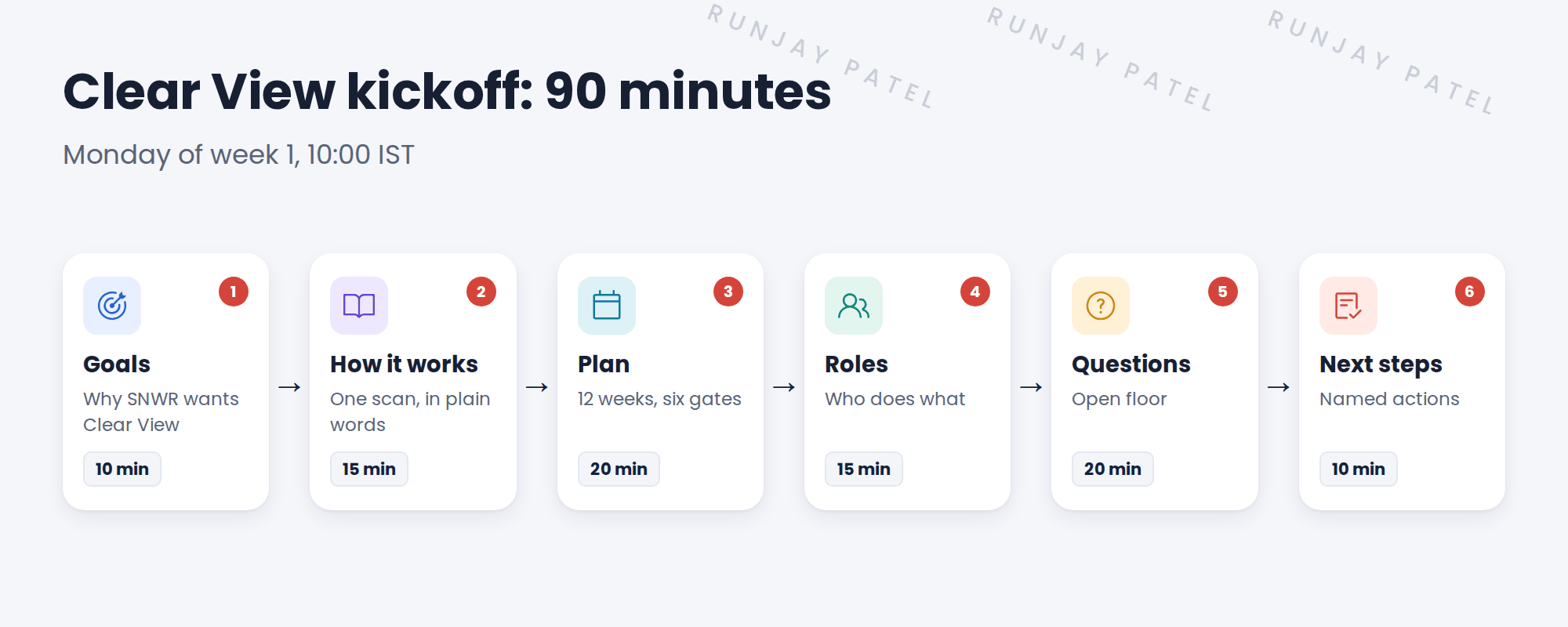
2 Running the call
- Start on time. Ask Anita to open with why SNWR wants Clear View.
- Explain Discovery with the one-page explainer. Avoid jargon.
- Show the plan and the six gates. Say what you need from whom, and when.
- Take questions. Park long topics for a follow-up.
- Close by reading out each action, its owner and its date.
💡 Good to know: Keep a ‘parking lot’ list on screen. Long topics go there, so the meeting stays on time.
3 Answering hard questions
Farah asked: ‘Will your scans break anything?’ A good answer is honest and specific:
- Scans only read data. They don’t change devices.
- We start with one server, then a small pilot, before anything bigger.
- Fragile ranges, like building systems, are excluded.
- Scans run at night, inside approved windows, under change control.
⭐ Remember: If you don’t know an answer, say so, and promise a date to follow up.
4 Project Clear View: How We Implemented It
📍 Situation: Kickoff is Monday of week 1. Twelve people join, with Oliver in London.
🧭 Decision: Run a strict 90-minute agenda and leave with owned actions.
🛠️ Steps we took:
- Anita opened with the three pains: empty CI fields, the spreadsheet, the VPN outage.
- You explained one scan of snwr-mail-01 using the explainer.
- You answered Farah’s question with the four points above.
- You closed with seven actions. For example: Ravi sends the subnet list by Wednesday.
✅ What we verified:
- Every action has an owner and a date.
- The meeting ended on time.
📁 Evidence: Kickoff notes and the action list, sent the same afternoon.
5 Quick recap
- Use a timed agenda: goals, how it works, plan, roles, questions, next steps.
- Explain Discovery in plain words.
- Answer hard questions honestly and specifically.
- Close with actions that each have an owner and a date.
6 Check yourself
Think of your answer first. Then tap to check.
1 What’s a ‘parking lot’ in a meeting? Show answer
A list of long topics saved for later, so the meeting stays on time.
2 How did you answer ‘Will your scans break anything?’ Show answer
Scans only read data; start small; fragile ranges excluded; scans at night under change control.
3 What must every kickoff action have? Show answer
An owner and a date.
Nice work! You can run a Discovery kickoff. 🎉
Next up: Roles and Responsibilities (RACI)
Was this lesson helpful?
Please log in to share lesson feedback.
Have a question or doubt?
Ask here and get help from instructors and fellow learners.
Only logged-in learners can post.





