


Stale CIs and Retirement Rules
On this page
In this lesson, you will learn:
- Why stale CIs are a problem
- What CMDB Data Manager policies do
- SNWR’s retirement policy
🔁 Quick look back: Last time: CMDB Health for Discovered CIs. You learned how CMDB Health tracks the quality of discovered CIs.
1 The Problem: Retired Servers Stay ‘Operational’ Forever
When a server is switched off, Discovery stops finding it. But the CI stays. Over time:
- The CMDB fills with servers that don’t exist.
- Agents pick dead CIs on incidents.
👉 The fix: Use a CMDB Data Manager policy to retire CIs not seen for a set time.
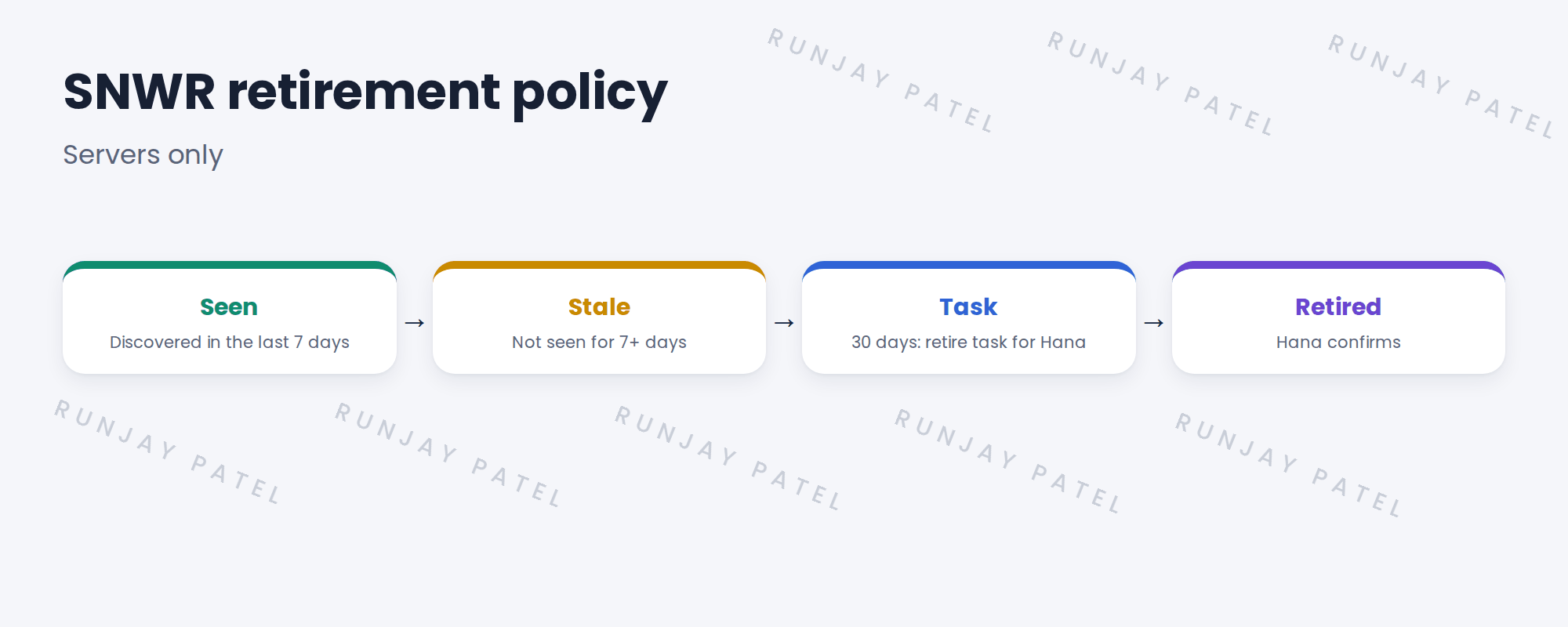
2 CMDB Data Manager
Key term: CMDB Data Manager
A tool that runs policies to retire, archive or delete CIs, with review tasks.
Key term: Retire policy
Moves CIs that meet a condition to Retired, often after review.
3 Doing it safely
- Start with a review task, not automatic retirement.
- Use a long enough gap, like 30 days.
- Retire, don’t delete. History stays.
4 Project Clear View: How We Implemented It
📍 Situation: The 4 retired servers from the old list were still in the CMDB.
🧭 Decision: Create a retire policy with review, and use it for those 4 first.
🛠️ Steps we took:
- Created a policy: servers not discovered for 30 days.
- Set it to create a task for Hana.
- Ran it: the 4 retired servers got tasks.
- Hana confirmed; they were retired.
✅ What we verified:
- The 4 are retired, with history kept.
- The policy runs weekly.
📁 Evidence: The policy, listed in the migration matrix.
5 Quick recap
- Discovery can’t retire CIs on its own.
- CMDB Data Manager policies retire CIs under rules.
- Start with review tasks.
- Retire, don’t delete.
6 Check yourself
Think of your answer first. Then tap to check.
1 Why don’t old CIs disappear by themselves? Show answer
Discovery stops updating them, but doesn’t remove them.
2 How long does SNWR wait before a retire task? Show answer
30 days without discovery.
3 Why retire instead of delete? Show answer
History, like past incidents, is kept.
Nice work! SNWR’s CMDB won’t fill with dead servers. 🎉
Next up: Ownership and Data Certification
Was this lesson helpful?
Please log in to share lesson feedback.
Have a question or doubt?
Ask here and get help from instructors and fellow learners.
Only logged-in learners can post.





