


Variables, Attributes and Tables
On this page
In this lesson, you will learn:
- What pattern variables are
- What tables are for
- How values reach CI attributes
🔁 Quick look back: Last time: Identification and Connection Sections. You learned what identification and connection sections do.
1 The Problem: You Can’t See Where a Value Comes From
snwr-mail-01’s CI shows ‘RHEL 9.4’. Hana asks where that came from. Without knowing:
- You can’t fix a wrong value.
- You can’t add a new one.
👉 The fix: Follow a value through the pattern’s variables and tables to the CI attribute.
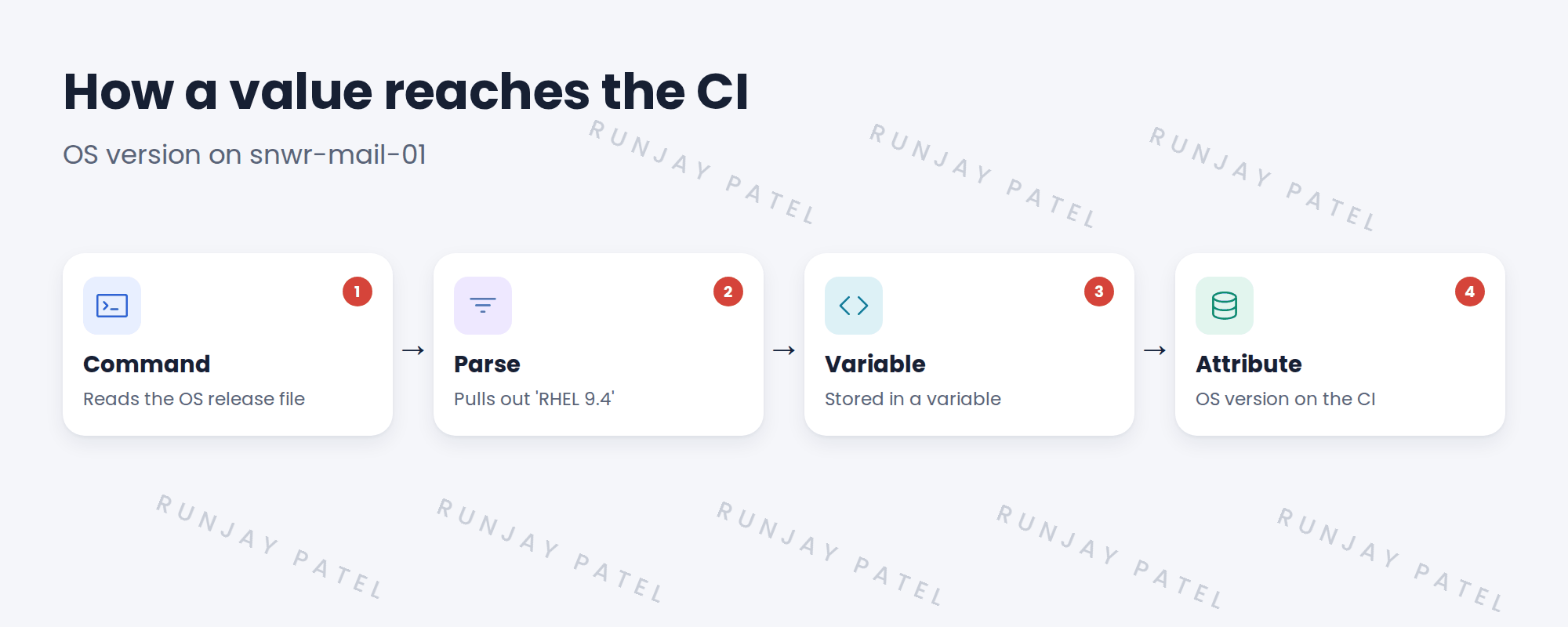
2 Variables and tables
Key term: Variable
A named value the pattern keeps, such as the OS version.
Key term: Table
A list of rows, such as one row per disk or network adapter.
Key term: CI attribute
A field on the CI, such as OS version, filled from a variable.
3 Seeing it in Debug mode
- Start Debug mode on the pattern.
- Pick a MID Server and a target host.
- Run step by step.
- Watch variables and tables fill after each step.
💡 Good to know: Debug mode runs real commands on the target. Use a test host or an approved one.
4 Project Clear View: How We Implemented It
📍 Situation: Hana asked where ‘RHEL 9.4’ came from.
🧭 Decision: Run the Linux Server pattern in Debug mode on snwr-mail-01 and follow it.
🛠️ Steps we took:
- Started Debug mode on snwrtest, with snwr-mid-test-01 and 10.10.10.21.
- Ran it step by step.
- Pointed out the step that set the OS version variable.
- Showed the disk table filling up.
✅ What we verified:
- Hana followed the value from command to attribute.
- Debug ran with the approved account only.
📁 Evidence: Debug screenshots for the knowledge transfer sessions.
5 Quick recap
- Variables hold single values. Tables hold lists.
- CI attributes are filled from variables and tables.
- Debug mode shows them filling step by step.
- Debug runs real commands, so use approved hosts.
6 Check yourself
Think of your answer first. Then tap to check.
1 What’s a pattern table used for? Show answer
Lists, like one row per disk or network adapter.
2 How can you watch variables fill? Show answer
Run the pattern in Debug mode, step by step.
3 Why use an approved host for Debug? Show answer
Debug runs real commands on the target.
Nice work! You can follow a value through a pattern. 🎉
Next up: Pattern Operations: Match and Parse
Was this lesson helpful?
Please log in to share lesson feedback.
Have a question or doubt?
Ask here and get help from instructors and fellow learners.
Only logged-in learners can post.





