


Restricted Zones and What Must Never Be Scanned
On this page
In this lesson, you will learn:
- What a restricted zone is
- Which devices must never be scanned
- How to record exclusions
🔁 Quick look back: Last time: Applications and Databases in Scope. You learned how to list key applications and spot ones with no pattern.
1 The Problem: Some Networks Must Never Be Scanned
Some devices can misbehave when scanned. And some zones forbid scans by policy. At SNWR:
- Building systems control lifts and air conditioning.
- The payroll appliance vendor forbids scans.
- The Finance zone blocks all inbound connections.
👉 The fix: Find them early, record them as firm exclusions, and plan another way for restricted zones.
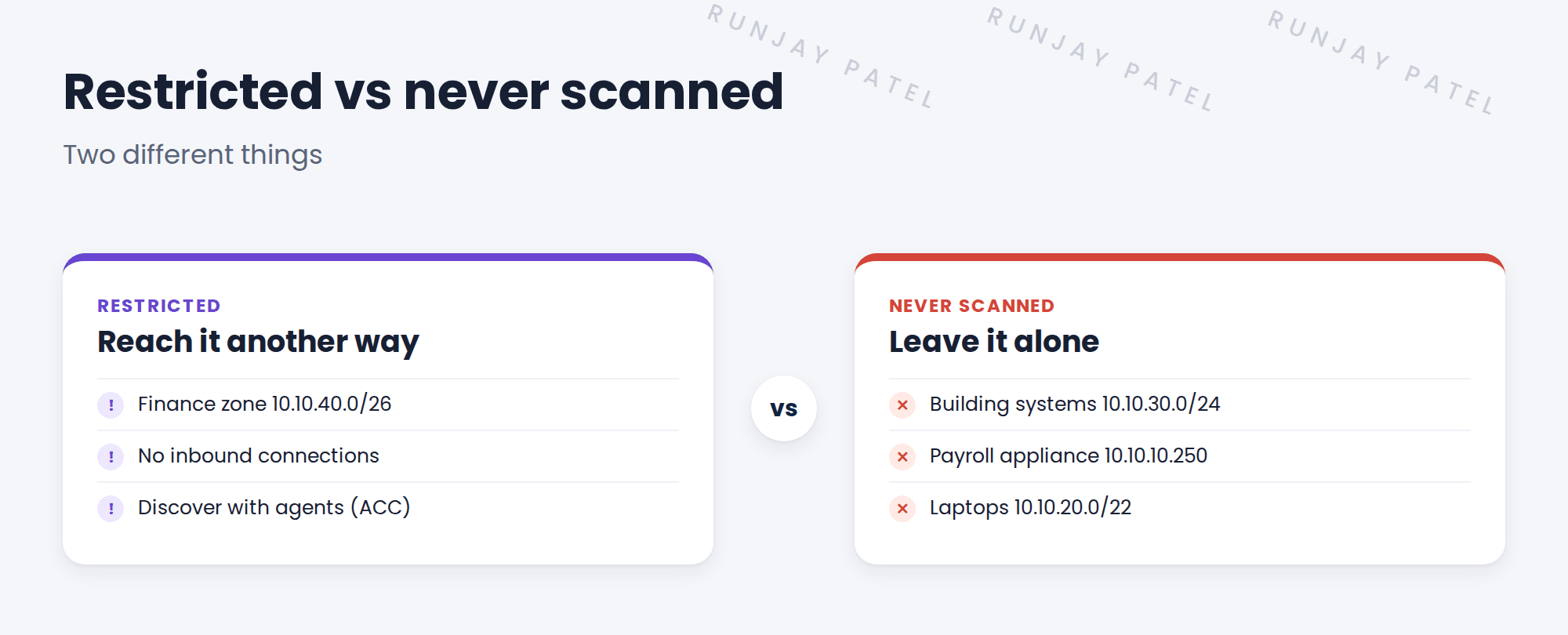
2 Restricted vs never scanned
Key term: Restricted zone
A zone you can’t scan from outside, but may still discover another way, such as with agents.
Key term: Exclusion
An address or range Discovery must never touch.
Common exclusions: building systems, medical devices, payment terminals, factory controllers and old fragile devices.
3 Recording exclusions
- Write each exclusion with its reason and the person who asked for it.
- Get security to sign the list.
- Add the exclusions to every schedule that could reach them.
⚠️ Remember: An exclusion only protects a device if it’s in the schedule. A list in a document isn’t enough.
4 Project Clear View: How We Implemented It
📍 Situation: The questionnaire found the Finance zone and the building systems.
🧭 Decision: Separate restricted zones from never-scan ranges, and get Farah to sign both.
🛠️ Steps we took:
- Recorded the Finance zone as restricted, to be discovered with agents.
- Recorded three never-scan ranges, each with a reason.
- Asked Ravi to check for anything else fragile. He added nothing.
- Farah signed the list.
✅ What we verified:
- Every exclusion has a reason and an owner.
- Farah’s signature is on the list.
📁 Evidence: The exclusion list. It becomes exclusion ranges in Discovery Schedules › IP Ranges, Range Sets and Exclusions.
5 Quick recap
- A restricted zone can’t be scanned from outside, but may use agents.
- An exclusion must never be touched.
- Record each exclusion with a reason and get security to sign.
- Exclusions only work when added to schedules.
6 Check yourself
Think of your answer first. Then tap to check.
1 What’s the difference between a restricted zone and an exclusion? Show answer
A restricted zone can still be discovered another way, like agents. An exclusion is never touched.
2 Name two kinds of devices often excluded. Show answer
Any two of: building systems, medical devices, payment terminals, factory controllers, old fragile devices.
3 Is an exclusion in a document enough? Show answer
No. It must be added to the schedules that could reach it.
Nice work! SNWR’s no-go areas are recorded. 🎉
Next up: Who Uses the CMDB Data, and How
Was this lesson helpful?
Please log in to share lesson feedback.
Have a question or doubt?
Ask here and get help from instructors and fellow learners.
Only logged-in learners can post.





