


Hypercare
On this page
In this lesson, you will learn:
- What hypercare is
- The daily checks
- How to end hypercare
🔁 Quick look back: Last time: Rollback and Emergency Stop. You learned how to stop a bad scan fast, and roll back.
1 The Problem: The First Weeks Show New Problems
Real nightly scans find things tests didn’t:
- New devices appear.
- Passwords change.
- A few duplicates slip through.
👉 The fix: Run two weeks of hypercare with daily checks and fast fixes.
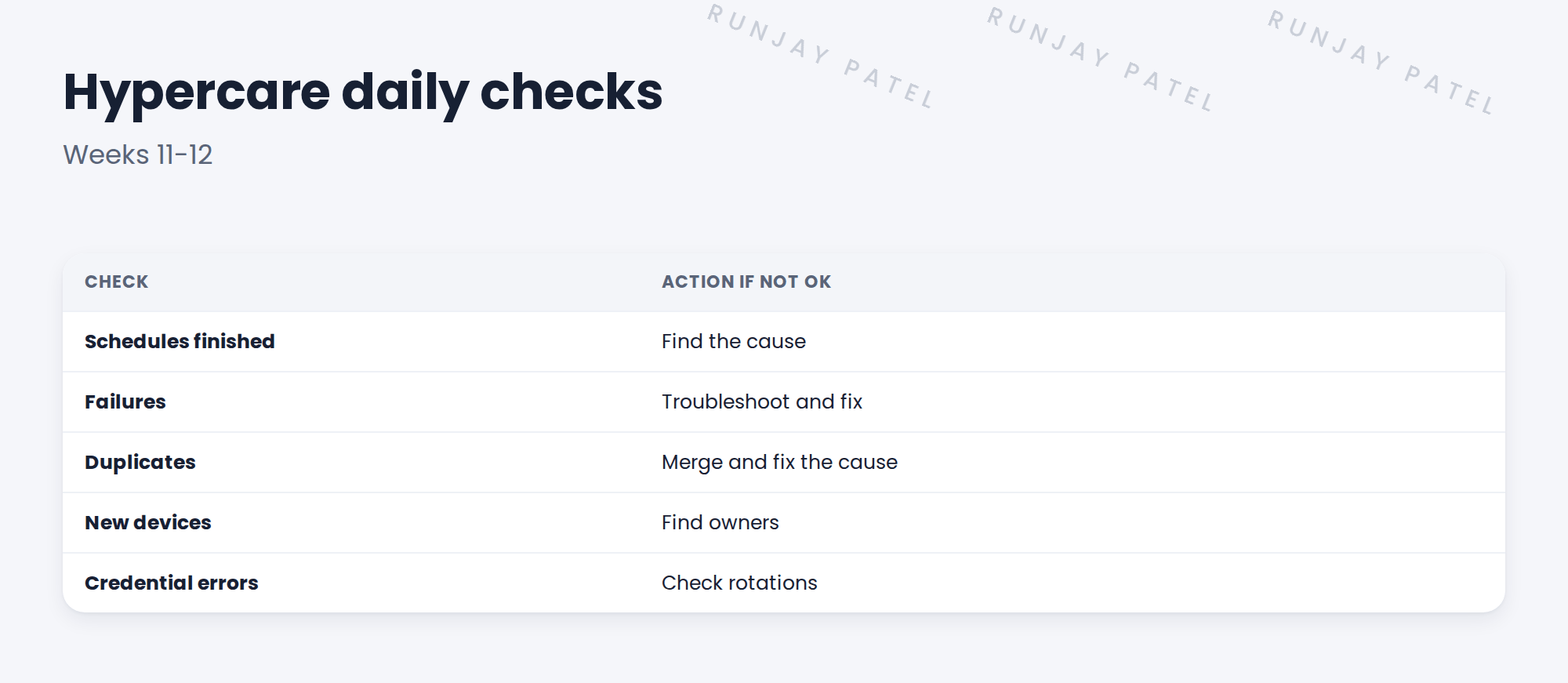
2 Hypercare
Key term: Hypercare
A short period after go-live with extra support and daily checks.
💡 Good to know: Need a refresher? See ITSM Implementation › ITSM Deployment › Hypercare and Handover for hypercare in general.
3 Ending it
- Failures are low and understood.
- The client’s team runs the daily checks.
- Open items have owners.
4 Project Clear View: How We Implemented It
📍 Situation: All four waves were live.
🧭 Decision: Run two weeks of daily checks with Hana’s team.
🛠️ Steps we took:
- Ran a 15-minute daily call with Hana’s team.
- Fixed two new failures and one duplicate.
- Found owners for four new devices.
- Handed the daily checks to Hana’s team in week 12.
✅ What we verified:
- Failures dropped to near zero.
- Hana’s team ran the checks alone.
📁 Evidence: Hypercare log, closed at handover.
5 Quick recap
- Hypercare is extra support right after go-live.
- Check schedules, failures, duplicates, new devices and credentials daily.
- Fix fast and find owners.
- End when the client’s team runs it alone.
6 Check yourself
Think of your answer first. Then tap to check.
1 How long was SNWR’s hypercare? Show answer
Two weeks.
2 Name three daily checks. Show answer
Any three of: schedules finished, failures, duplicates, new devices, credential errors.
3 When does hypercare end? Show answer
When failures are low and the client’s team runs the checks alone.
Nice work! Discovery is settled at SNWR. 🎉
Next up: Writing the Operations Runbook
Was this lesson helpful?
Please log in to share lesson feedback.
Have a question or doubt?
Ask here and get help from instructors and fellow learners.
Only logged-in learners can post.





