


The Design Review and Sign-Off
On this page
In this lesson, you will learn:
- How to run a design review
- How to handle challenges
- What gate 2 needs
🔁 Quick look back: Last time: Planning Environments: Dev, Test and Production. You learned how Discovery is split across snwrdev, snwrtest, snwrstage and snwr.
1 The Problem: An Unsigned Design Can Be Reopened Anytime
If the design isn’t signed, any decision can be reopened later:
- Build work gets redone.
- Dates slip.
- Nobody is sure what’s final.
👉 The fix: Review the design with the approvers and get it signed at gate 2.
2 Running the review
- Send the design two days before.
- Walk through each decision: what, why, options.
- Write down every challenge.
- Agree changes in the meeting where you can.
- Ask for sign-off, or a date for it.
3 Handling challenges
- Listen fully before answering.
- Explain the reason, and what you considered.
- Change the design if the challenge is right.
- Record the outcome.
⭐ Remember: A good challenge makes the design better. It isn’t an attack.
4 Project Clear View: How We Implemented It
📍 Situation: The design document was ready for review.
🧭 Decision: Review it with the approvers, handle challenges, and sign gate 2.
🛠️ Steps we took:
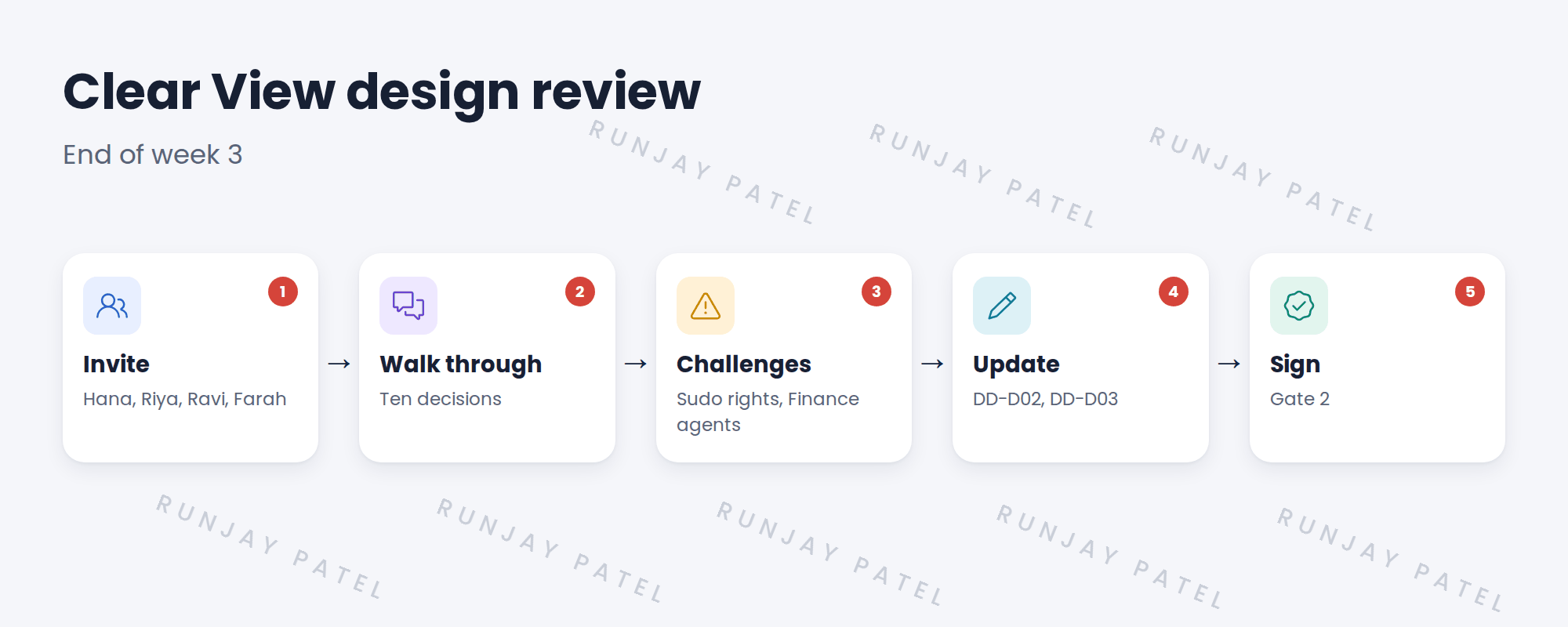
- Sent the document to Hana, Riya, Ravi and Farah two days before.
- Walked through all ten decisions.
- Farah challenged the sudo list and asked for fewer commands. You agreed to review it against the patterns.
- Updated DD-D03 and confirmed DD-D02, then got sign-off.
✅ What we verified:
- All four approvers signed.
- Every challenge is recorded with its outcome.
📁 Evidence: The signed Clear View design document (gate 2).
5 Quick recap
- Send the design before the review.
- Walk through each decision: what, why, options.
- Treat challenges as a way to improve.
- Get sign-off at gate 2.
6 Check yourself
Think of your answer first. Then tap to check.
1 Why get the design signed? Show answer
So decisions can’t be reopened without a change request.
2 What did Farah challenge? Show answer
The sudo list for Linux, and the Finance agent approach.
3 Who signed gate 2? Show answer
Hana, Riya, Ravi and Farah.
Nice work! Clear View’s design is signed. 🎉
Next up: The Prerequisites Checklist
Was this lesson helpful?
Please log in to share lesson feedback.
Have a question or doubt?
Ask here and get help from instructors and fellow learners.
Only logged-in learners can post.





