


Checking Instance Readiness: Plugins, Apps and Roles
On this page
In this lesson, you will learn:
- What to check on each instance before you start
- Which plugins and apps Discovery needs
- Which roles you and the client need
🔁 Quick look back: Last time: Checking Licenses and Subscription Units. You learned how subscription units work and how to estimate them.
1 The Problem: A Missing Plugin Blocks Day One
On many projects, day one is lost to access and setup. For example:
- The Discovery plugin isn’t active on the dev instance.
- Nobody has the Discovery admin role.
- The workspace app isn’t installed.
👉 The fix: Check every instance before kickoff, and fix gaps while there’s still time.
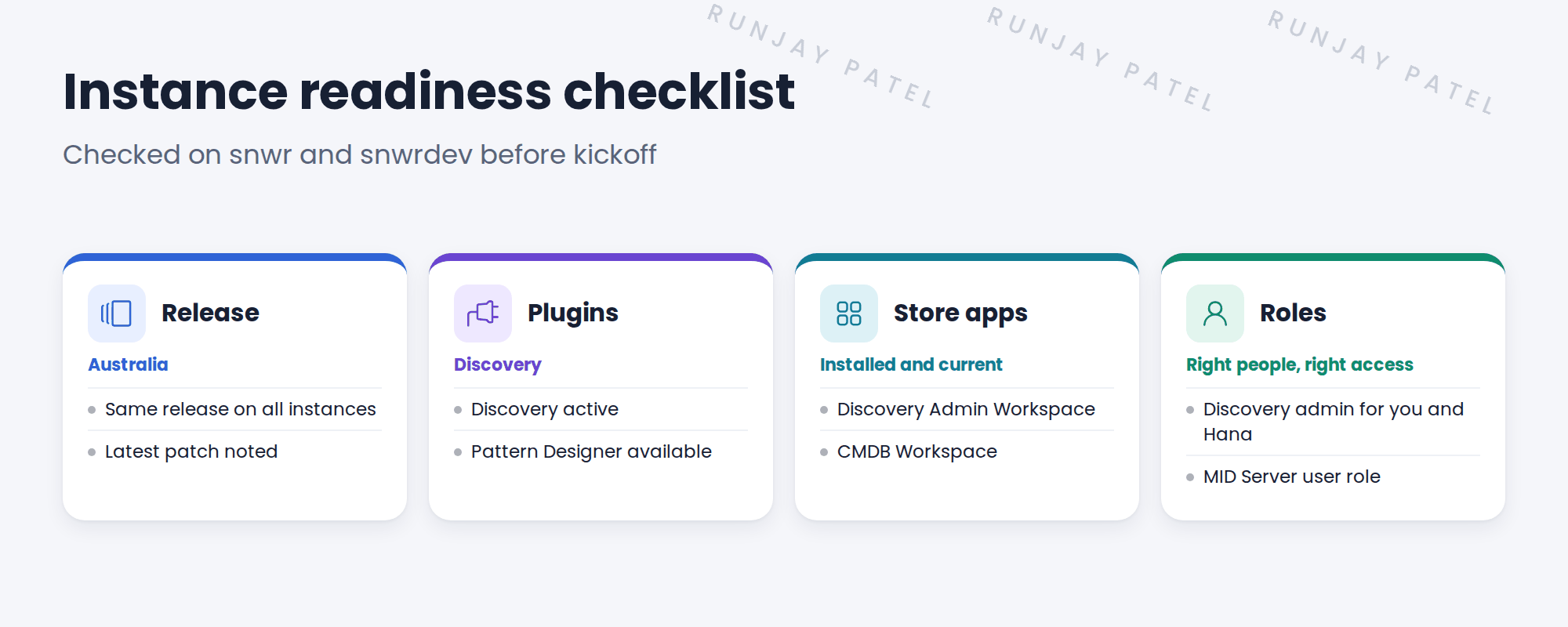
2 What to check
- Release. All four instances should be on the same release and similar patches.
- Plugins. Discovery must be active. Pattern Designer must be available.
- Store apps. Discovery Admin Workspace and CMDB Workspace, installed and current.
- Roles. You and Hana need Discovery admin rights. Each MID Server needs a user with the MID Server role.
💡 Good to know: Ask the platform owner to check these. On SNWR, that’s Riya. Don’t install plugins on production yourself without a change.
3 Dev first, then the rest
Set up snwrdev first. Then repeat the same setup on snwrtest, snwrstage and snwr, through the normal change process.
💡 Good to know: Need a refresher? See Fundamentals › Plugin Installation › Installing Apps & Plugins for how plugins are installed.
4 Project Clear View: How We Implemented It
📍 Situation: Kickoff is Monday. You want to start work on snwrdev in week 1.
🧭 Decision: Ask Riya to check all four instances against one checklist before kickoff.
🛠️ Steps we took:
- Sent Riya the readiness checklist: release, plugins, Store apps, roles.
- Riya found Discovery Admin Workspace missing on snwrdev and installed it.
- Riya gave you and Hana the Discovery admin role on snwrdev only.
- Raised a change to set up the same on snwr later, after design.
✅ What we verified:
- snwrdev is ready: Discovery active, workspace installed, roles given.
- Production changes are planned, not rushed.
📁 Evidence: The completed readiness checklist for snwrdev, and a change request for snwr (see Production Rollout › Building the Production Migration Matrix).
5 Quick recap
- Check release, plugins, Store apps and roles before kickoff.
- Discovery must be active and Pattern Designer available.
- Set up snwrdev first, then the others through change.
- Ask the platform owner to make the changes.
6 Check yourself
Think of your answer first. Then tap to check.
1 Name the four things on the readiness checklist. Show answer
Release, plugins, Store apps and roles.
2 Why set up snwrdev first? Show answer
It’s where you build. The other instances follow later through the normal change process.
3 Who made the changes at SNWR? Show answer
Riya Sharma, the platform owner.
Nice work! SNWR’s instances are ready for Discovery. 🎉
Next up: Checking Pattern Content and MID Compatibility
Was this lesson helpful?
Please log in to share lesson feedback.
Have a question or doubt?
Ask here and get help from instructors and fellow learners.
Only logged-in learners can post.





