


How ServiceNow Selects a MID Server
On this page
In this lesson, you will learn:
- The ways a schedule can pick a MID Server
- How auto-select works
- How to predict which MID runs a scan
🔁 Quick look back: Last time: Applications, IP Ranges and MID Capabilities. You learned how applications, IP ranges and capabilities steer each MID Server.
1 The Problem: You Can’t Predict Which MID Server Runs a Scan
Hana asks: ‘Which MID Server will scan 172.16.5.1 tonight?’ If you can’t answer:
- You can’t plan firewall rules.
- You can’t troubleshoot failures quickly.
👉 The fix: Learn how selection works, so the answer is always clear.
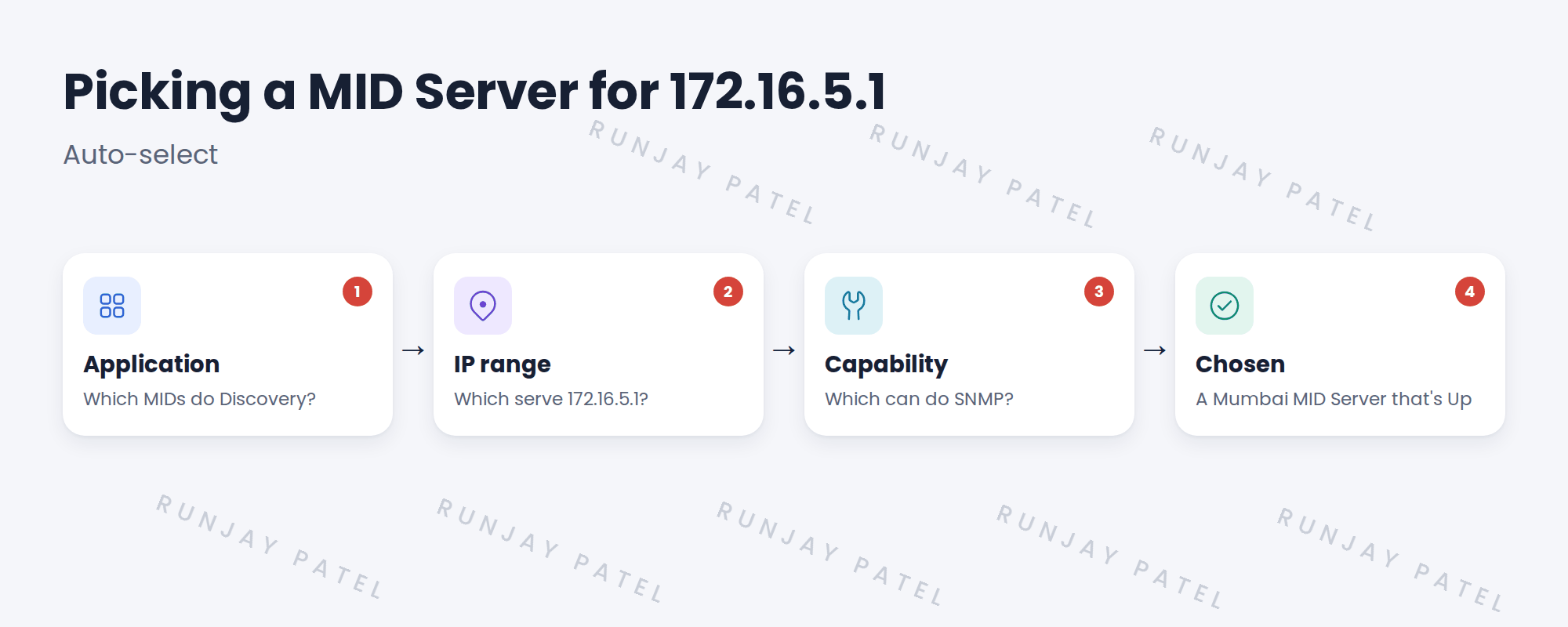
2 Ways to pick
| Setting on the schedule | What happens |
|---|---|
| Auto-select | ServiceNow picks by application, IP range and capabilities. |
| Specific MID Server | Always that one MID Server. |
| Specific MID cluster | Any MID Server in that cluster. |
💡 Good to know: Auto-select works well once every MID Server has correct ranges. A named cluster is simple and predictable.
3 When nothing matches
If no MID Server fits, the scan can’t run for those addresses. The error says no suitable MID Server was found. Check ranges and capabilities.
4 Project Clear View: How We Implemented It
📍 Situation: Hana wanted a clear answer about which MID runs which scan.
🧭 Decision: Use a named cluster for Mumbai and auto-select elsewhere, and document it.
🛠️ Steps we took:
- Set SNWR Mumbai Servers Nightly to the SNWR Mumbai MID Cluster.
- Set London and AWS schedules to auto-select.
- Checked auto-select picks the right MID for test addresses.
- Wrote a ‘which MID scans what’ table.
✅ What we verified:
- Every schedule has a predictable MID Server.
- Hana can answer the question herself.
📁 Evidence: The ‘which MID scans what’ table in the runbook.
5 Quick recap
- Schedules can auto-select, name one MID Server, or name a cluster.
- Auto-select uses application, IP range and capabilities.
- If nothing matches, the scan can’t run.
- Document which MID scans what.
6 Check yourself
Think of your answer first. Then tap to check.
1 What three things does auto-select use? Show answer
Application, IP range and capabilities.
2 What happens if no MID Server matches? Show answer
The scan can’t run for those addresses, and an error says no suitable MID Server was found.
3 How does SNWR’s Mumbai schedule pick a MID? Show answer
It names the SNWR Mumbai MID Cluster.
Nice work! You can predict which MID Server runs a scan. 🎉
Next up: Clusters, Load Balancing and Failover
Was this lesson helpful?
Please log in to share lesson feedback.
Have a question or doubt?
Ask here and get help from instructors and fellow learners.
Only logged-in learners can post.





