


Device Classifiers
On this page
In this lesson, you will learn:
- What a classifier does
- How SNMP devices are classified
- How SNWR handled a new switch model
🔁 Quick look back: Last time: IP Services and Port Probes. You learned how IP services and port probes decide which ports are checked.
1 The Problem: A New Switch Shows Up as Unknown
SNWR bought a new switch model last year. In a test scan:
- It answered SNMP fine.
- But Discovery saved it as generic network gear, not a switch.
👉 The fix: Add a classification so Discovery recognises the model.
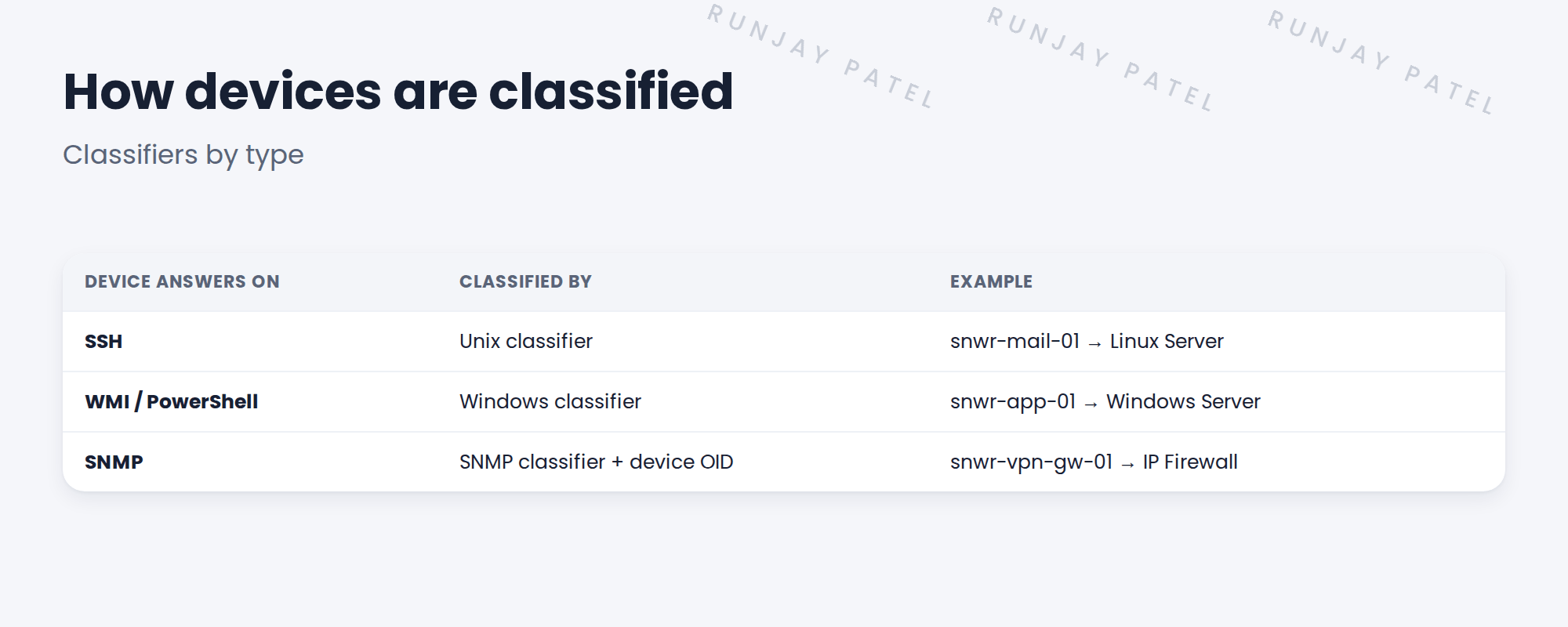
2 What a classifier does
Key term: Classifier
A rule that looks at what a device reports and decides its class.
Key term: OID
Object identifier. A number an SNMP device reports that identifies its maker and model.
After classification, Discovery knows which pattern to run.
3 New models
If a device’s OID isn’t known, Discovery can’t pick the right class. You can add an OID classification for the model.
💡 Good to know: Check for a newer pattern content update first. It may already know the model.
4 Project Clear View: How We Implemented It
📍 Situation: The new switch model came in as generic network gear.
🧭 Decision: Check content first, then add an OID classification if needed.
🛠️ Steps we took:
- Checked the latest content. The model wasn’t there yet.
- Read the switch’s system OID from the test results.
- Added an OID classification mapping it to IP Switch.
- Rescanned the switch.
✅ What we verified:
- The switch is now an IP Switch.
- The change is recorded for the migration matrix.
📁 Evidence: The OID classification, listed in the migration matrix.
5 Quick recap
- Classifiers decide a device’s class from what it reports.
- SNMP devices are classified by their OID.
- Classification decides which pattern runs.
- Check content updates before adding your own.
6 Check yourself
Think of your answer first. Then tap to check.
1 What is an OID? Show answer
A number an SNMP device reports that identifies its maker and model.
2 What happens after classification? Show answer
Discovery runs the right pattern for that class.
3 What should you check before adding an OID classification? Show answer
Whether newer pattern content already knows the model.
Nice work! SNWR’s new switch is classified properly. 🎉
Next up: Process Classifiers for Applications
Was this lesson helpful?
Please log in to share lesson feedback.
Have a question or doubt?
Ask here and get help from instructors and fellow learners.
Only logged-in learners can post.





