


UAT with the CMDB Owner
On this page
In this lesson, you will learn:
- What UAT is for Discovery
- How to write a UAT script
- How SNWR signed gate 5
🔁 Quick look back: Last time: Ownership and Data Certification. You learned how quarterly certification keeps owners right.
1 The Problem: Only the Client Can Accept the Result
Your tests passed. But you built it. Hana must see for herself that:
- The data is right.
- Her team can use it.
👉 The fix: Give Hana a short UAT script with real SNWR examples.
2 A good UAT script
- Short: 5 to 10 steps.
- Uses real CIs the tester knows.
- Says what to expect.
- Covers value and safety.
3 Signing off
⭐ Remember: UAT sign-off is gate 5. After it, changes go through change requests.
4 Project Clear View: How We Implemented It
📍 Situation: Testing passed. Gate 5 was next.
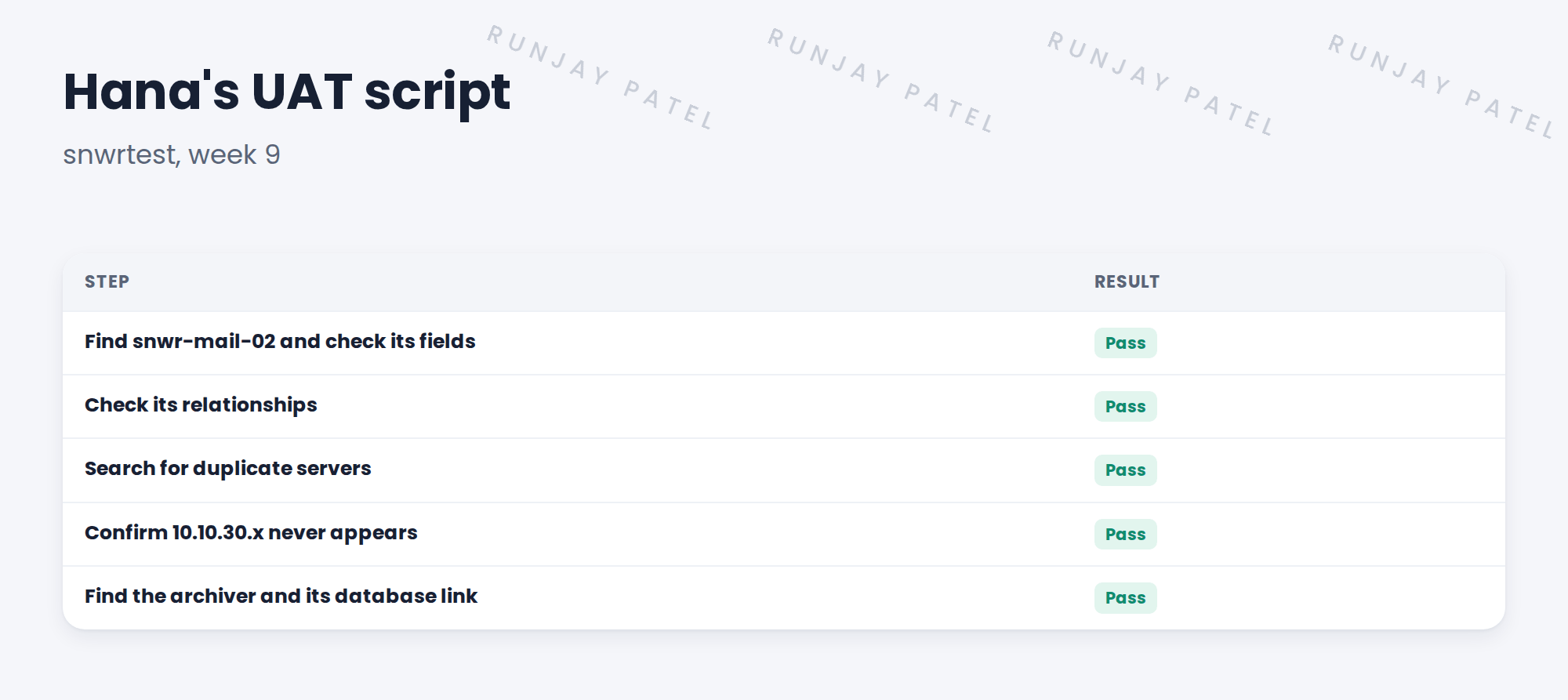
🧭 Decision: Hana runs a five-step UAT script herself.
🛠️ Steps we took:
- Wrote five steps using CIs Hana knows.
- Hana ran it on snwrtest without help.
- All five passed.
- Hana signed gate 5.
✅ What we verified:
- Hana ran every step herself.
- Gate 5 is signed.
📁 Evidence: The signed UAT script (gate 5).
5 Quick recap
- UAT lets the client accept the result.
- Keep the script short, real and clear.
- Include value and safety checks.
- UAT sign-off is gate 5.
6 Check yourself
Think of your answer first. Then tap to check.
1 Who runs UAT? Show answer
The client, here Hana Kim.
2 Name one UAT step. Show answer
Any of: check snwr-mail-02’s fields, relationships, duplicates, excluded range, archiver link.
3 What happens after gate 5? Show answer
Changes go through change requests.
Nice work! Hana accepted Clear View. 🎉
Next up: Managing Defects and Fixes
Was this lesson helpful?
Please log in to share lesson feedback.
Have a question or doubt?
Ask here and get help from instructors and fellow learners.
Only logged-in learners can post.





