


Validating Production Connectivity Before Enabling Schedules
On this page
In this lesson, you will learn:
- Why test again in production
- What to test
- Keeping schedules off until green
🔁 Quick look back: Last time: Setting Up Production MID Servers and Secure Credentials. You learned how production MID Servers and credentials were set up.
1 The Problem: Production Paths Aren’t the Same as Test Paths
snwrtest used one MID Server. snwr uses four, in different places. So:
- Some firewall rules are new.
- Some paths have never been tested.
👉 The fix: Rerun the connectivity and DNS checks from each production MID Server, with schedules still off.
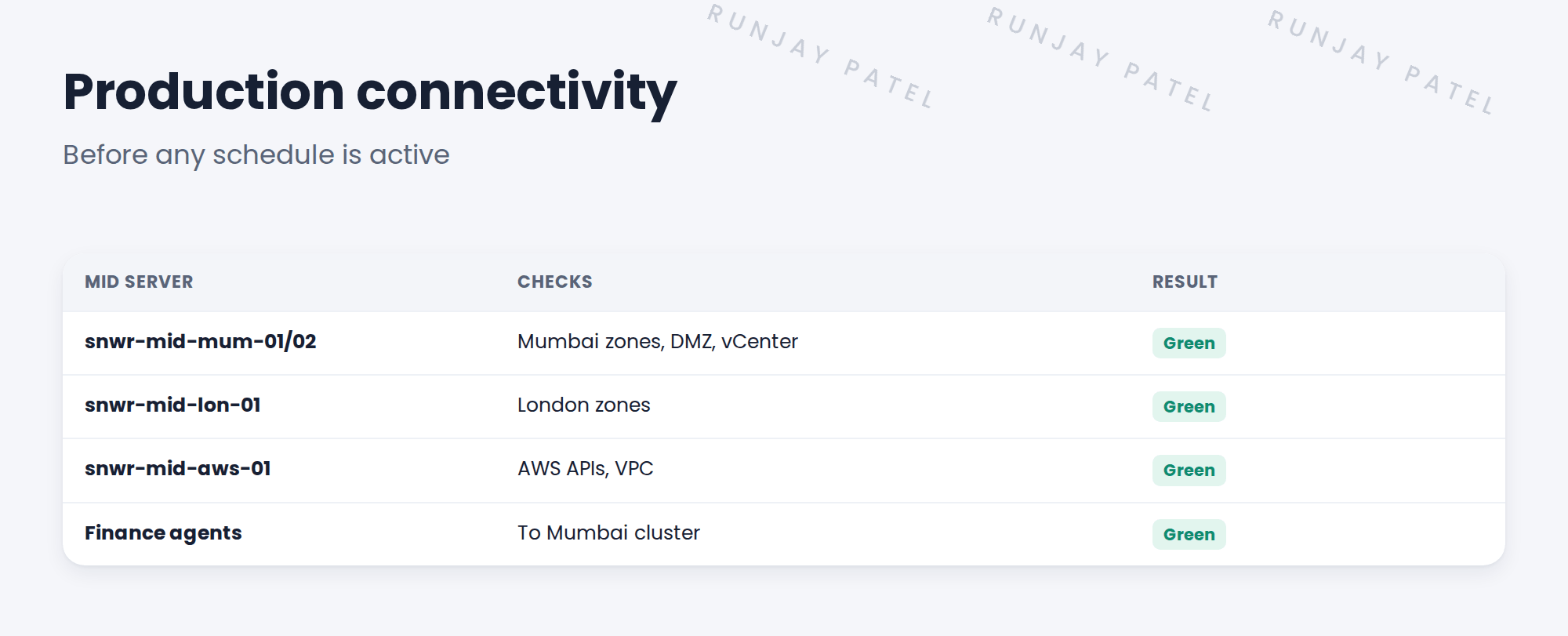
2 What to test
- Every port matrix row, from the production MID Server.
- DNS forward and reverse.
- Outbound HTTPS to snwr.
- Agent connections from Finance.
3 Schedules stay off
⭐ Remember: Don’t activate a schedule until every check for its zone is green.
4 Project Clear View: How We Implemented It
📍 Situation: Production MID Servers were ready.
🧭 Decision: Test every path before switching on schedules.
🛠️ Steps we took:
- Reran the connectivity tests from each production MID.
- Reran DNS checks.
- Checked Finance agents could reach the Mumbai cluster.
- Kept all schedules inactive.
✅ What we verified:
- Every row is green.
- No schedule was active during testing.
📁 Evidence: Production connectivity log.
5 Quick recap
- Production paths differ from test.
- Retest ports, DNS, HTTPS and agent connections.
- Keep schedules off until green.
- Record the results.
6 Check yourself
Think of your answer first. Then tap to check.
1 Why retest in production? Show answer
Production uses different MID Servers and new firewall rules.
2 When can a schedule be activated? Show answer
Only after every check for its zone is green.
3 What did you check for Finance? Show answer
That agents could reach the Mumbai cluster.
Nice work! Production paths are proven. 🎉
Next up: Planning Rollout Waves
Was this lesson helpful?
Please log in to share lesson feedback.
Have a question or doubt?
Ask here and get help from instructors and fellow learners.
Only logged-in learners can post.





