


Validating Network Connectivity Before Discovery
On this page
In this lesson, you will learn:
- Why an approved rule isn’t enough
- How to test each port matrix row
- How to record results
🔁 Quick look back: Last time: Validating DNS Resolution from the MID Host. You learned how to check DNS from each MID Server host.
1 The Problem: An Approved Rule Isn’t Always an Open Port
Ravi marked the Mumbai rules ‘done’. But sometimes:
- A rule is on the wrong firewall.
- A host firewall on the server still blocks the port.
👉 The fix: Test every port matrix row from the MID host, and record the result.
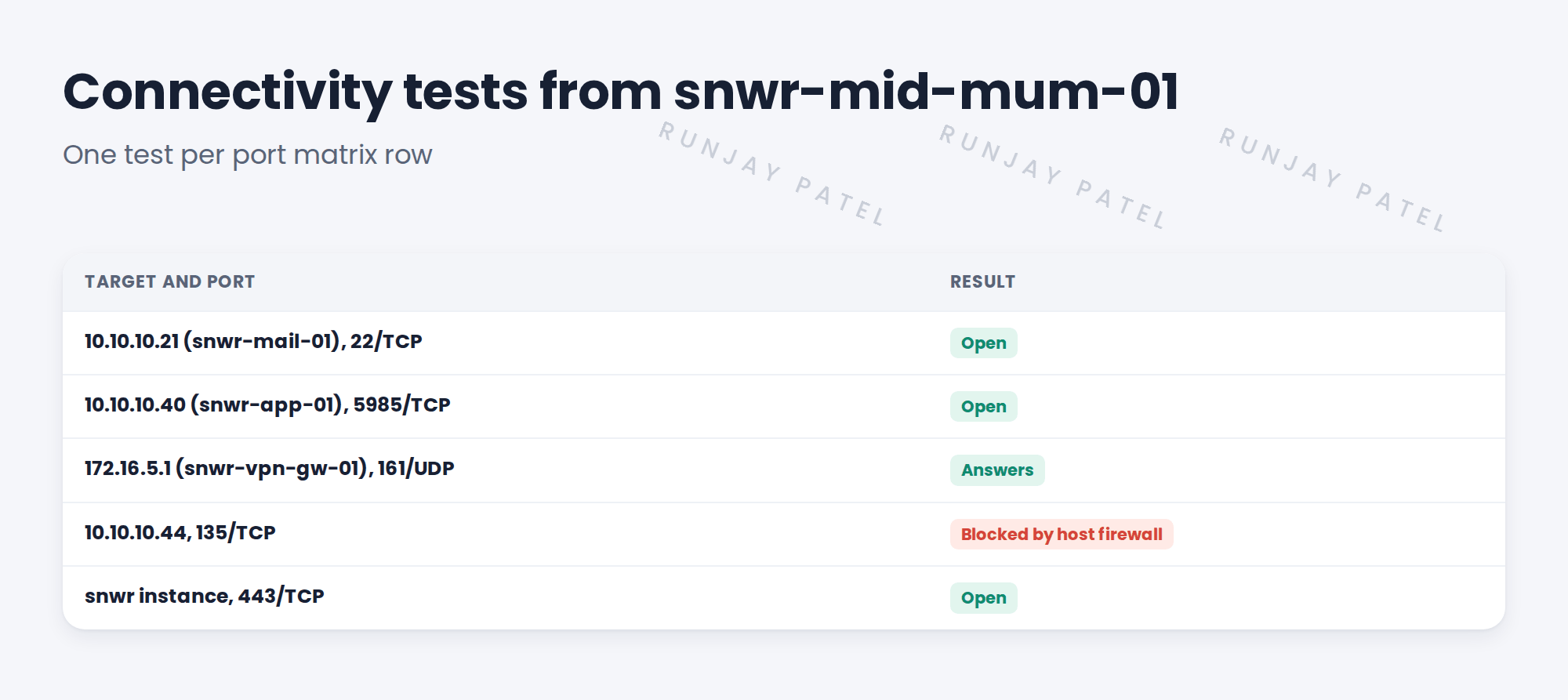
2 How to test
- Use simple tools on the MID host to test a TCP port.
- For SNMP, send a test query with the approved credential.
- Test a few targets per zone, not just one.
- Test the instance connection too.
💡 Good to know: Record the date, target, port and result. That’s your evidence if something breaks later.
3 When a test fails
Tell the rule’s owner with the exact source, target and port. If a host firewall blocks it, tell the server owner.
4 Project Clear View: How We Implemented It
📍 Situation: Ravi said the Mumbai rules were open.
🧭 Decision: Test every row from the MID host before the readiness check.
🛠️ Steps we took:
- Tested each port matrix row for Mumbai.
- Found one Windows server blocking port 135 in its own firewall.
- Sent the details to Priya.
- Retested after her fix.
✅ What we verified:
- All Mumbai rows are ‘tested’.
- The one failure was a host firewall, now fixed.
📁 Evidence: Connectivity test log, PR-12 in the tracker.
5 Quick recap
- An approved rule isn’t proof the port is open.
- Test each row from the MID host.
- Record date, target, port and result.
- Send failures to the right owner with exact details.
6 Check yourself
Think of your answer first. Then tap to check.
1 Why test after Ravi says the rules are open? Show answer
The rule could be on the wrong firewall, or a host firewall could still block it.
2 What did SNWR’s test find? Show answer
One Windows server blocking port 135 in its own host firewall.
3 Why record test results? Show answer
They’re evidence if something breaks later.
Nice work! SNWR’s network paths are proven. 🎉
Next up: Validating Pattern Commands and sudo Permissions
Was this lesson helpful?
Please log in to share lesson feedback.
Have a question or doubt?
Ask here and get help from instructors and fellow learners.
Only logged-in learners can post.





