


Pattern Operations: Match and Parse
On this page
In this lesson, you will learn:
- What the Match operation does
- The Parse operations
- When regular expressions help
🔁 Quick look back: Last time: Variables, Attributes and Tables. You learned how pattern variables and tables fill CI attributes.
1 The Problem: Command Output Is Messy
Commands return lines of text. The version you want is buried in the middle:
- Some lines are headers.
- Values sit between other words.
👉 The fix: Use Match to check conditions and Parse to pull out just the value.
2 Parsing strategies
- Delimited text: split on spaces or commas.
- Regular expression: find text that fits a pattern.
- Key and value: lines like version=4.2.
Key term: Regular expression
A short code that describes text to find, such as digits after ‘version’.
3 Match
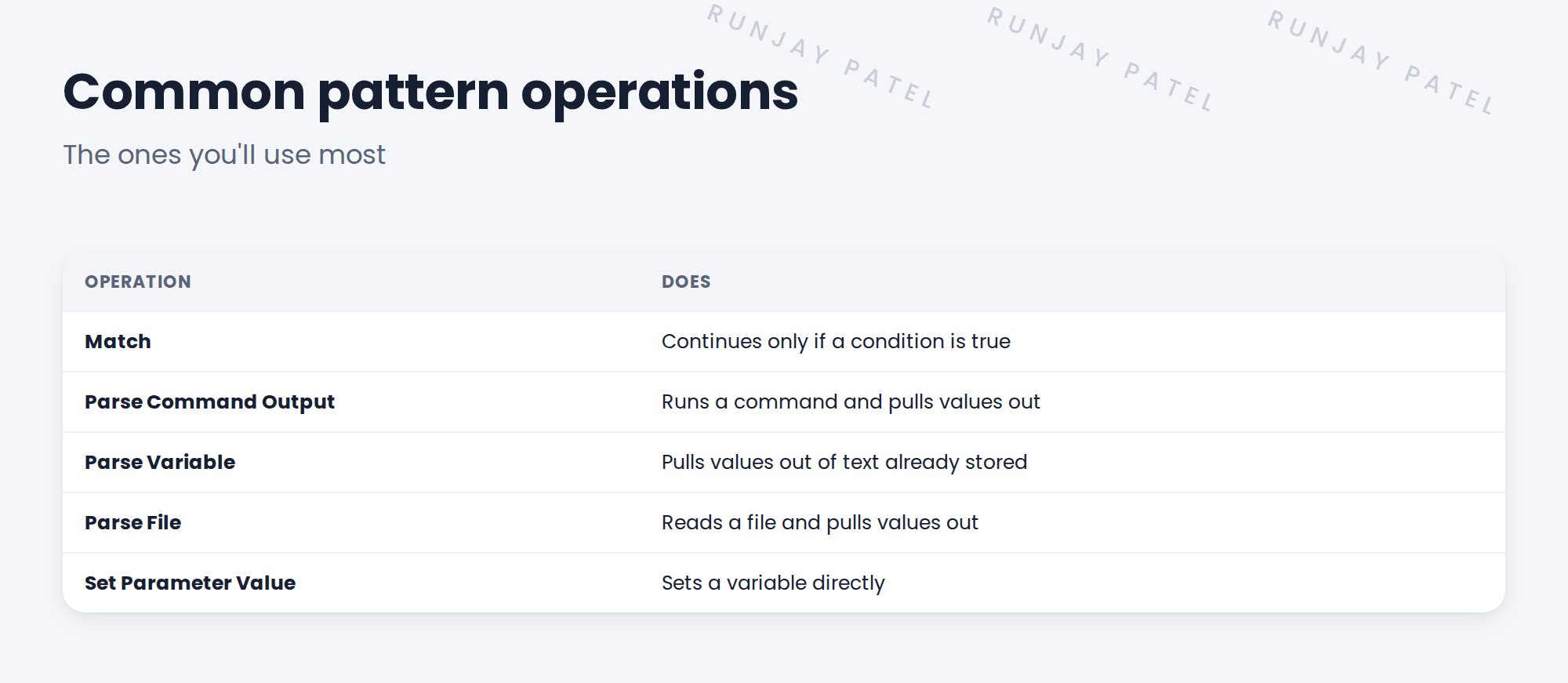
Match checks a condition, such as ‘the OS is Linux’. If it’s false, the step stops or skips. This keeps a pattern from running on the wrong thing.
4 Project Clear View: How We Implemented It
📍 Situation: The archiver pattern will need to pull its version from text.
🧭 Decision: Practise on a known value in the Linux pattern first.
🛠️ Steps we took:
- Found the step that parses the OS version on snwr-mail-01.
- Read its parsing strategy: a regular expression.
- Tried a key-and-value strategy on a sample line for comparison.
- Chose key-and-value for the archiver’s config file.
✅ What we verified:
- The team understands both strategies.
- The archiver’s parsing approach is chosen.
📁 Evidence: Parsing notes for the archiver pattern.
5 Quick recap
- Match continues only when a condition is true.
- Parse operations pull values from output, variables and files.
- Strategies: delimited, regular expression, key and value.
- Pick the simplest strategy that works.
6 Check yourself
Think of your answer first. Then tap to check.
1 What does Match do? Show answer
Continues only if a condition is true.
2 Which operation reads a file? Show answer
Parse File.
3 Which strategy did SNWR choose for the archiver’s config? Show answer
Key and value.
Nice work! You can pull clean values from messy output. 🎉
Next up: Debugging a Pattern
Was this lesson helpful?
Please log in to share lesson feedback.
Have a question or doubt?
Ask here and get help from instructors and fellow learners.
Only logged-in learners can post.





