


Fixing Cloud Discovery Errors
On this page
In this lesson, you will learn:
- Common cloud errors
- Where to see them
- How SNWR fixed a missing permission
🔁 Quick look back: Last time: Containers and Kubernetes: What Discovery Can See. You learned what Discovery can see in Kubernetes, and SNWR’s phase 1 choice.
1 The Problem: RDS Is Missing From the Results
The first full cloud run found the EC2 instances, but not the RDS database. There was:
- No failure on the schedule.
- One warning in the cloud results.
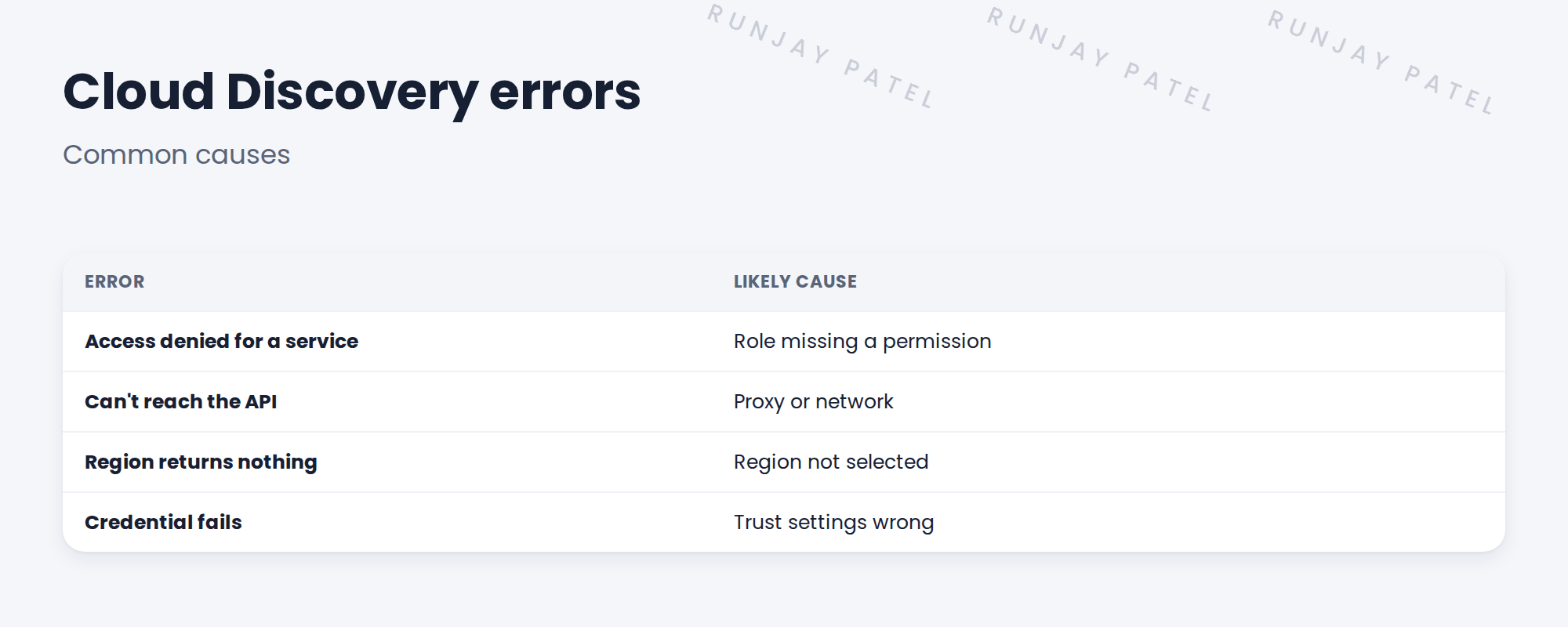
👉 The fix: Read the cloud errors and fix the cause, often a missing permission.
2 Where to look
Cloud Discovery Workspace shows cloud errors by account and service. The schedule’s status and log show the details.
3 Fixing
- Read the error for the service.
- Match it to the permission list.
- Ask the cloud owner to add only what’s missing.
- Rerun the schedule.
4 Project Clear View: How We Implemented It
📍 Situation: RDS was missing from the results.
🧭 Decision: Find the error and ask Kenji for the missing permission.
🛠️ Steps we took:
- Opened Cloud Discovery Workspace.
- Saw ‘access denied’ for the database service.
- Found the permission missing from the role.
- Kenji added it; you reran the schedule.
✅ What we verified:
- The RDS database appears.
- No other permissions were added.
📁 Evidence: Troubleshooting log entry, and the role’s permission list updated.
5 Quick recap
- Cloud errors often mean a missing permission.
- Check Cloud Discovery Workspace first.
- Add only the missing permission.
- Rerun and check.
6 Check yourself
Think of your answer first. Then tap to check.
1 Why was RDS missing? Show answer
The role lacked the permission for the database service.
2 Where did you see the error? Show answer
Cloud Discovery Workspace.
3 What did Kenji add? Show answer
Only the missing permission.
Nice work! SNWR’s cloud discovery is complete. 🎉
Next up: Why Agent-Based Discovery Exists
Was this lesson helpful?
Please log in to share lesson feedback.
Have a question or doubt?
Ask here and get help from instructors and fellow learners.
Only logged-in learners can post.





