


Following the Discovery: Status, Logs and ECC Queue
On this page
In this lesson, you will learn:
- What the Discovery status record shows
- What the discovery log shows
- How to read the ECC queue
🔁 Quick look back: Last time: Quick Discovery of One Known Linux Server. You learned the first real scan of snwr-mail-01.
1 The Problem: ‘Completed’ Doesn’t Show What Happened
The first scan says ‘Completed’. Hana asks what really happened. The status alone doesn’t show:
- Which commands ran.
- Which step took longest.
- What came back from the MID Server.
👉 The fix: Follow the scan through three records: status, log and ECC queue.
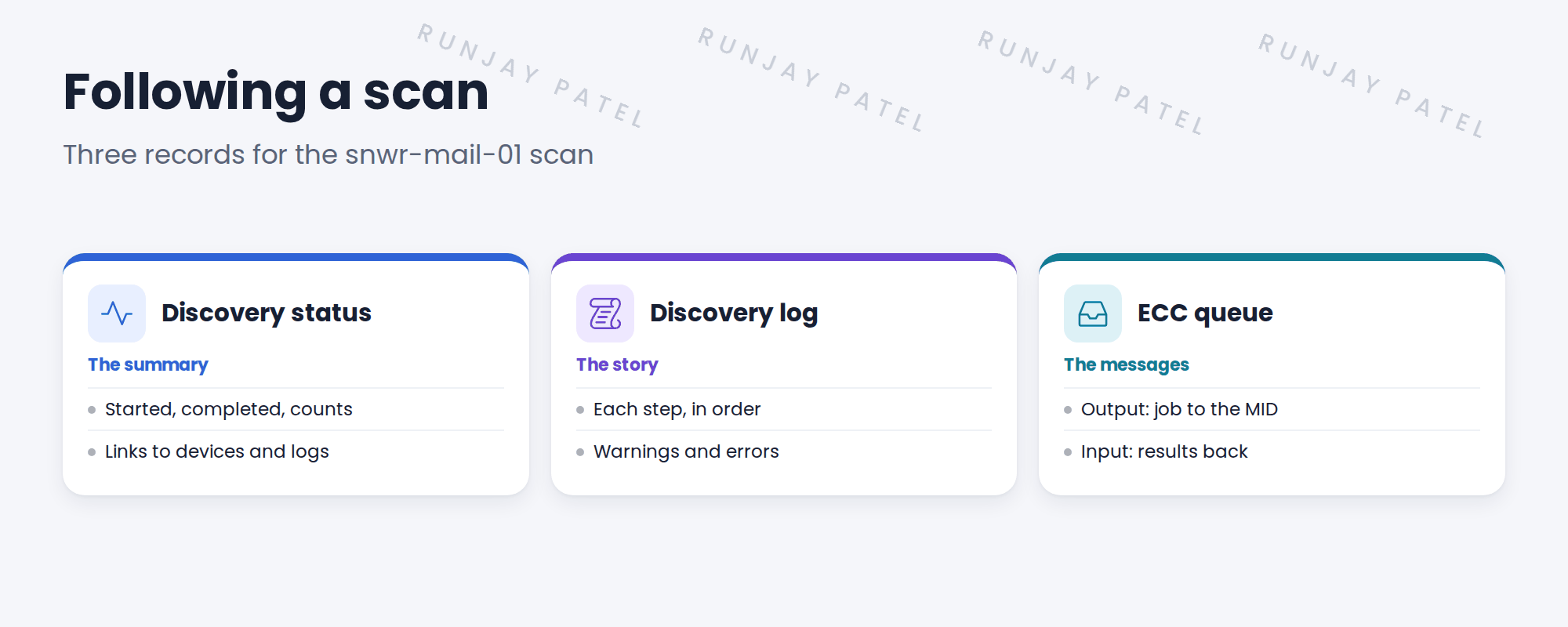
2 The three records
Key term: Discovery status
One record per scan. Shows state, times and counts, and links to everything else.
Key term: Discovery log
Messages written as the scan runs: steps, warnings, errors.
Key term: ECC queue record
Output records go to the MID Server. Input records bring results back.
💡 Good to know: Open the ECC queue from the status record’s related lists, so you only see this scan’s messages.
3 Reading the ECC queue
| Queue | Means |
|---|---|
| Output | A job sent to the MID Server. |
| Input | Results from the MID Server. |
If an output record stays ‘ready’ for a long time, the MID Server isn’t picking up work.
4 Project Clear View: How We Implemented It
📍 Situation: Hana wanted to see inside the first scan.
🧭 Decision: Walk her through the status, log and ECC queue of the snwr-mail-01 scan.
🛠️ Steps we took:
- Opened the status record.
- Read the log in order: scanning, classification, pattern.
- Opened the ECC queue input for the pattern results.
- Showed which step took longest.
✅ What we verified:
- Hana could follow the scan on her own.
- No warnings were found.
📁 Evidence: Screenshots added to the runbook’s troubleshooting section.
5 Quick recap
- The status record is the summary.
- The discovery log tells the step-by-step story.
- The ECC queue holds jobs out and results in.
- A job stuck ‘ready’ means the MID isn’t picking up work.
6 Check yourself
Think of your answer first. Then tap to check.
1 What does an ECC queue output record mean? Show answer
A job sent to the MID Server.
2 Where do you see warnings from a scan? Show answer
In the discovery log.
3 An output record stays ‘ready’. What does it suggest? Show answer
The MID Server isn’t picking up work.
Nice work! You can follow any scan from start to end. 🎉
Next up: Verifying the Linux CI and Relationships in the CMDB
Was this lesson helpful?
Please log in to share lesson feedback.
Have a question or doubt?
Ask here and get help from instructors and fellow learners.
Only logged-in learners can post.





