


Discovery Terms Every Implementer Uses
On this page
In this lesson, you will learn:
- The core words of Discovery, in plain English
- One SNWR example for each word
- How the words fit together in one scan
🔁 Quick look back: Last time: The Project Clear View Environment. You learned SNWR’s seven network zones and what lives in each.
1 The Problem: Too Many New Words
In the first week, you hear a lot of new words. Hana’s team hears them too:
- ‘The MID picked it up from the ECC queue.’
- ‘The classifier triggered the pattern.’
- ‘IRE matched it on serial number.’
👉 The fix: Agree one short glossary, with an SNWR example for every word. Use the same words all project.
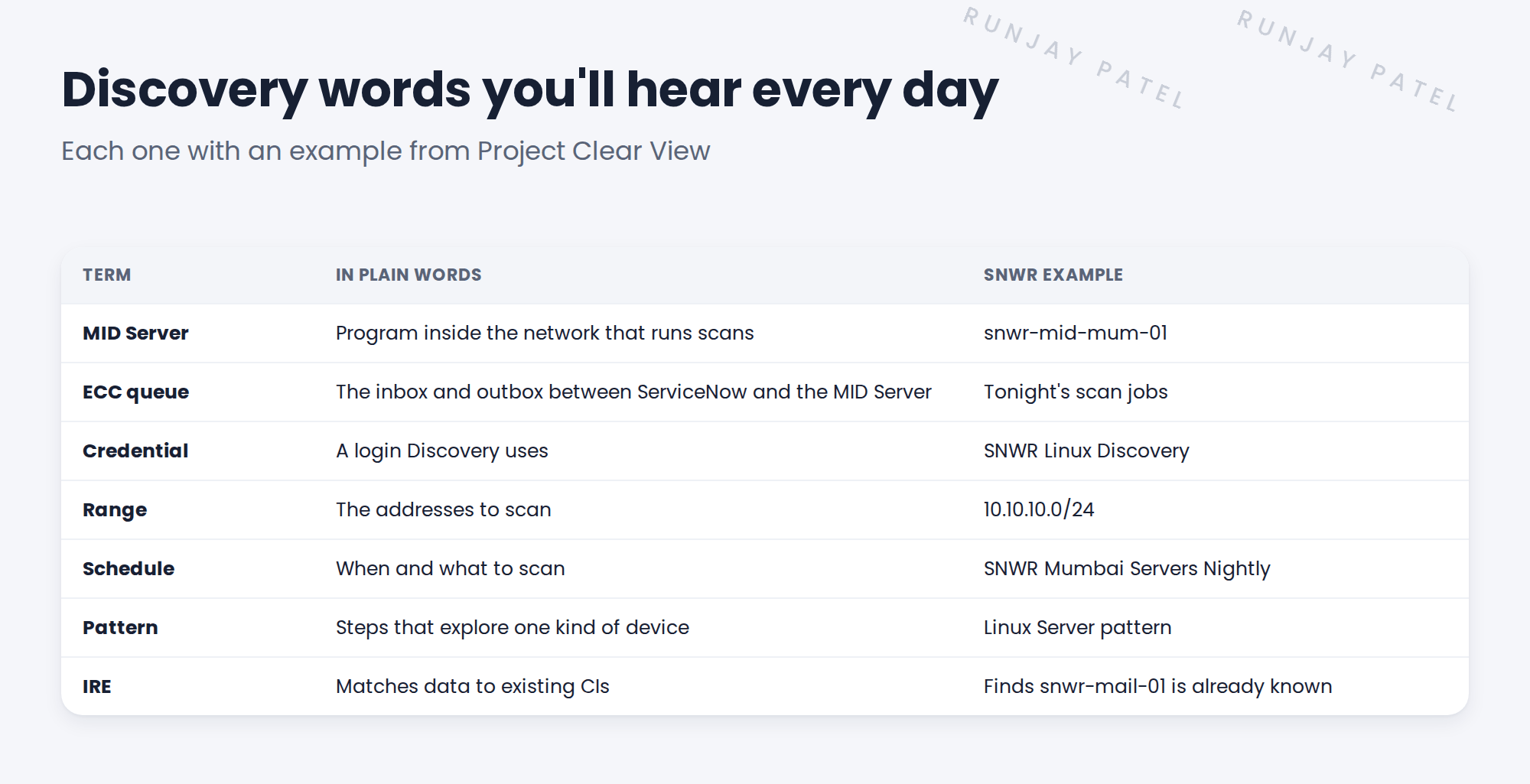
2 The core terms
Key term: MID Server
A small program on a server inside the client’s network. It runs the scans for ServiceNow.
Key term: ECC queue
A table that holds jobs going to the MID Server and results coming back.
Key term: Credential
A user name and password, or a key, that Discovery uses to log in.
Key term: IP range
The list of addresses Discovery should scan.
Key term: Schedule
Says what to scan, which MID Server to use, and when.
Key term: Classifier
A rule that decides what kind of device was found, such as Linux or Windows.
Key term: Pattern
A recipe of steps that explores one kind of device and fills its CI.
Key term: IRE
The Identification and Reconciliation Engine. It decides whether data updates a CI or creates a new one.
Key term: ACC
Agent Client Collector. A small agent on a server that sends data out, so no scan is needed.
3 How the words fit together
- A schedule starts at 01:00 and lists a range.
- Jobs go into the ECC queue. The MID Server picks them up.
- The MID Server logs in with a credential.
- A classifier decides it’s a Linux server and starts a pattern.
- The results go to IRE, which updates the CI in the CMDB.
💡 Good to know: You’ll learn each of these in depth later. For now, just know where each one fits.
4 Project Clear View: How We Implemented It
📍 Situation: At the first workshop, Hana and Ravi used the same word for different things.
🧭 Decision: Write one glossary and put it in the kickoff pack, so everyone uses the same words.
🛠️ Steps we took:
- Listed the 11 words people would hear most.
- Wrote each meaning in one short sentence, with no jargon.
- Added an SNWR example for each word.
- Asked Hana to read it as a non-expert and mark anything unclear.
✅ What we verified:
- Hana could explain each word back in her own words.
- Ravi and Priya agreed with the network and server terms.
📁 Evidence: The Clear View glossary, added to the kickoff pack (see Before Kickoff › Preparing the Kickoff Pack).
5 Quick recap
- A MID Server runs scans from inside the client’s network.
- The ECC queue carries jobs to the MID Server and results back.
- Classifiers decide what a device is. Patterns explore it.
- IRE decides whether to update a CI or create a new one.
6 Check yourself
Think of your answer first. Then tap to check.
1 What does a classifier do? Show answer
It decides what kind of device was found, such as a Linux server, so the right pattern runs.
2 What is the ECC queue? Show answer
The table that holds jobs going to the MID Server and results coming back to ServiceNow.
3 Which part decides whether data creates a new CI or updates an old one? Show answer
IRE, the Identification and Reconciliation Engine.
Nice work! You speak the language of Discovery. 🎉
Next up: What Discovery Finds, and What It Doesn’t
Was this lesson helpful?
Please log in to share lesson feedback.
Have a question or doubt?
Ask here and get help from instructors and fellow learners.
Only logged-in learners can post.





