


Keeping Pattern Content Up to Date
On this page
In this lesson, you will learn:
- Why content updates matter
- How to test them
- How to protect customizations
🔁 Quick look back: Last time: Roles and the Discovery Admin Team. You learned how SNWR Discovery Admins and roles were set up.
1 The Problem: A Store Update Could Break the Archiver Pattern
The Discovery and Service Mapping Patterns app gets a new version. If it’s installed straight on snwr:
- A changed baseline step could affect the Linux extension.
- Nobody checks the archiver pattern still works.
👉 The fix: Test updates on snwrdev first, check customizations, then install on snwr.
2 Why update
- New device and OS support.
- Bug fixes.
- Fewer custom fixes needed.
3 Protecting customizations
- List every customization: the archiver pattern and the Linux extension.
- Test them after each update.
- Keep them in extensions, not in baseline edits.
💡 Good to know: Need a refresher? See Before Kickoff › Checking Pattern Content and MID Compatibility for the two content apps.
4 Project Clear View: How We Implemented It
📍 Situation: A content update arrived during hypercare.
🧭 Decision: Use it to rehearse the update process with Hana’s team.
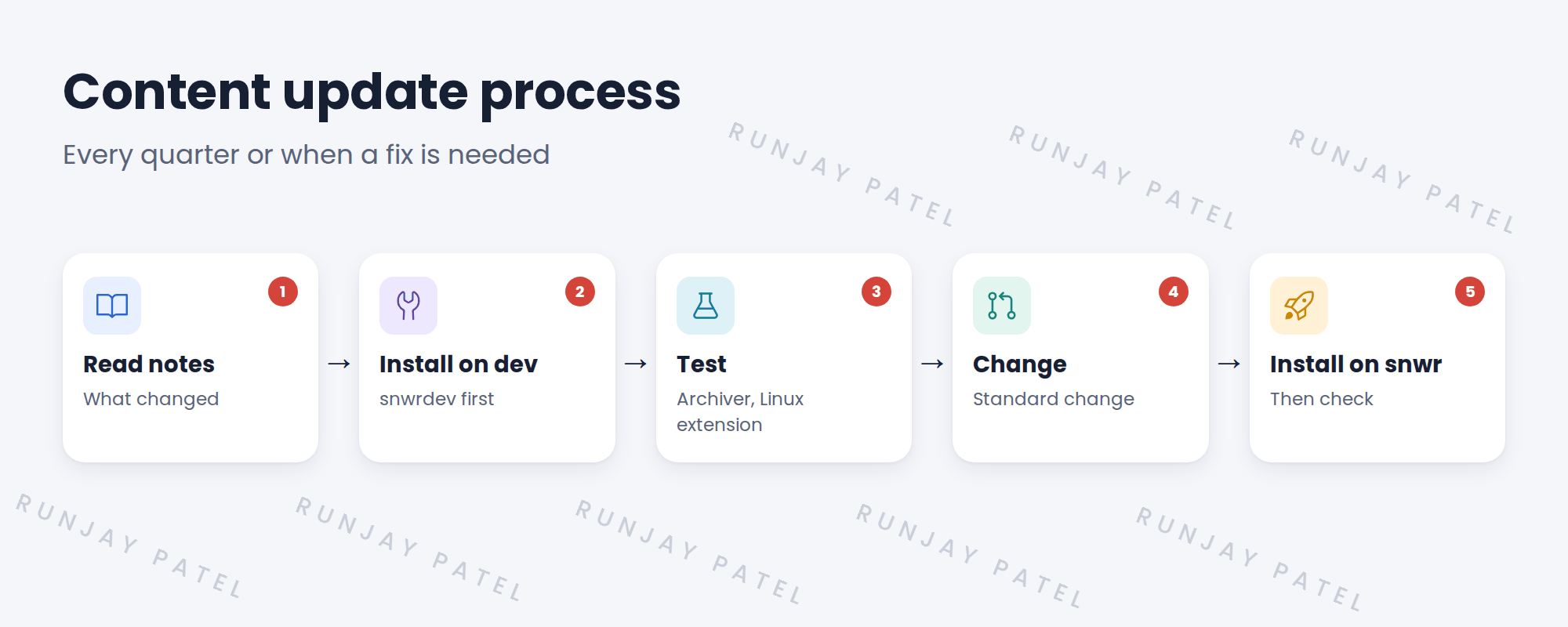
🛠️ Steps we took:
- Read the release notes with Hana’s team.
- Installed on snwrdev.
- Tested the archiver and Linux extension.
- Installed on snwr through a standard change.
✅ What we verified:
- Both customizations still work.
- Hana’s team ran the process themselves.
📁 Evidence: The content update process in the runbook.
5 Quick recap
- Content updates bring fixes and new device support.
- Test on dev first.
- Check every customization after an update.
- Install on production through change.
6 Check yourself
Think of your answer first. Then tap to check.
1 Why test content updates on dev first? Show answer
An update could change steps your customizations depend on.
2 Which customizations does SNWR check? Show answer
The archiver pattern and the Linux extension.
3 How is the update installed on snwr? Show answer
Through a standard change.
Nice work! SNWR can keep content current safely. 🎉
Next up: Knowledge Transfer Sessions
Was this lesson helpful?
Please log in to share lesson feedback.
Have a question or doubt?
Ask here and get help from instructors and fellow learners.
Only logged-in learners can post.





