


Fixing Access and Port Failures
On this page
In this lesson, you will learn:
- What access failures look like
- Common causes
- How SNWR fixed WMI
🔁 Quick look back: Last time: Reading Errors and Discovery Logs. You learned how to read Discovery errors and sort failures.
1 The Problem: Two Windows Servers Don’t Answer
Two pilot servers answered ping but not WMI. The network rules were open. So:
- The blocker had to be on the servers themselves.
👉 The fix: Test the port from the MID host, find where it’s blocked, and ask the right owner to fix it.
2 Finding the blocker
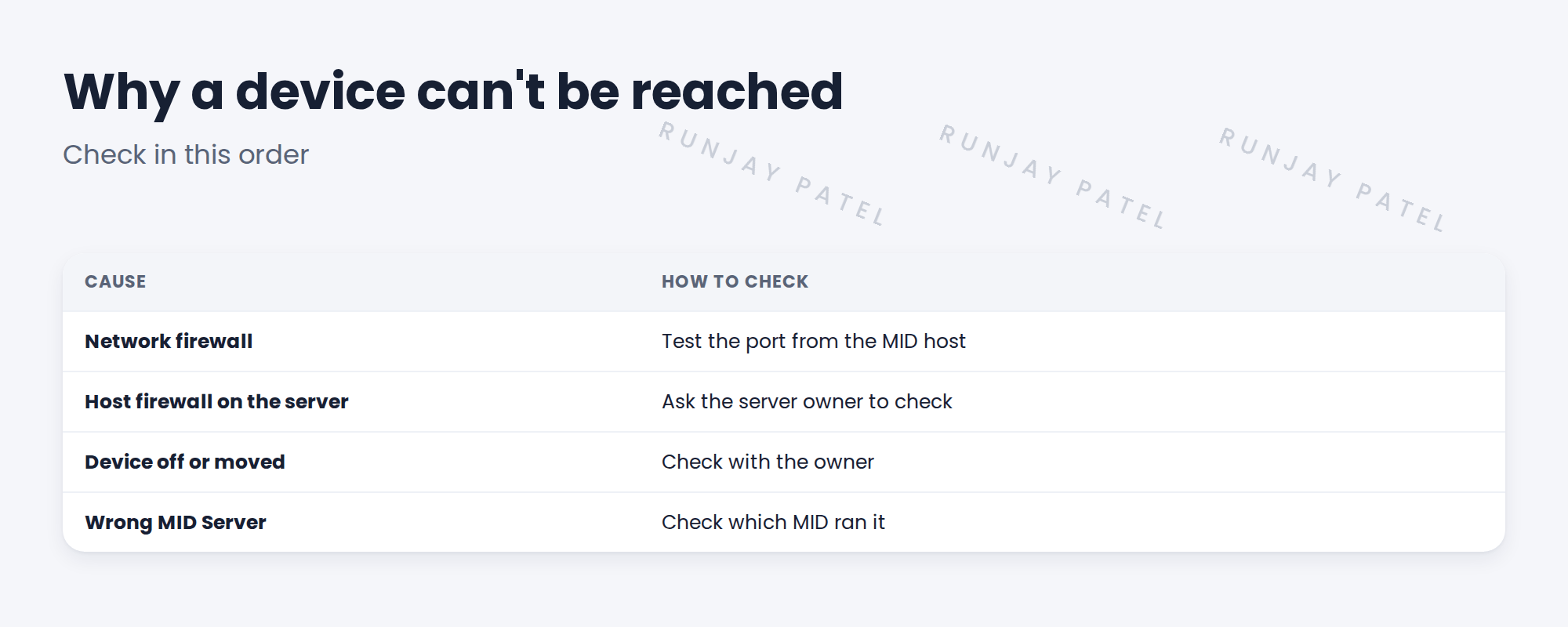
- Test the port from the MID host.
- If it fails, check network rules first.
- If they’re open, check the host firewall.
- Retest after each fix.
3 Getting it fixed
Send the owner exact facts: source, target, port and the test result. Don’t ask them to ‘open everything’.
⭐ Remember: Fix access at the source. Never work around it by scanning from another zone.
4 Project Clear View: How We Implemented It
📍 Situation: Two pilot Windows servers didn’t answer WMI.
🧭 Decision: Test from the MID host and send Priya exact evidence.
🛠️ Steps we took:
- Tested port 135 from snwr-mid-test-01: blocked.
- Ravi confirmed network rules were open.
- Priya found the servers’ host firewall blocked remote WMI.
- Priya fixed it by policy, and you retested.
✅ What we verified:
- Both servers now complete.
- Priya fixed the policy for all servers, not just these two.
📁 Evidence: Troubleshooting log entries closed, with retest evidence.
5 Quick recap
- Access failures mean the MID can’t reach the device.
- Check network firewall, host firewall, device, then MID.
- Send owners exact facts.
- Fix at the source, don’t work around it.
6 Check yourself
Think of your answer first. Then tap to check.
1 Rules are open but the port is still blocked. What’s next? Show answer
Check the host firewall on the server.
2 What did Priya change? Show answer
The host firewall policy that blocked remote WMI.
3 Why not scan from another zone instead? Show answer
It hides the real problem and breaks the design.
Nice work! SNWR’s access failures are fixed. 🎉
Next up: Fixing Credential Failures
Was this lesson helpful?
Please log in to share lesson feedback.
Have a question or doubt?
Ask here and get help from instructors and fellow learners.
Only logged-in learners can post.





