


The Project Clear View CMDB Readiness Review
On this page
In this lesson, you will learn:
- What goes in a CMDB readiness report
- How to present it
- What SNWR decided
🔁 Quick look back: Last time: Existing Duplicates: What to Do Before Discovery. You learned how to find and merge duplicate CIs before the first scan.
1 The Problem: Design Can’t Start on Guesses
You’ve found duplicates, misclassed CIs, an old import and messy names. If design starts without a clear summary:
- Design decisions miss key facts.
- Hana isn’t sure what’s been fixed.
👉 The fix: Present one readiness report: findings, fixes done, and decisions design must make.
2 What goes in the report
- What you measured and found.
- What has been fixed already.
- What Discovery itself will fix.
- Decisions design must make.
- Risks left.
💡 Good to know: Keep it to one page plus details. Hana should read it in ten minutes.
3 Running the review
- Walk through findings one by one.
- Show what’s fixed, with evidence.
- Agree the open decisions for design.
- Ask Hana to accept the report.
4 Project Clear View: How We Implemented It
📍 Situation: Week 3 starts, and design needs the CMDB facts.
🧭 Decision: Present the readiness report to Hana and Riya, and agree what design must decide.
🛠️ Steps we took:
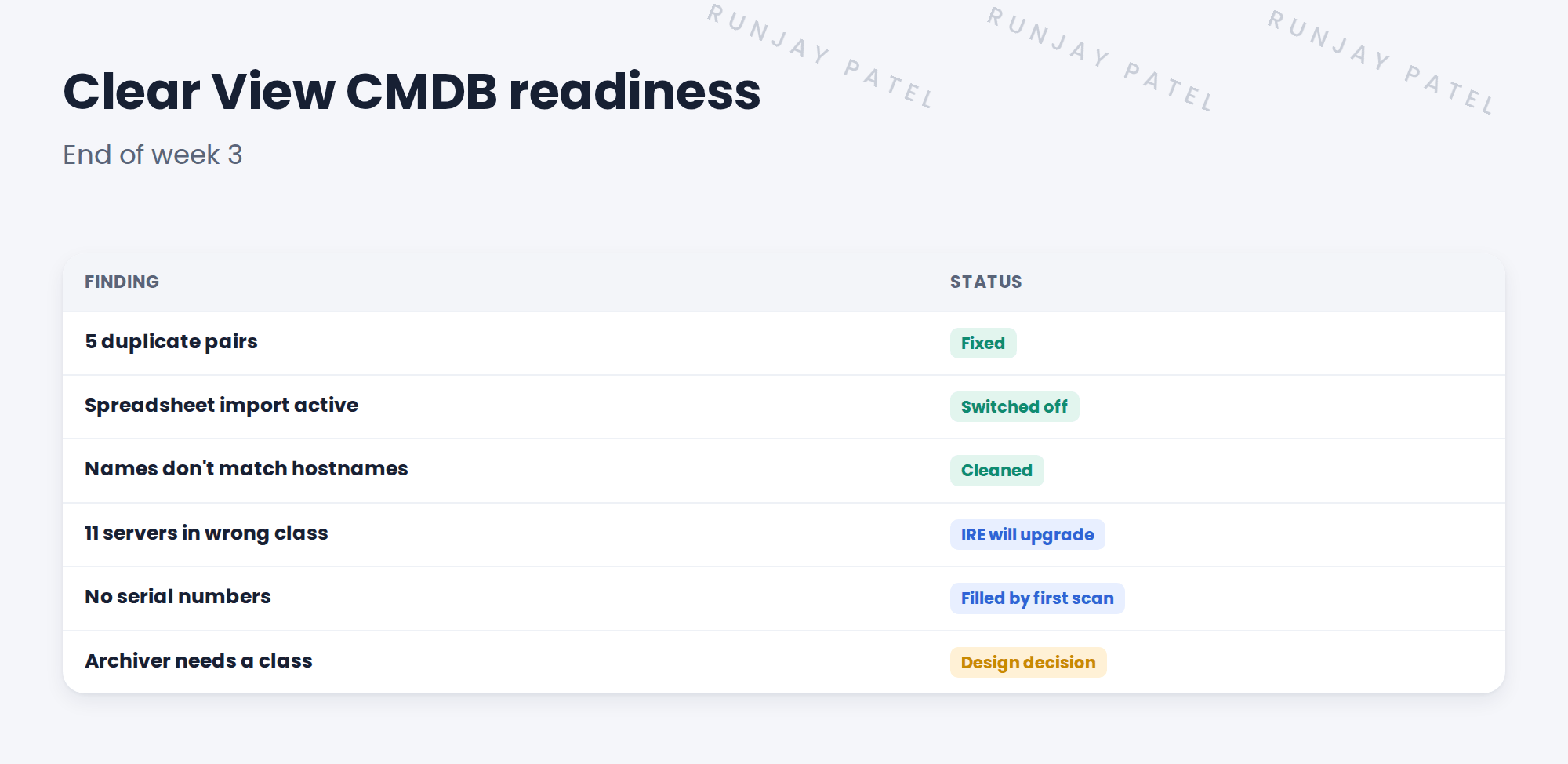
- Presented six findings with their status.
- Showed the merged duplicates and the switched-off import.
- Agreed two design topics: the archiver class and field ownership.
- Hana accepted the report.
✅ What we verified:
- Every finding is fixed, planned or a design decision.
- Hana accepted the report in writing.
📁 Evidence: The Clear View CMDB readiness report, input to Solution Design.
5 Quick recap
- The readiness report lists findings, fixes, open decisions and risks.
- Keep it short enough to read in ten minutes.
- Show evidence of what’s fixed.
- Get the client lead to accept it before design.
6 Check yourself
Think of your answer first. Then tap to check.
1 Name three things in a readiness report. Show answer
Any three of: findings, fixes done, what Discovery will fix, design decisions, risks.
2 Which two topics went to design? Show answer
The archiver class and field ownership.
3 Who accepted the report? Show answer
Hana Kim.
Nice work! SNWR’s CMDB is ready for design. 🎉
Next up: The Discovery Design Document
Was this lesson helpful?
Please log in to share lesson feedback.
Have a question or doubt?
Ask here and get help from instructors and fellow learners.
Only logged-in learners can post.





