


The Four Discovery Phases
On this page
In this lesson, you will learn:
- The four phases of an IP-based scan
- What happens to one SNWR server in each phase
- Where patterns fit in
🔁 Quick look back: Last time: How Discovery Works: The Big Picture. You learned how one scan travels from the schedule to the CMDB.
1 The Problem: A Scan Is a Black Box
Hana watches a scan run and sees only ‘Completed’. She asks:
- ‘What did it actually do to 10.10.10.21?’
- ‘How did it know it was Linux?’
- ‘Why didn’t it make a new CI?’
👉 The fix: Show her the four phases one device goes through, with what happens in each.
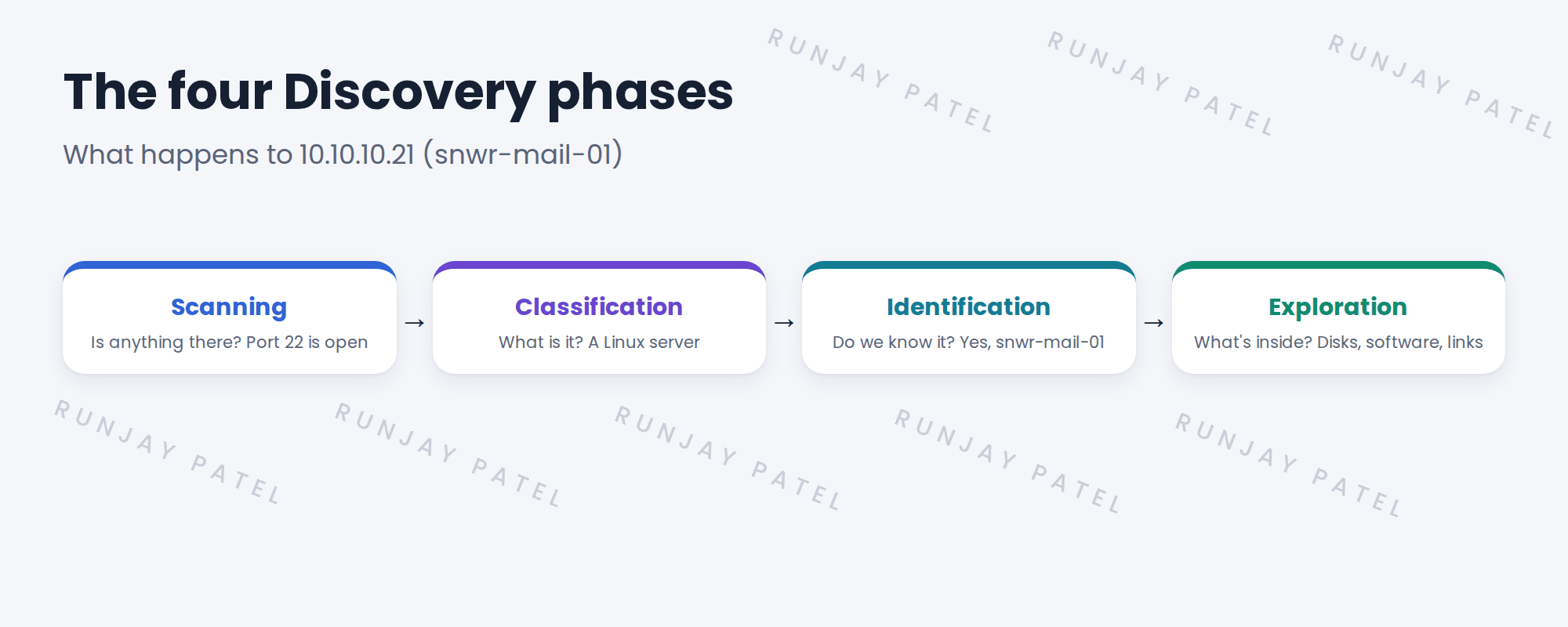
2 The four phases
- Scanning. Discovery checks each address for open ports. This step is often called Shazzam. It finds that 10.10.10.21 has port 22 (SSH) open.
- Classification. Discovery logs in and decides what the device is. Here: a Linux server.
- Identification. Discovery checks whether this device is already a CI. It matches snwr-mail-01.
- Exploration. Discovery collects the details: OS version, CPU, memory, disks, software and connections.
💡 Good to know: On modern setups, a pattern does the identification and exploration steps together. You’ll learn patterns later in this path.
3 Why the phases matter to you
When a scan fails, the phase tells you where to look.
| Failed in | Usual cause |
|---|---|
| Scanning | Firewall blocks the port, or the device is off. |
| Classification | No working credential, or an unknown device type. |
| Identification | Data doesn’t match rules, or would create a duplicate. |
| Exploration | The account lacks rights to run some commands. |
4 Project Clear View: How We Implemented It
📍 Situation: Hana wants to understand what a scan does before the pilot.
🧭 Decision: Use one real SNWR server to show all four phases.
🛠️ Steps we took:
- Picked snwr-mail-01 (10.10.10.21), a server Hana knows well.
- Explained each phase with what Discovery would find there.
- Added the ‘failed in, usual cause’ table to the team’s notes.
- Agreed that the first real scan will be this same server.
✅ What we verified:
- Hana could name the four phases and what each one checks.
- The team knows which phase points to which kind of fix.
📁 Evidence: The phase table in the team notes. You’ll use it in Controlled Discovery › Quick Discovery of One Known Linux Server.
5 Quick recap
- Every IP-based scan goes through scanning, classification, identification and exploration.
- Scanning finds open ports. Classification decides the device type.
- Identification matches existing CIs. Exploration collects the details.
- The failed phase tells you where to look.
6 Check yourself
Think of your answer first. Then tap to check.
1 In which phase does Discovery decide a device is a Linux server? Show answer
Classification.
2 A scan fails in the scanning phase. What’s a likely cause? Show answer
A firewall blocks the port, or the device is switched off.
3 What does identification check? Show answer
Whether the device is already a CI in the CMDB, so it updates it instead of making a new one.
Nice work! You can see inside a scan. 🎉
Next up: How Discovery Talks to Devices: SSH, WMI, PowerShell and SNMP
Was this lesson helpful?
Please log in to share lesson feedback.
Have a question or doubt?
Ask here and get help from instructors and fellow learners.
Only logged-in learners can post.





