


Virtualization, Cloud and Containers
On this page
In this lesson, you will learn:
- What to capture about vCenter and cloud accounts
- Why containers need their own questions
- SNWR’s virtual and cloud estate
🔁 Quick look back: Last time: Network Devices and Appliances. You learned how to capture network devices, SNMP versions and third-party devices.
1 The Problem: Servers Hide Behind vCenter and AWS
Many SNWR servers are virtual machines. Some run in AWS. From a plain IP scan:
- You don’t see which ESXi host a VM runs on.
- You can’t see AWS resources that have no IP to scan.
- You can’t see what runs inside containers.
👉 The fix: Capture every vCenter, cloud account and container cluster, with who owns it.
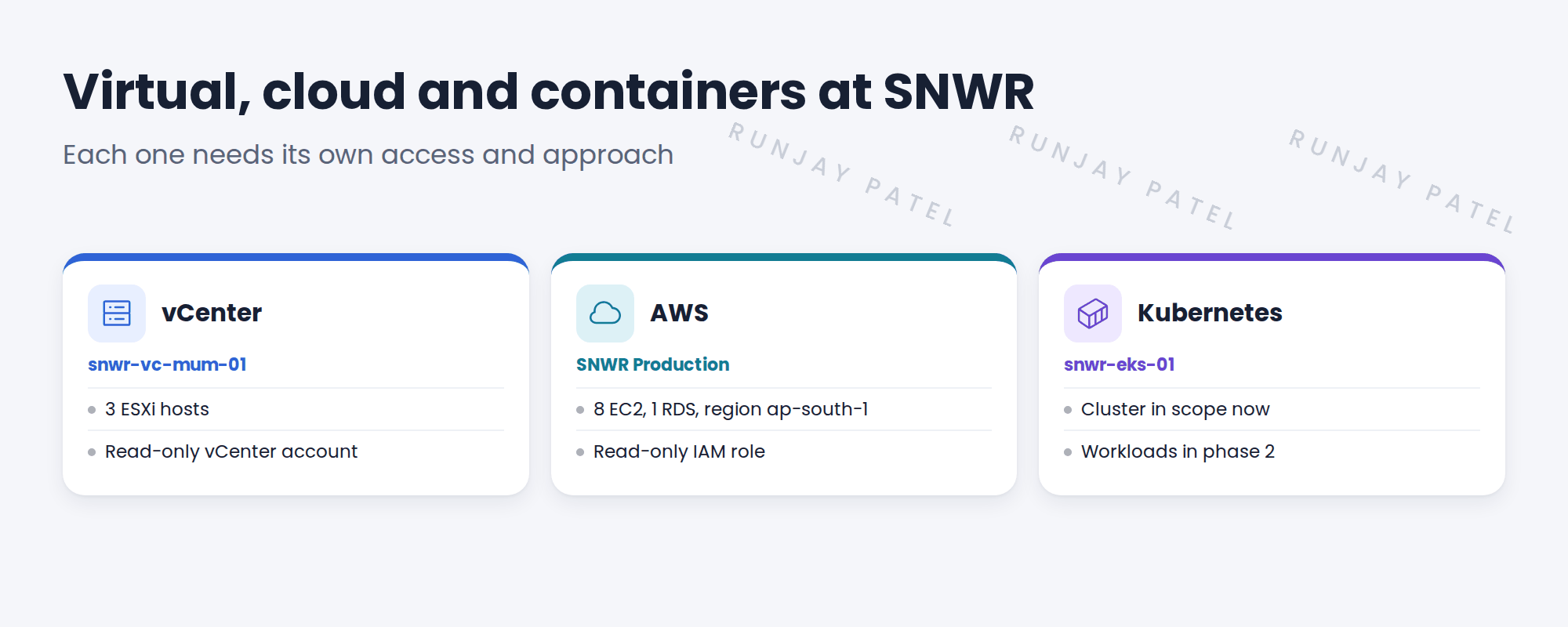
2 What to capture
- Each vCenter: name, version and a read-only account.
- Each cloud account: provider, regions and a read-only role.
- Each container cluster: where it runs and who owns it.
Key term: Hypervisor
Software that runs virtual machines, such as VMware ESXi.
Key term: Container cluster
A group of machines running containers, managed by Kubernetes.
3 Scope decisions
Containers change quickly. Many clients start with the cluster itself and add workloads later.
📝 Note: SNWR’s SOW includes the EKS cluster, but not the workloads inside it. That’s phase 2.
4 Project Clear View: How We Implemented It
📍 Situation: Priya and Kenji own the virtual and cloud parts of SNWR.
🧭 Decision: Capture every platform, and agree scope for containers.
🛠️ Steps we took:
- Recorded vCenter snwr-vc-mum-01 with its 3 ESXi hosts.
- Recorded SNWR Production AWS: region ap-south-1, 8 EC2, 1 RDS.
- Recorded EKS cluster snwr-eks-01.
- Agreed with Hana: the cluster is in, workloads are phase 2.
✅ What we verified:
- Kenji confirmed the region and account.
- Hana signed the container scope note.
📁 Evidence: The virtual and cloud section of the requirements.
5 Quick recap
- Capture every vCenter, cloud account and container cluster.
- Each needs its own read-only access.
- IP scans alone miss part of virtual and cloud estates.
- Agree container scope early.
6 Check yourself
Think of your answer first. Then tap to check.
1 Why do you need vCenter access, not just IP scans? Show answer
vCenter shows which host each VM runs on, which IP scans can’t.
2 What access does AWS need? Show answer
A read-only role for Discovery.
3 Are SNWR’s Kubernetes workloads in scope? Show answer
No. The EKS cluster is in scope. Workloads are phase 2.
Nice work! SNWR’s virtual and cloud estate is captured. 🎉
Next up: Applications and Databases in Scope
Was this lesson helpful?
Please log in to share lesson feedback.
Have a question or doubt?
Ask here and get help from instructors and fellow learners.
Only logged-in learners can post.





