


The Pre-Scan Readiness Gate
On this page
In this lesson, you will learn:
- What to check just before the first scan
- Who to tell
- Why start with one device
🔁 Quick look back: Last time: Change Control for Schedules. You learned how schedule changes go through a standard change.
1 The Problem: The First Scan Sets the Client’s Trust
The first scan is the moment SNWR watches closely. If it goes wrong:
- Security may stop the project.
- People lose trust in Discovery.
👉 The fix: Pass a short readiness gate, tell the right people, and start with one device.
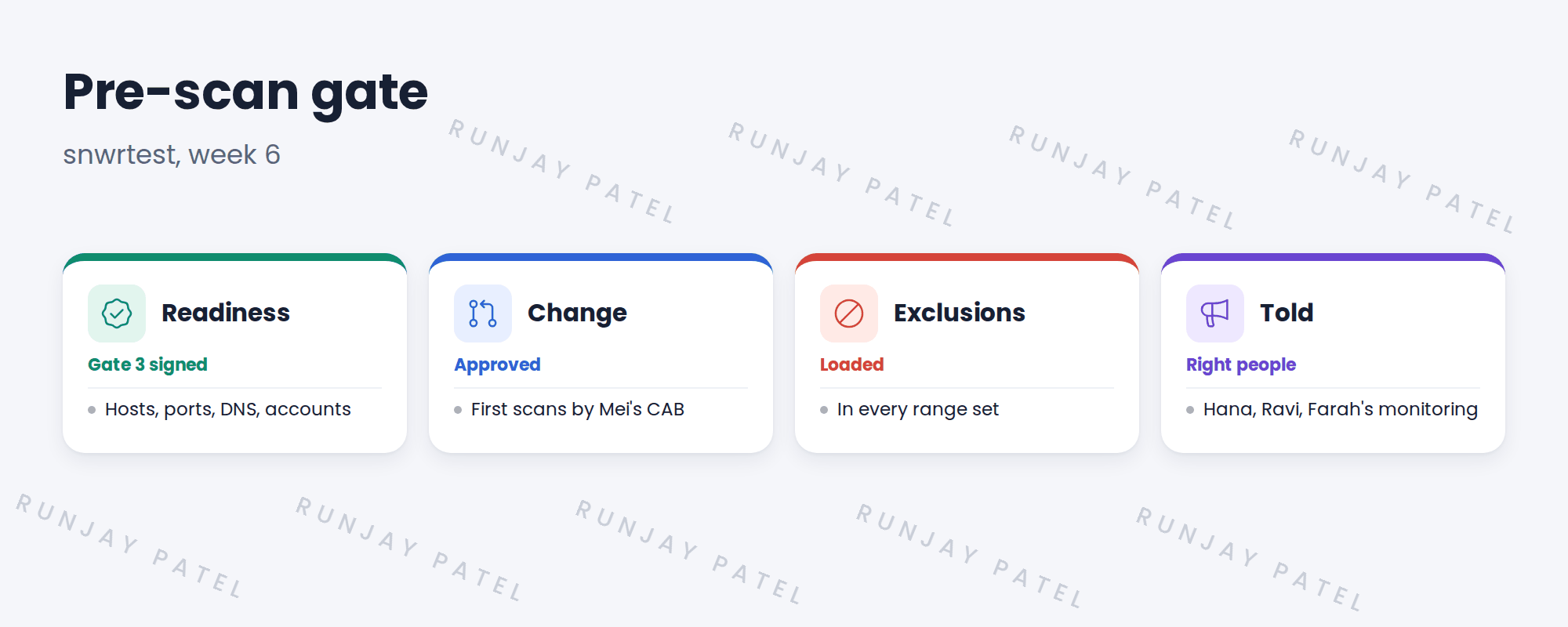
2 The checks
- Readiness check signed.
- Change approved for the first scans.
- Exclusions in the range sets.
- The security monitoring team knows scans will run.
- A plan: one device first.
3 Why one device first
One known device shows every step clearly. If something fails, only one device is affected, and the cause is easy to find.
⭐ Remember: Start small, understand it fully, then grow.
4 Project Clear View: How We Implemented It
📍 Situation: Gate 3 was signed. The first scan is planned for Monday of week 6.
🧭 Decision: Pass the pre-scan gate and start with snwr-mail-01.
🛠️ Steps we took:
- Confirmed the change was approved.
- Checked exclusions in the range sets on snwrtest.
- Told Hana, Ravi and Farah’s monitoring team the time.
- Chose snwr-mail-01 as the first device.
✅ What we verified:
- Every gate item was ticked.
- Monitoring expected the traffic.
📁 Evidence: The pre-scan gate record, attached to the change.
5 Quick recap
- Check readiness, change, exclusions and who’s told.
- Tell the security monitoring team first.
- Start with one known device.
- Grow only after you understand the result.
6 Check yourself
Think of your answer first. Then tap to check.
1 Why tell the security monitoring team? Show answer
So scan traffic isn’t mistaken for an attack.
2 Why start with one device? Show answer
Every step is clear, and a failure only affects one device.
3 Which device did SNWR scan first? Show answer
snwr-mail-01.
Nice work! SNWR is ready for its first scan. 🎉
Next up: Quick Discovery of One Known Linux Server
Was this lesson helpful?
Please log in to share lesson feedback.
Have a question or doubt?
Ask here and get help from instructors and fellow learners.
Only logged-in learners can post.





