


Comparing Results with the Client’s Inventory
On this page
In this lesson, you will learn:
- How to compare at full scale
- What the differences show
- SNWR’s results
🔁 Quick look back: Last time: Writing the Test Plan. You learned how SNWR’s test plan traces tests to requirements.
1 The Problem: Hana Needs Proof Discovery Found Everything
The pilot compared 30 servers. Now all zones are scanned on snwrtest. Hana asks:
- ‘Did we find every server?’
- ‘What about the ones on the old list?’
👉 The fix: Compare all results with the old list, and explain every difference.
2 How to compare
- Export discovered servers.
- Import the old list into a staging table, or compare in a spreadsheet.
- Match by name, then IP, then serial.
- Explain each difference with the owner.
💡 Good to know: Need a refresher? See Fundamentals › Data Import for import sets and staging tables.
3 What differences show
- Retired servers: remove or retire their CIs.
- Unknown servers: find owners.
- Missing servers: check access, credentials or exclusions.
4 Project Clear View: How We Implemented It
📍 Situation: All zones had been scanned on snwrtest.
🧭 Decision: Compare with the old list, row by row.
🛠️ Steps we took:
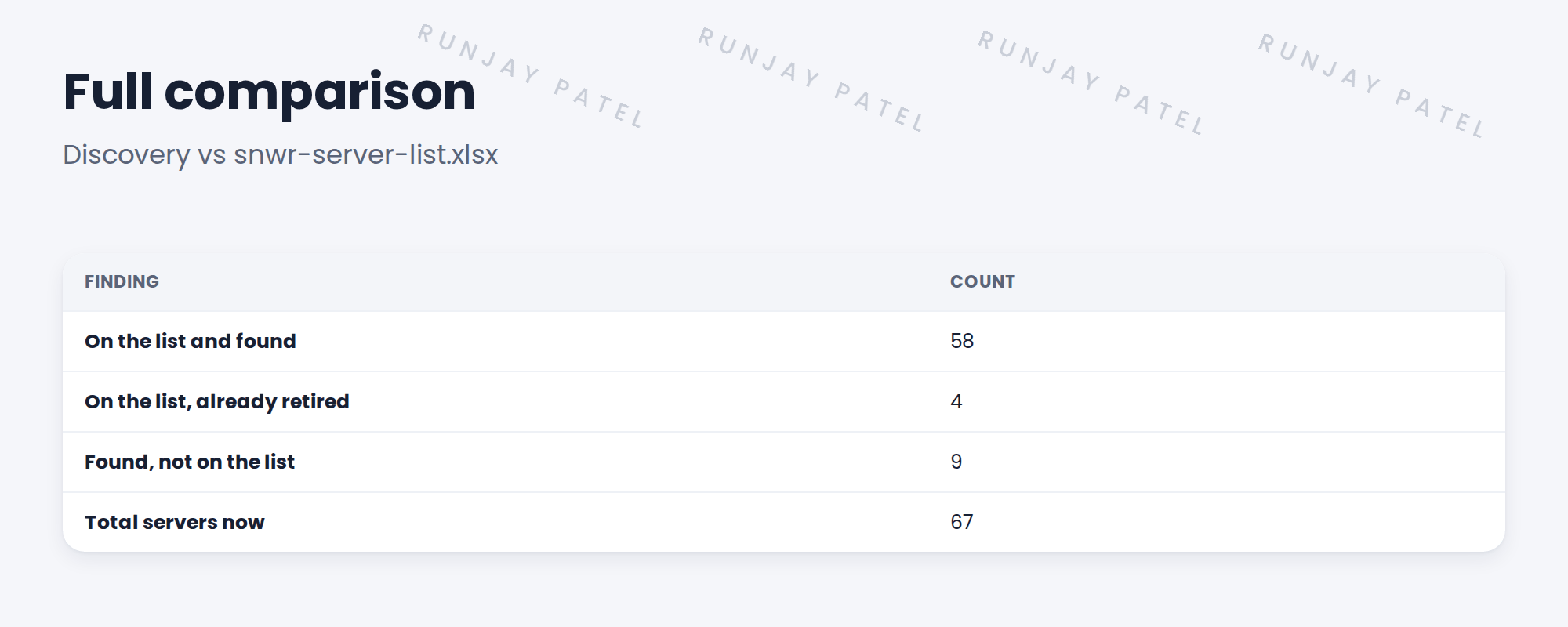
- Exported 67 discovered servers.
- Compared with the 62 on the old list.
- Priya confirmed 4 were retired; the 9 extra were real.
- Found owners for the 9.
✅ What we verified:
- Every difference is explained.
- AC-01 met: 96% of in-scope servers found.
📁 Evidence: The comparison report, evidence for AC-01.
5 Quick recap
- Compare all results with the client’s list.
- Match by name, IP, then serial.
- Explain every difference with the owner.
- Differences often show value.
6 Check yourself
Think of your answer first. Then tap to check.
1 How many servers did SNWR have after Discovery? Show answer
67.
2 What happened to the 4 servers only on the list? Show answer
They were already retired.
3 What did you do about the 9 new servers? Show answer
Found owners for them.
Nice work! Discovery found SNWR’s whole estate. 🎉
Next up: Measuring Coverage and Credential Success
Was this lesson helpful?
Please log in to share lesson feedback.
Have a question or doubt?
Ask here and get help from instructors and fellow learners.
Only logged-in learners can post.





