


Pattern Designer Tour
On this page
In this lesson, you will learn:
- The parts of Pattern Designer
- What a section and a step are
- Where Debug mode is
🔁 Quick look back: Last time: What a Discovery Pattern Is. You learned infrastructure and application patterns, and how each is used.
1 The Problem: Pattern Designer Looks Crowded at First
When Hana first opened Pattern Designer, she saw many panels and tabs. She asked:
- ‘Where do I start?’
- ‘What’s safe to click?’
👉 The fix: Tour it with one real pattern, and learn the four parts you’ll use most.
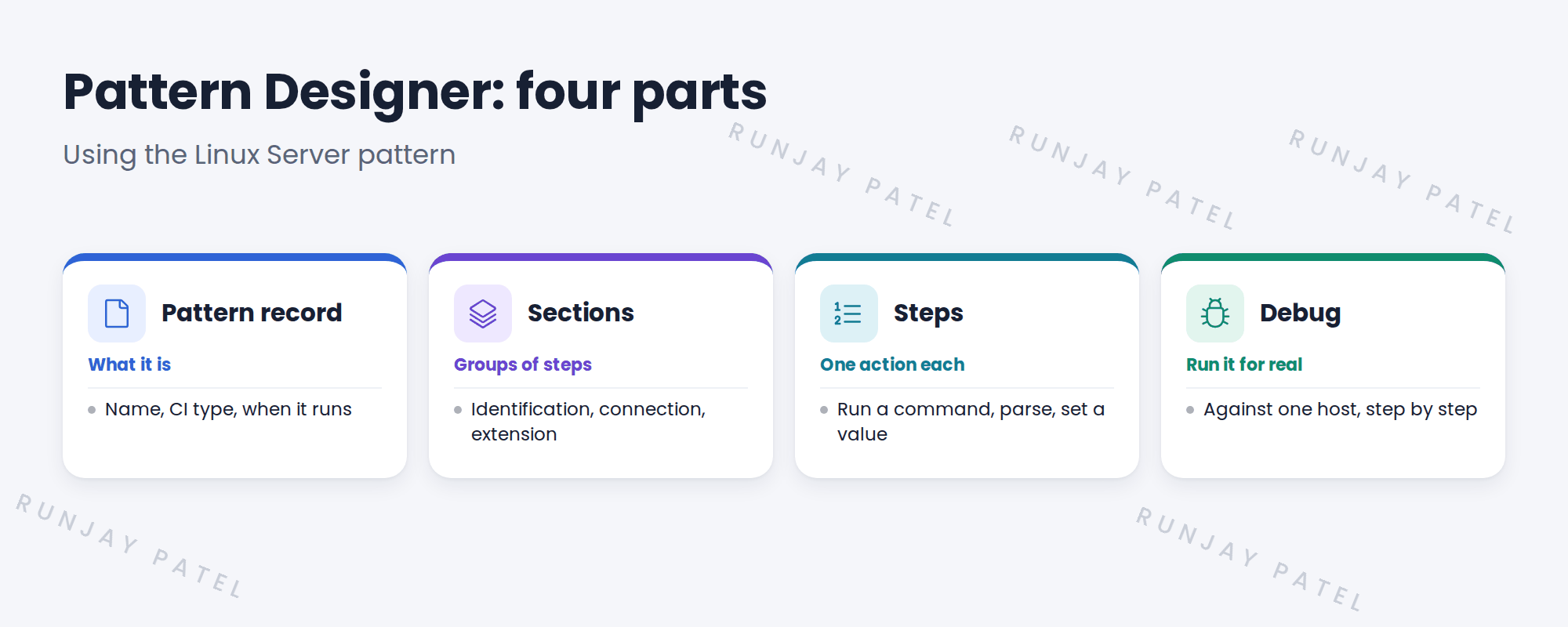
2 The main parts
Key term: Section
A group of steps with one purpose, such as identifying the device.
Key term: Step
One action, such as running a command or parsing output.
Key term: CI type
The class the pattern fills, such as Linux Server.
3 Safe exploring
⚠️ Careful: Opening a baseline pattern is safe. Saving changes to it is not. Look, don’t edit.
💡 Good to know: Use a sub-production instance to explore. SNWR used snwrdev.
4 Project Clear View: How We Implemented It
📍 Situation: Hana wanted to understand patterns before the custom one.
🧭 Decision: Tour the Linux Server pattern on snwrdev together.
🛠️ Steps we took:
- Opened the Linux Server pattern on snwrdev.
- Showed the pattern record and CI type.
- Walked through the sections and a few steps.
- Showed where Debug mode starts.
✅ What we verified:
- Hana could find each part on her own.
- Nothing was saved or changed.
📁 Evidence: Tour notes for the knowledge transfer sessions.
5 Quick recap
- A pattern record says what it fills and when it runs.
- Sections group steps. Steps do one thing each.
- Debug mode runs the pattern for real, step by step.
- Look at baseline patterns; don’t edit them.
6 Check yourself
Think of your answer first. Then tap to check.
1 What is a step? Show answer
One action, like running a command or parsing output.
2 What is the CI type of the Linux Server pattern? Show answer
Linux Server.
3 Is it safe to save changes to a baseline pattern? Show answer
No. Look, but don’t edit.
Nice work! You can find your way around Pattern Designer. 🎉
Next up: Identification and Connection Sections
Was this lesson helpful?
Please log in to share lesson feedback.
Have a question or doubt?
Ask here and get help from instructors and fellow learners.
Only logged-in learners can post.





