


Change Control for Schedules
On this page
In this lesson, you will learn:
- Why schedule changes need change control
- How a standard change template helps
- SNWR’s template
🔁 Quick look back: Last time: Timing, Run Limits and Scan Windows. You learned how times, time zones and run limits keep scans in their windows.
1 The Problem: A Quick Schedule Edit Could Scan the Wrong Range
After go-live, anyone with Discovery admin rights could edit a schedule. One wrong range could:
- Scan the building systems.
- Scan at the wrong time.
- Go unnoticed until something breaks.
👉 The fix: Put schedule changes through change control, using a standard change template.
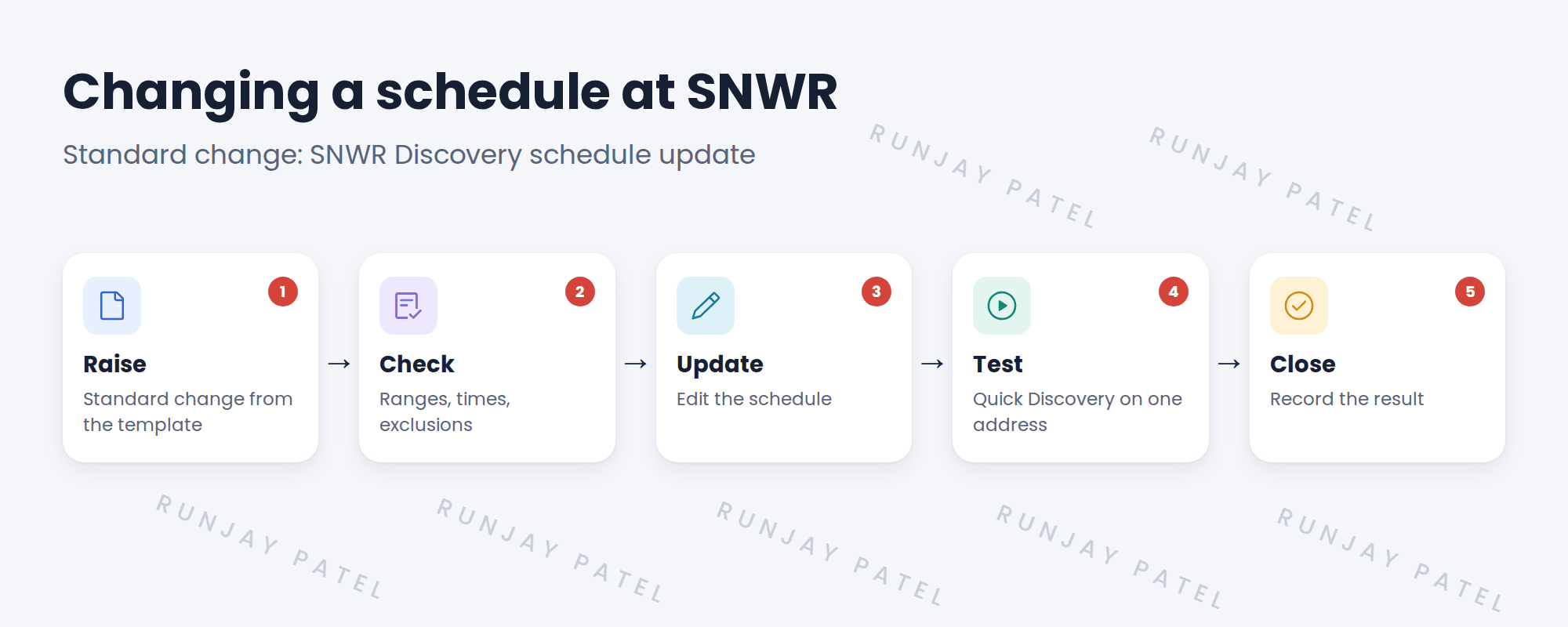
2 Why change control
- Security required every scan to trace to an approved change.
- A second pair of eyes catches mistakes.
- There’s a record of who changed what.
3 Standard changes
A standard change is pre-approved for low-risk, repeated work. A template makes schedule updates quick but still controlled.
💡 Good to know: Need a refresher? See ITSM Implementation › Change Types › The Standard Change Catalog and Templates for how standard changes work.
4 Project Clear View: How We Implemented It
📍 Situation: Farah required scans to trace to approved changes.
🧭 Decision: Create a standard change template for schedule updates, with Mei.
🛠️ Steps we took:
- Drafted ‘SNWR Discovery schedule update’ with steps and checks.
- Mei’s CAB approved it as a standard change.
- Added a check for exclusions to the template.
- Used it for the first real edit: adding the pilot range.
✅ What we verified:
- The template is approved and in use.
- The first change followed every step.
📁 Evidence: The standard change template on snwr.
5 Quick recap
- Schedule edits can scan the wrong range.
- Change control adds a check and a record.
- A standard change template makes it quick.
- Include an exclusions check.
6 Check yourself
Think of your answer first. Then tap to check.
1 Why put schedule changes under change control? Show answer
One wrong edit could scan the wrong range, and security requires scans to trace to changes.
2 What is a standard change? Show answer
A pre-approved change for low-risk, repeated work.
3 Who approved SNWR’s template? Show answer
Mei Chen’s CAB.
Nice work! SNWR’s schedule changes are controlled. 🎉
Next up: The Pre-Scan Readiness Gate
Was this lesson helpful?
Please log in to share lesson feedback.
Have a question or doubt?
Ask here and get help from instructors and fellow learners.
Only logged-in learners can post.





