


MID Server Health, Upgrades and Operations
On this page
In this lesson, you will learn:
- How to see MID Server health
- How MID Servers upgrade
- What to check every day
🔁 Quick look back: Last time: Hardening the MID Server. You learned how SNWR hardened its MID Server hosts.
1 The Problem: A MID Server Goes Down and Nobody Notices
On past projects, a MID Server went down on a Friday. Nobody looked until Wednesday. By then:
- Four nightly scans had failed.
- The data was days old.
👉 The fix: Watch MID health every day, and know how upgrades work.
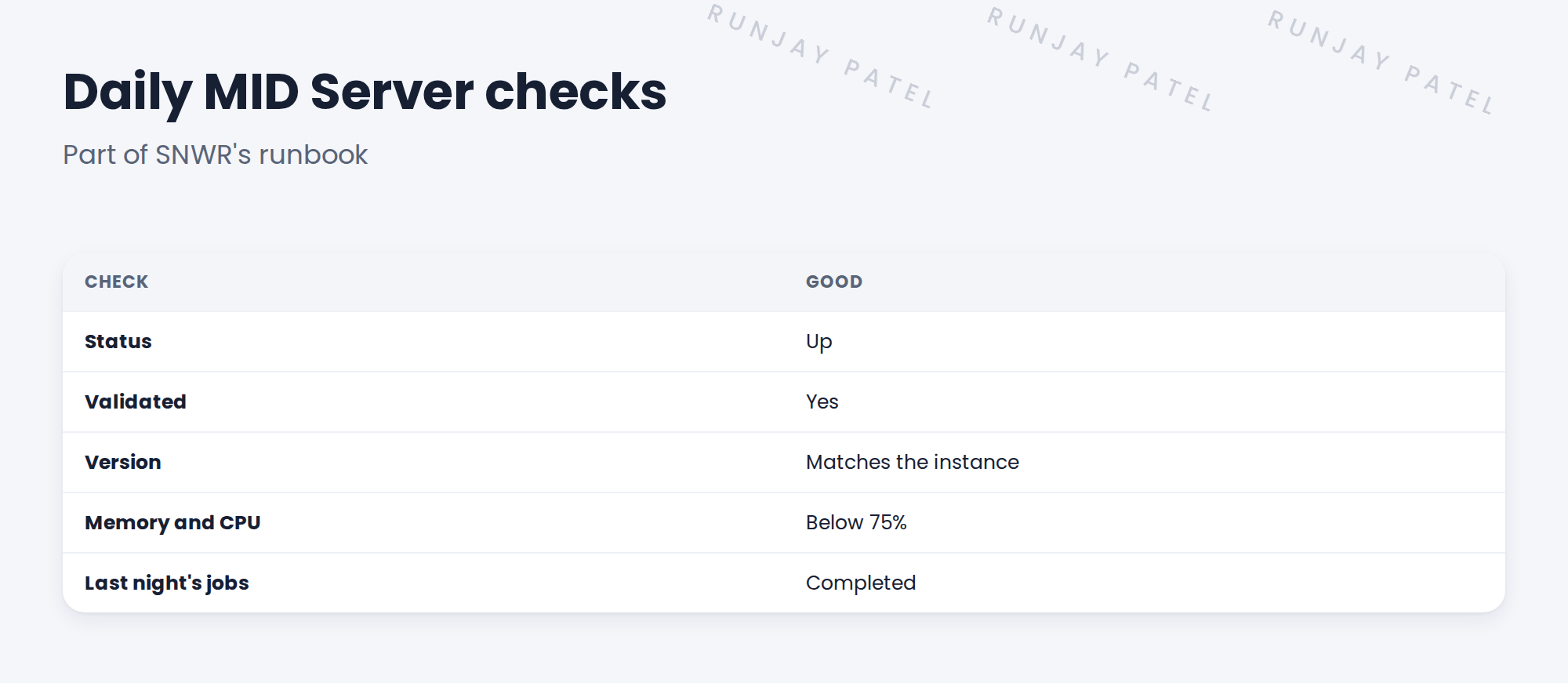
2 Health
- The MID Server list shows status, version and last contact.
- Dashboards show memory, CPU and jobs.
- Alerts can tell the team when a MID goes Down.
3 Upgrades
When the instance is upgraded, MID Servers upgrade themselves to match. Usually this just works.
⚠️ Heads up: If a MID Server can’t upgrade, for example because of disk space or a proxy, it may stop working. Check all MID Servers after every instance upgrade.
4 Project Clear View: How We Implemented It
📍 Situation: Hana’s team will run the MID Servers after handover.
🧭 Decision: Set up daily checks and an alert for MID Servers going Down.
🛠️ Steps we took:
- Added the five daily checks to the runbook.
- Set up an email alert to SNWR Discovery Admins when a MID goes Down.
- Wrote ‘check all MID Servers’ into the instance upgrade plan.
- Walked Hana’s team through the checks.
✅ What we verified:
- Hana’s team ran the checks without help.
- A test alert reached the team.
📁 Evidence: Daily MID checks in the runbook (see Operations Handover › Writing the Operations Runbook).
5 Quick recap
- Check MID status, validation, version, resources and jobs every day.
- MID Servers upgrade themselves after the instance.
- Check all MID Servers after every upgrade.
- Alert the team when a MID goes Down.
6 Check yourself
Think of your answer first. Then tap to check.
1 What happens to MID Servers when the instance is upgraded? Show answer
They upgrade themselves to match.
2 Name three daily MID checks. Show answer
Any three of: status, validated, version, memory and CPU, last night’s jobs.
3 Who gets the alert at SNWR? Show answer
SNWR Discovery Admins.
Nice work! SNWR’s MID Servers are watched every day. 🎉
Next up: How Discovery Selects and Uses Credentials
Was this lesson helpful?
Please log in to share lesson feedback.
Have a question or doubt?
Ask here and get help from instructors and fellow learners.
Only logged-in learners can post.





