


Credential Order and Credential Affinity
On this page
In this lesson, you will learn:
- What credential order does
- What credential affinity does
- When affinity causes trouble
🔁 Quick look back: Last time: Application, Database, VMware and Platform Credentials. You learned why vCenter, databases and cloud need their own credentials.
1 The Problem: Scans Waste Time Trying Every Credential
If Discovery tries every credential on every device:
- Scans take longer.
- Failed logins fill security logs.
- Accounts can get locked out.
👉 The fix: Use order to try the best credential first, and let affinity remember what worked.
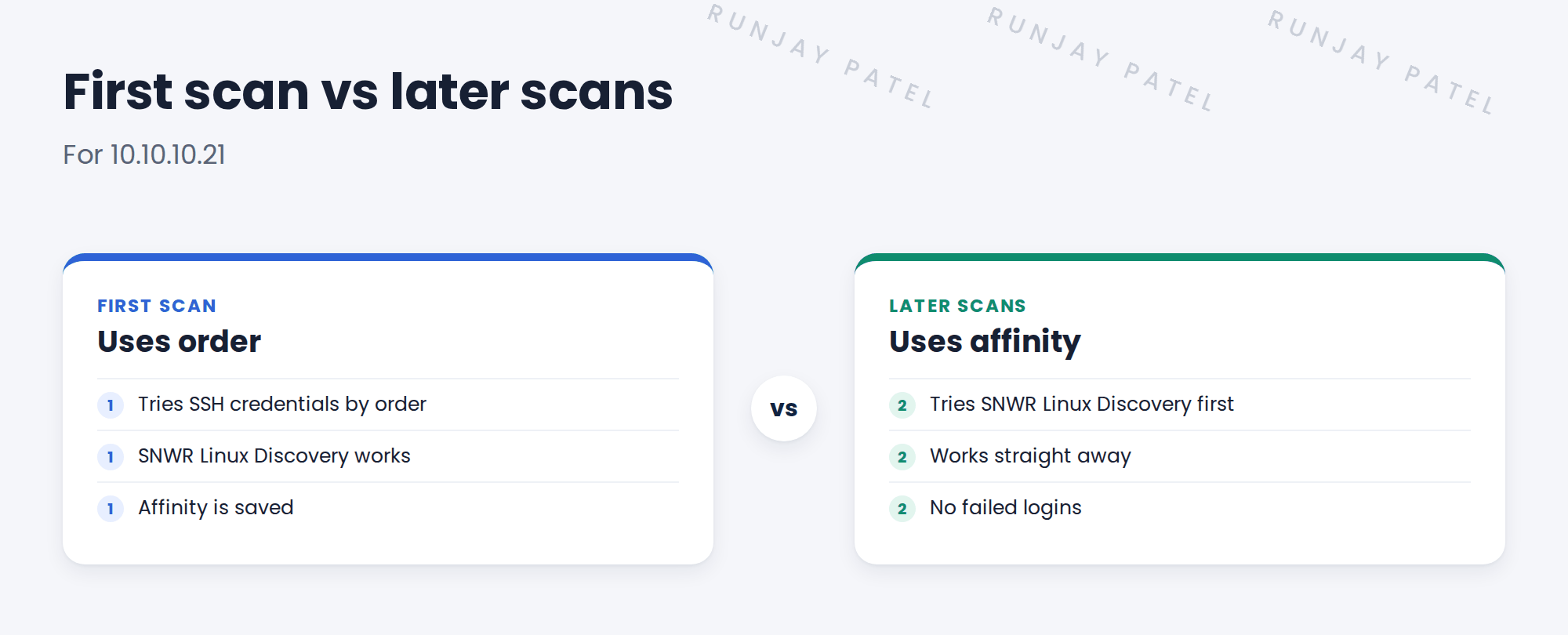
2 Order and affinity
Key term: Order
A number on each credential. Lower numbers are tried first.
Key term: Credential affinity
A saved link between a device and the credential that worked.
Put the credential that works for most devices first. With one credential per type, like SNWR, order rarely matters.
3 When affinity causes trouble
- A password changes: affinity points to a credential that now fails.
- A device is rebuilt: the old affinity may be wrong.
💡 Good to know: If a device suddenly fails after a password change, check its affinity. Discovery will try others, but it can be slower.
4 Project Clear View: How We Implemented It
📍 Situation: SNWR has one credential per type, but the team asked how order works.
🧭 Decision: Keep orders simple and check affinity after the pilot.
🛠️ Steps we took:
- Gave each SNWR credential a clear order.
- Ran a scan of snwr-mail-01 twice.
- Checked that affinity was saved after the first scan.
- Noted to check affinity after the planned password rotation.
✅ What we verified:
- The second scan used affinity and had no failed logins.
- The rotation check is in the plan.
📁 Evidence: Order and affinity notes in the runbook.
5 Quick recap
- Order decides which credential is tried first.
- Affinity remembers what worked for each device.
- Password changes can make affinity point the wrong way.
- Fewer failed logins keep security happy.
6 Check yourself
Think of your answer first. Then tap to check.
1 Which credential is tried first? Show answer
The one with the lowest order number.
2 What does affinity save? Show answer
A link between a device and the credential that worked.
3 When can affinity cause trouble? Show answer
After a password change or a device rebuild.
Nice work! You can tune which credentials Discovery tries. 🎉
Next up: Credential Aliases and External Vaults
Was this lesson helpful?
Please log in to share lesson feedback.
Have a question or doubt?
Ask here and get help from instructors and fellow learners.
Only logged-in learners can post.





