


The Discovery Design Document
On this page
In this lesson, you will learn:
- The sections of a Discovery design document
- How to write a design decision
- How decisions trace to requirements
🔁 Quick look back: Last time: The Project Clear View CMDB Readiness Review. You learned how to present the CMDB readiness report before design.
1 The Problem: Decisions Made in Meetings Get Lost
During requirements, many design ideas came up in meetings. A month later:
- Nobody remembers why London gets its own MID Server.
- Someone suggests changing it back.
👉 The fix: Write a design document. Record each big choice as a numbered decision, with its reason.
2 Writing a design decision
| Part | Example (DD-D01) |
|---|---|
| Decision | Put a MID Server in London. |
| Why | London scans across the WAN would be slow and use shared bandwidth. |
| Options considered | Scan London from Mumbai; one MID in London. |
| Linked requirements | REQ-DISC-04, REQ-DISC-18 |
| Approved by | Hana, Ravi |
💡 Good to know: Need a refresher? See ITSM Implementation › Implementation Methodology › User Stories and the Design Decisions Log for decision logs in general.
3 Tracing
Every decision links to at least one requirement. Every requirement is covered by at least one decision. Gaps show up quickly.
4 Project Clear View: How We Implemented It
📍 Situation: Requirements are signed. Design runs in week 3.
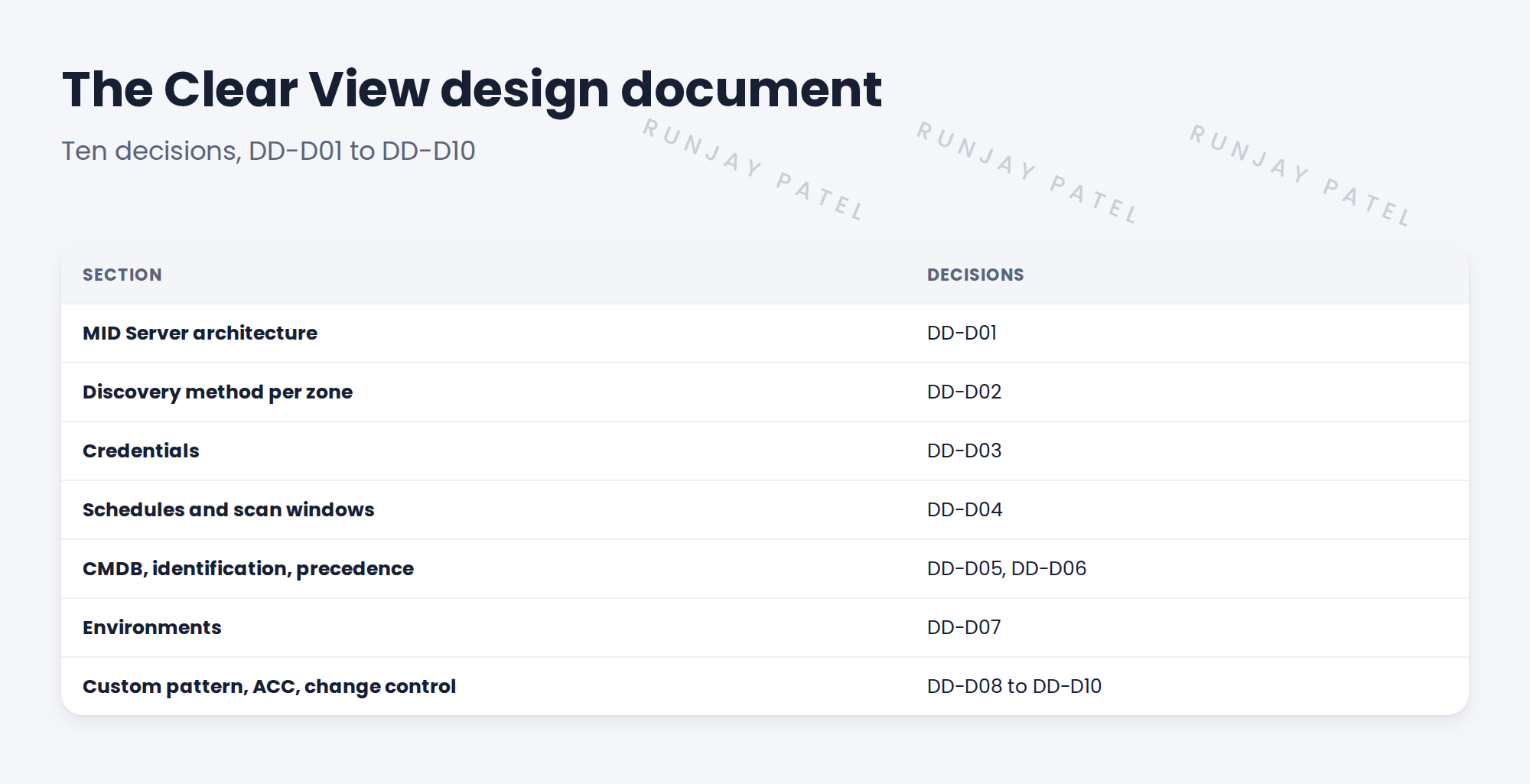
🧭 Decision: Write one design document with ten numbered decisions.
🛠️ Steps we took:
- Set up the document with seven sections.
- Wrote each decision with its reason, options and linked requirements.
- Checked every requirement is covered.
- Shared a draft with Hana mid-week.
✅ What we verified:
- All 26 requirements trace to a decision.
- Hana’s early comments were fixed before the review.
📁 Evidence: The Clear View design document, draft 1.
5 Quick recap
- A design document records each big choice as a numbered decision.
- Each decision has a reason, options and linked requirements.
- Every requirement should trace to a decision.
- Share a draft early.
6 Check yourself
Think of your answer first. Then tap to check.
1 Why write the reason for each decision? Show answer
So later nobody undoes it without knowing why it was made.
2 What does tracing check? Show answer
That every requirement is covered by at least one decision.
3 How many decisions does Clear View have? Show answer
Ten, DD-D01 to DD-D10.
Nice work! Clear View’s design has a home. 🎉
Next up: Designing the MID Server Architecture
Was this lesson helpful?
Please log in to share lesson feedback.
Have a question or doubt?
Ask here and get help from instructors and fellow learners.
Only logged-in learners can post.





