


Installing the First MID Server
On this page
In this lesson, you will learn:
- The steps to install a MID Server
- What the MID user is
- What to record during install
🔁 Quick look back: Last time: Choosing Windows or Linux for the MID Server. You learned how to choose a Windows or Linux host for each MID Server.
1 The Problem: A Rushed Install Causes Problems Later
On past projects, rushed installs caused trouble:
- The MID Server ran as a personal account that later expired.
- Nobody wrote down where it was installed.
- It was named ‘MID1’, so nobody knew which one it was.
👉 The fix: Install carefully: the right account, a clear name and notes.
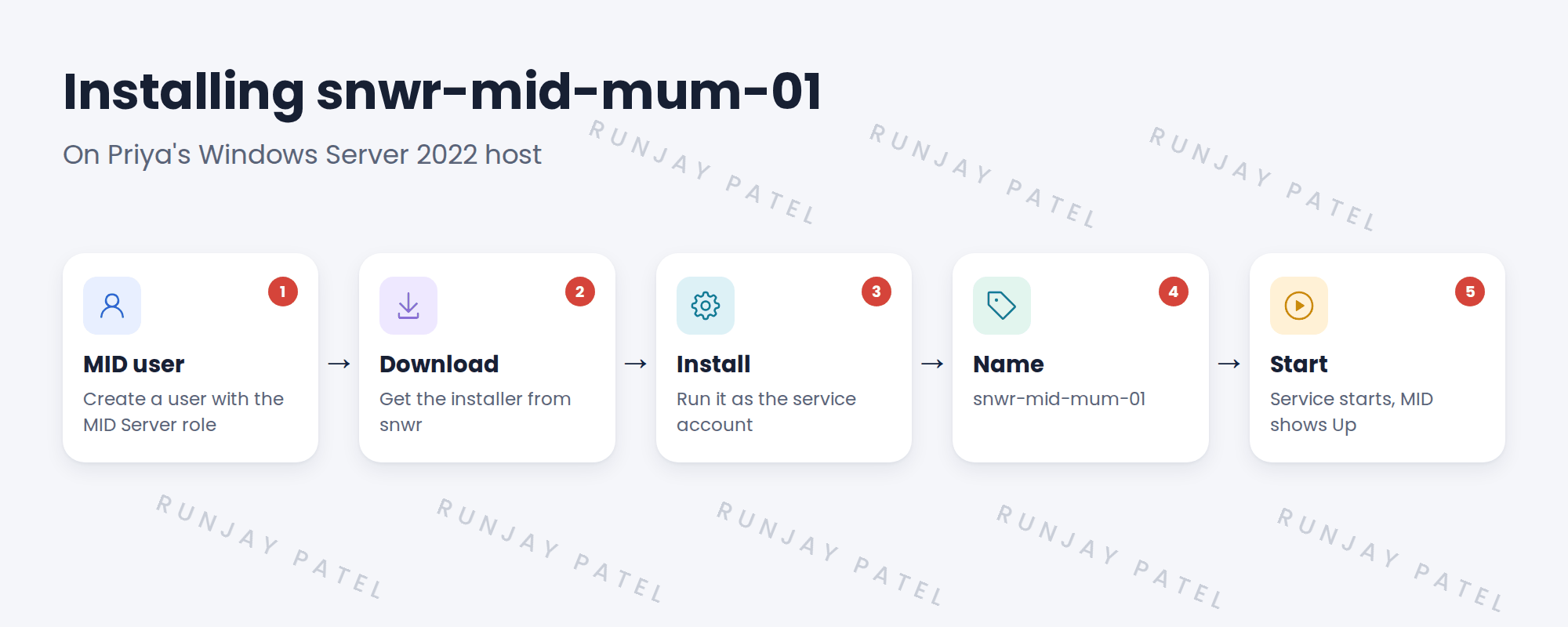
2 The install steps
- Create a MID user on the instance with the MID Server role.
- Download the installer for the host OS from the instance.
- Run the installer on the host. Enter the instance URL, the MID user and a clear name.
- Run the service as a dedicated service account.
- Start it and check it appears on the instance.
Key term: MID user
A ServiceNow user the MID Server logs in as. It needs the MID Server role and nothing else.
3 What to record
- Host, install folder and service account.
- MID Server name.
- Who installed it and when.
4 Project Clear View: How We Implemented It
📍 Situation: Priya handed over the Mumbai host.
🧭 Decision: Install snwr-mid-mum-01 with a dedicated account and clear name.
🛠️ Steps we took:
- Created the MID user on snwr with only the MID Server role.
- Downloaded the Windows installer from the instance.
- Ran it with Priya, using the dedicated service account.
- Named it snwr-mid-mum-01 and recorded the details.
✅ What we verified:
- The MID Server appears on the instance.
- It runs as the dedicated account, not a person.
📁 Evidence: The MID install record in the runbook.
5 Quick recap
- Create a MID user with only the MID Server role.
- Download the installer from the instance.
- Run it as a dedicated service account, with a clear name.
- Record where and how it was installed.
6 Check yourself
Think of your answer first. Then tap to check.
1 What role does the MID user need? Show answer
The MID Server role, and nothing else.
2 Why not run the MID Server as a personal account? Show answer
It could expire or leave with the person, stopping Discovery.
3 What did SNWR name its first MID Server? Show answer
snwr-mid-mum-01.
Nice work! SNWR’s first MID Server is installed. 🎉
Next up: Validating the MID Server
Was this lesson helpful?
Please log in to share lesson feedback.
Have a question or doubt?
Ask here and get help from instructors and fellow learners.
Only logged-in learners can post.





