


Who Uses the CMDB Data, and How
On this page
In this lesson, you will learn:
- Who typically uses Discovery data
- How their needs decide which fields matter
- SNWR’s data users
🔁 Quick look back: Last time: Restricted Zones and What Must Never Be Scanned. You learned how to find restricted zones and devices that must never be scanned.
1 The Problem: Data Nobody Uses Isn’t Worth Collecting
Discovery can collect hundreds of fields. But if nobody uses them:
- The team wastes time checking data nobody reads.
- The important fields get less attention.
👉 The fix: Ask who will use the data and for what. Focus on the classes and fields they need.
2 Common data users
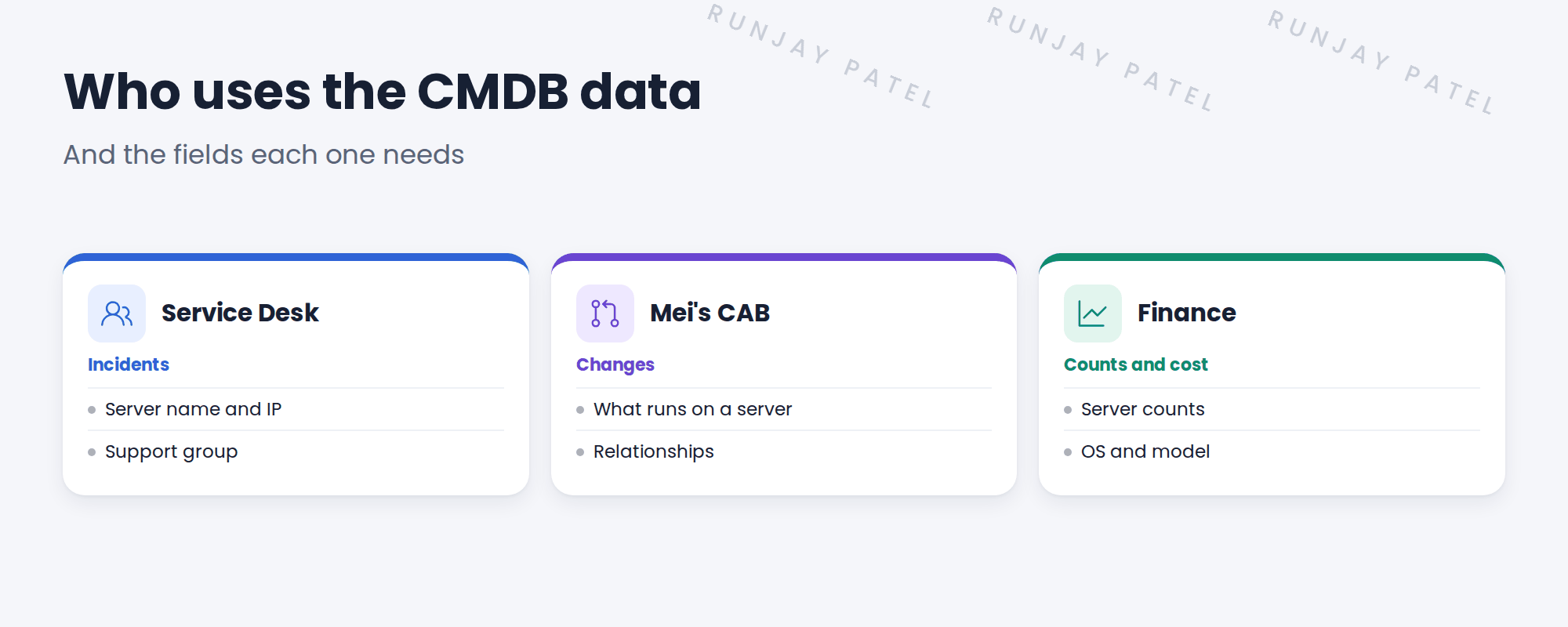
- Service Desk: needs the right CI on incidents.
- Change: needs relationships to see impact.
- Security: needs OS versions and unknown devices.
- Finance and asset teams: need counts and models.
💡 Good to know: Need a refresher? See ITSM Implementation › CMDB Usage › What CSDM Data Does SNWR’s Go-Live Need? for how ITSM uses CMDB data.
3 From needs to fields
| Need | Classes and fields |
|---|---|
| Pick the right CI on incidents | Server name, IP, support group |
| See change impact | Runs on and Hosted on relationships |
| Count servers by OS | OS, version, model |
4 Project Clear View: How We Implemented It
📍 Situation: Hana wanted ‘everything’. That’s too much to check well.
🧭 Decision: Ask each data user what they need, and focus on those fields.
🛠️ Steps we took:
- Met the Service Desk lead, Mei and a finance contact.
- Listed what each needs from the CMDB.
- Mapped needs to classes and fields.
- Agreed with Hana: these fields must be right; others are nice to have.
✅ What we verified:
- Each data user confirmed their needs.
- Hana signed the list of must-have fields.
📁 Evidence: The data users section of the requirements. Must-have fields feed the acceptance criteria.
5 Quick recap
- Ask who will use the data and for what.
- Service Desk, change, security and finance are common users.
- Map needs to classes and fields.
- Focus checks on the must-have fields.
6 Check yourself
Think of your answer first. Then tap to check.
1 Why ask who uses the data? Show answer
So you focus on the fields that matter, instead of checking everything.
2 What does change management need most? Show answer
Relationships, to see what a change could affect.
3 What did Hana sign? Show answer
The list of must-have fields.
Nice work! You know who needs SNWR’s data, and why. 🎉
Next up: Security and Compliance Requirements
Was this lesson helpful?
Please log in to share lesson feedback.
Have a question or doubt?
Ask here and get help from instructors and fellow learners.
Only logged-in learners can post.





