


Go-Live Day
On this page
In this lesson, you will learn:
- What to do on go-live day
- How to watch the first scan
- How to handle a surprise
🔁 Quick look back: Last time: Go-Live Readiness Review. You learned how Anita approved go-live.
1 The Problem: Surprises Happen on the First Night
On wave 1 night, you activate SNWR Mumbai Servers Nightly. Even with good tests:
- Something new can appear.
- People are tired and it’s late.
👉 The fix: Follow a simple go-live plan, watch closely and keep calm.
2 The plan
- Activate the wave’s schedule through the change.
- Watch the status and early failures.
- Handle problems with the troubleshooting method.
- Send a short summary in the morning.
3 Handling a surprise
Use the four questions. Fix what’s safe to fix. If in doubt, use the emergency stop and fix in daylight.
4 Project Clear View: How We Implemented It
📍 Situation: Wave 1 night: Mumbai servers.
🧭 Decision: Activate, watch and handle whatever comes up.
🛠️ Steps we took:
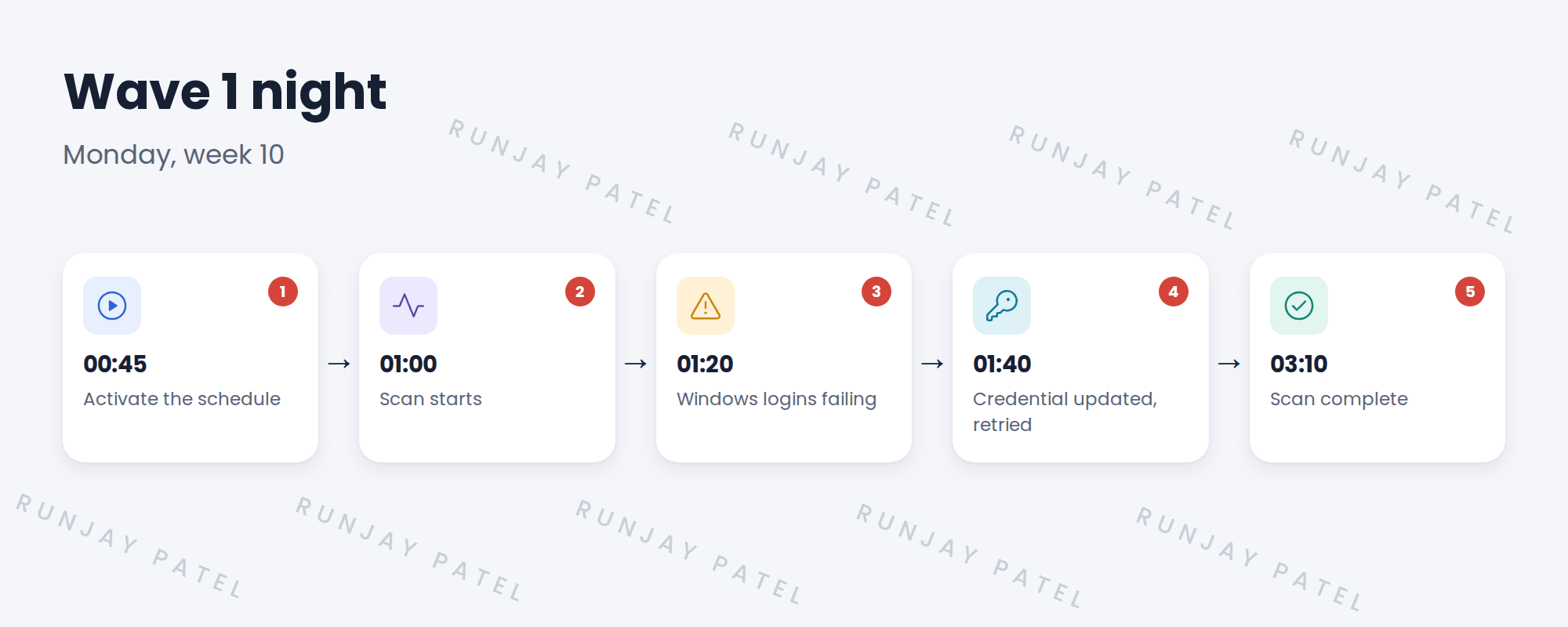
- Activated the schedule at 00:45.
- At 01:20, Windows logins failed: svc-snow-disc had been rotated that afternoon.
- Priya updated the credential; you retried the failed servers.
- Sent Hana the morning summary.
✅ What we verified:
- The scan completed at 03:10.
- All Mumbai servers were updated.
📁 Evidence: The morning summary and a note to check rotations before each wave.
5 Quick recap
- Follow a simple go-live plan.
- Watch the first scan closely.
- Use the troubleshooting method under pressure.
- Send a morning summary.
6 Check yourself
Think of your answer first. Then tap to check.
1 What went wrong on wave 1 night? Show answer
Windows logins failed because svc-snow-disc’s password had been rotated.
2 How was it fixed? Show answer
Priya updated the credential and the failed servers were retried.
3 What lesson was added? Show answer
Check credential rotations before each wave.
Nice work! SNWR is live on Discovery. 🎉
Next up: Rollback and Emergency Stop
Was this lesson helpful?
Please log in to share lesson feedback.
Have a question or doubt?
Ask here and get help from instructors and fellow learners.
Only logged-in learners can post.





