


Virtual Agent for Employee Self-Service
On this page
In this lesson, you will learn:
- What Virtual Agent is
- The ready-made ITSM topics
- How Sam uses the chat
- How to turn it on and test it
🔁 Quick look back: Last time: Now Assist for ITSM. You learned how Now Assist summarizes incidents and drafts resolution notes for agents.
1 “I just want to know if it’s fixed”
Sam calls the Service Desk to ask about his VPN incident.
- Abel looks it up and reads out the last comment.
- The call takes 4 minutes.
- The Service Desk gets 60 calls like this a week.
👉 The fix: let Sam ask the chat, any time, and get the answer himself.
2 Virtual Agent and topics
Key term: Virtual Agent
ServiceNow’s chatbot. It talks with employees in Employee Center, Teams or Slack.
Key term: Topic
One conversation the chatbot can have, like “Check IT ticket status”.
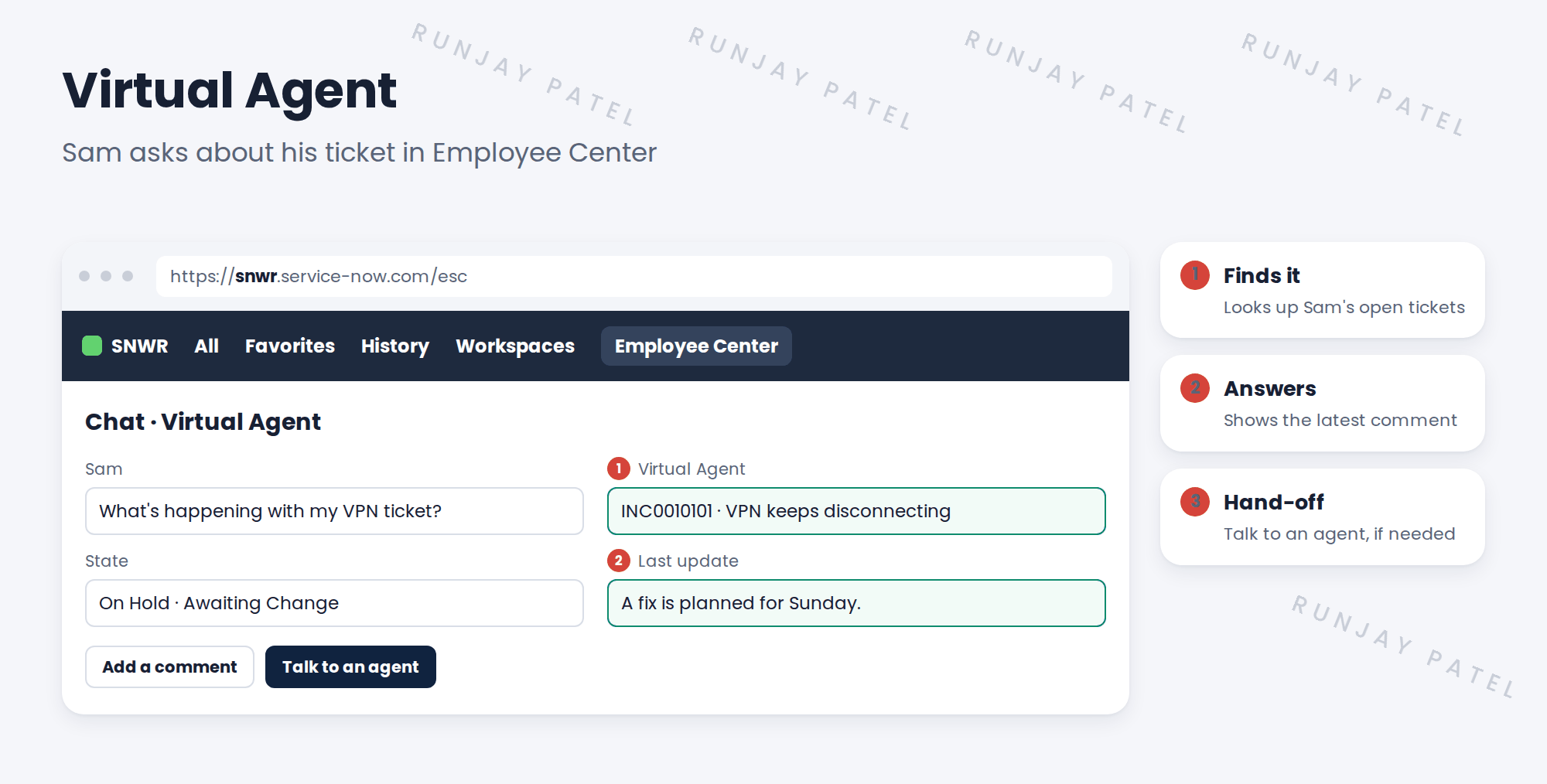
3 SNWR’s starting topics
| Topic | Sam can… |
|---|---|
| Open IT ticket | Report a problem in chat |
| Check IT ticket status | See his open incidents and requests |
| Order something | Find and order a catalog item |
💡 Good to know: Start with the ready-made ITSM topics. Build your own only when you see what people ask.
📦 Entitlement check: Virtual Agent is part of ITSM. More advanced chat, like Now Assist in Virtual Agent, depends on your package.
4 Let’s try it: turn on and test the chat
- Open Conversational Interfaces › Virtual Agent › Designer. Find the ITSM topics.
- Activate Open IT ticket and Check IT ticket status.
- Check the chat is turned on for Employee Center.
- Impersonate Sam. Open the chat and ask about your ticket.
- Open a new ticket through the chat. Check the incident is created, with Sam as caller.
5 Quick recap
- Virtual Agent is ServiceNow’s chatbot
- A topic is one conversation it can have
- Start with the ready-made ITSM topics
- Sam can open and check tickets by chat
- Offer a hand-off to a person
6 Check yourself
Think of your answer first. Then tap to check.
1 What is a Virtual Agent topic? Show answer
One conversation the chatbot can have.
2 Name one ready-made ITSM topic. Show answer
Open IT ticket, or Check IT ticket status.
3 Why start with ready-made topics? Show answer
They cover common needs; build your own once you see what people ask.
4 The chat can’t help Sam. What then? Show answer
He picks Talk to an agent.
Nice work! Sam can now help himself through chat. 🎉
Next up: AI Agents for ITSM
Was this lesson helpful?
Please log in to share lesson feedback.
Have a question or doubt?
Ask here and get help from instructors and fellow learners.
Only logged-in learners can post.





