


On-Call Scheduling
On this page
In this lesson, you will learn:
- What on-call scheduling does
- The parts: rotation, roster, escalation
- How it uses the 24×7 schedule
- How to build SNWR’s rotation
🔁 Quick look back: Last time: Interactions: Logging a Call or Chat. You learned how an interaction records a call or chat, and how an incident is created from it.
1 “Who’s on call tonight?”
It’s 10 PM. The VPN gateway goes down.
- The incident is assigned to SNWR Network Support.
- But everyone has gone home.
- Nobody knows who is on call, and the outage lasts until morning.
👉 The fix: build an on-call rotation, so ServiceNow knows who to contact at any hour.
2 Words to know
Key term: On-call rotation
A plan that shares out-of-hours cover between team members, in turns.
Key term: Roster
The ordered list of people in a rotation, like primary and backup.
Key term: Escalation
Who is contacted next, and when, if the first person doesn’t answer.
📦 Entitlement check: On-Call Scheduling is part of ITSM Advanced, which SNWR has.
3 SNWR Network Support’s rotation
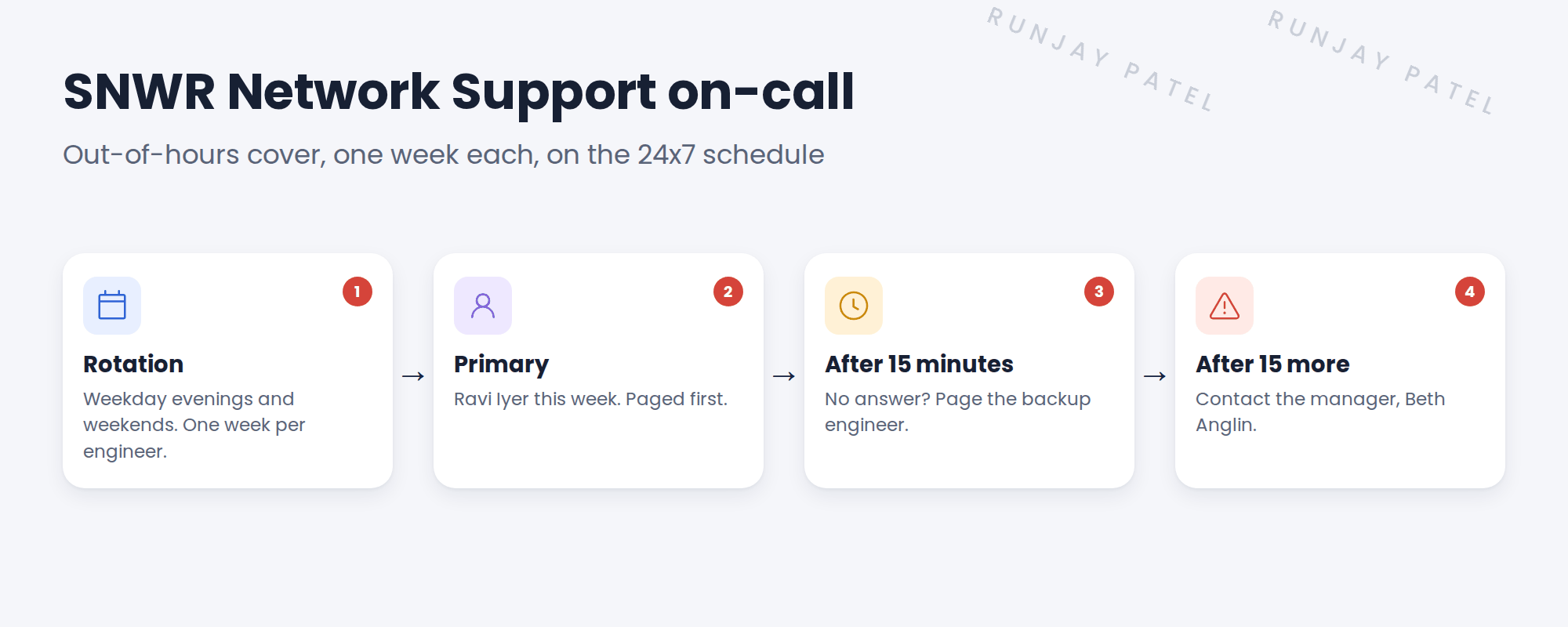
| Part | SNWR setting |
|---|---|
| Group | SNWR Network Support |
| When | Evenings 18:00–09:00, and weekends |
| Rotation | One week per engineer |
| Escalation | Primary → backup (15 min) → manager (15 min) |
4 How it’s used
- When a P1 incident is assigned to the group out of hours, ServiceNow can look up who’s on call.
- Agents can also check “who’s on call now” from the incident.
- Engineers swap shifts in the tool, so the schedule stays true.
💡 Good to know: On-call cover and P1 SLAs both use SNWR 24×7 Critical Support. So when someone is paged at night, the SLA clock is running too.
⚠️ Heads up: An on-call plan only works if contact details are right. Check phone numbers before go-live.
5 Let’s try it: build the rotation
- In the All menu, open On-Call Scheduling and create a schedule for SNWR Network Support.
- Add a rotation for evenings and weekends, one week per person.
- Add a roster with Ravi Iyer and one more engineer.
- Set the escalation: primary, then backup after 15 minutes, then Beth Anglin after 15 more.
- Use the on-call calendar to check who’s on call tonight.
6 Quick recap
- On-call shares out-of-hours cover in turns
- A roster orders the people; an escalation says who’s next
- SNWR: primary, then backup, then the manager, 15 minutes apart
- On-call and P1 SLAs both use the 24×7 schedule
- Check contact details before go-live
7 Check yourself
Think of your answer first. Then tap to check.
1 It’s 10 PM and a P1 lands with Network Support. Who’s contacted first? Show answer
The primary on-call engineer, for example Ravi.
2 What happens if the primary doesn’t answer in 15 minutes? Show answer
The backup engineer is paged.
3 Which schedule does SNWR’s on-call use? Show answer
SNWR 24×7 Critical Support.
4 Which ITSM package includes On-Call Scheduling? Show answer
ITSM Advanced.
Nice work! SNWR’s urgent incidents always reach someone. 🎉
Next up: Incident SLA Design for SNWR
Was this lesson helpful?
Please log in to share lesson feedback.
Have a question or doubt?
Ask here and get help from instructors and fellow learners.
Only logged-in learners can post.





