


Catalog Audience: User Criteria and Visibility
On this page
In this lesson, you will learn:
- What user criteria are
- Available for and Not available for
- SNWR’s two criteria
- How to test visibility
🔁 Quick look back: Last time: Multi-Row Variable Sets. You learned how a multi-row variable set lets Sam order several apps in one form.
1 “Why can the contractor order a laptop?”
A contractor orders a new laptop.
- SNWR doesn’t give laptops to contractors.
- Desktop Support has to cancel it.
- London’s desk-booking item also shows in Mumbai.
👉 The fix: show each item only to the people who can order it, with user criteria.
2 How it works
Key term: User criteria
A rule that describes a set of users, like “everyone in London”.
Key term: Available for
Only users who match can see and order the item.
Key term: Not available for
Users who match can’t see the item. This wins over Available for.
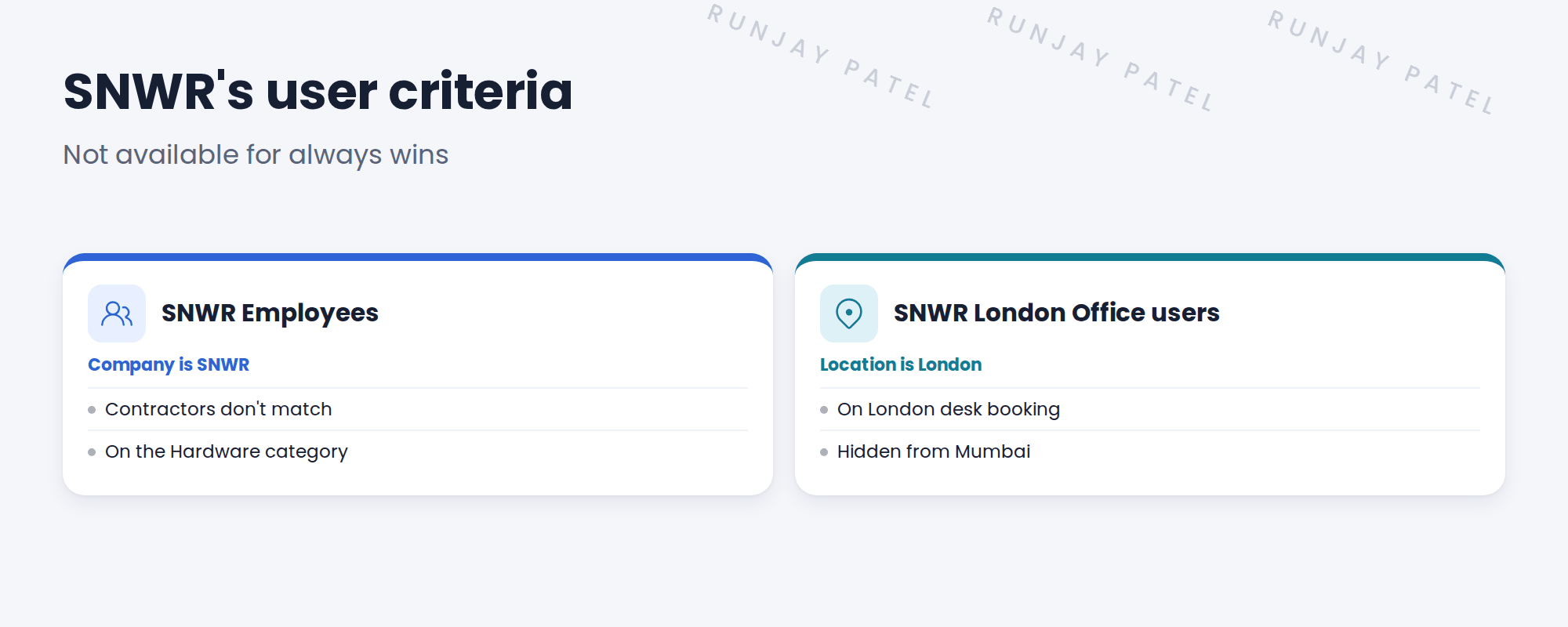
3 Where to put them
| Put criteria on… | When |
|---|---|
| A category | Every item inside follows the same rule |
| An item | Just this item is different |
⚠️ Heads up: A user must be able to see the category too. If the category is hidden, its items are hidden.
💡 Good to know: Need a refresher? See Fundamentals › Service Catalog › Catalog Items & User Criteria.
4 Let’s try it: set and test user criteria
- Open Service Catalog › Catalog Policy › User Criteria. Create SNWR Employees with Company = SNWR.
- Create SNWR London Office users with Location = SNWR London Office.
- Add SNWR Employees to the Available for list on the Hardware category.
- Impersonate Sam (Mumbai). He should see Hardware, but not London desk booking.
- Impersonate a contractor. Hardware should be hidden. If it still shows, log out and in again, as criteria can be cached.
5 Quick recap
- User criteria describe a set of users
- Available for lets them see an item
- Not available for hides it, and always wins
- Put criteria on a category to cover all its items
- Always test by impersonating
6 Check yourself
Think of your answer first. Then tap to check.
1 A user matches both Available for and Not available for. Can they see the item? Show answer
No. Not available for wins.
2 Why doesn’t a contractor match SNWR Employees? Show answer
Contractors belong to their agency’s company, not SNWR.
3 You want all hardware hidden from contractors. Where do you add criteria? Show answer
On the Hardware category.
4 How do you test visibility? Show answer
Impersonate users, like Sam and a contractor.
Nice work! Each SNWR item now shows to the right people. 🎉
Next up: Catalog Roles and Delegated Management
Was this lesson helpful?
Please log in to share lesson feedback.
Have a question or doubt?
Ask here and get help from instructors and fellow learners.
Only logged-in learners can post.





