


Stay Close to Baseline
On this page
In this lesson, you will learn:
- What the baseline is, and why it matters
- What technical debt is
- A simple checklist for custom requests
- How SNWR handled the “Waiting for Vendor” request
🔁 Quick look back: Last time: User Stories and the Design Decisions Log. You learned how to write a user story with acceptance criteria, and how to record decisions in the design log.
1 “Can we add a new state?”
In the Incident workshop, Daniel asks for something that sounds small:
- “We need a new incident state called Waiting for Vendor.”
- It looks like a five-minute change.
- But a new state touches SLAs, reports, flows, workspace filters and every future upgrade.
👉 The fix: first check if the baseline already does it. Only customize when there’s a real need and no baseline option.
2 Words to know
Key term: Baseline
How ServiceNow works out of the box, before anyone changes it.
Key term: Customization
Changing how ServiceNow works, for example with new states or scripts that change baseline behavior.
Key term: Technical debt
The extra work you create for later every time you customize.
💡 Good to know: Need a refresher? See Fundamentals › Customization Basics › Personalize vs Configure vs Customize.
3 Two ways to meet Daniel’s need
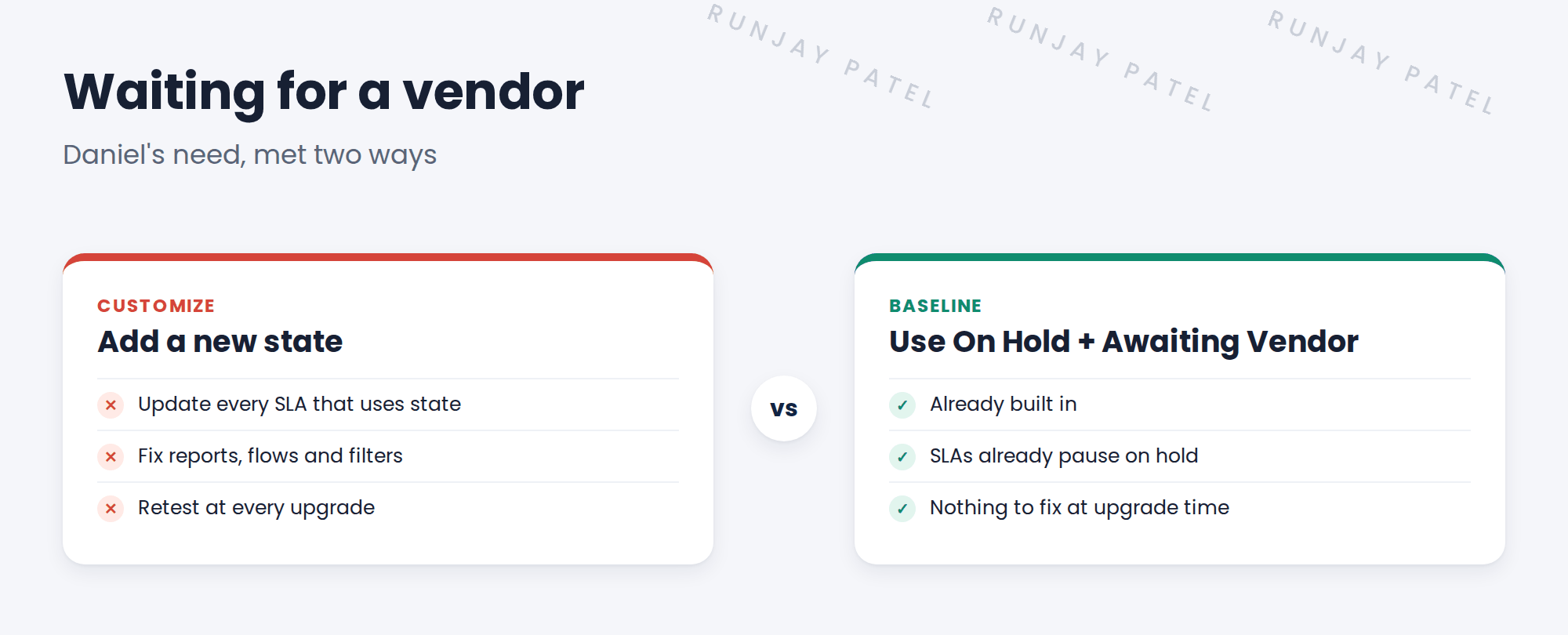
ServiceNow already has an On Hold state with a reason field. One of the baseline reasons is Awaiting Vendor. Daniel’s need is met, with no new state.
📝 Note: Daniel agreed. You recorded it as design decision DD-004.
4 A checklist for every custom request
- Does the baseline already do it? Look before you build.
- Can configuration do it? Choices, forms, rules and flows are configuration, and they’re upgrade-safe.
- Is the need real? Ask why. Is it worth the extra cost every year?
- Record the decision. If you do customize, write down why, and who agreed.
⚠️ Golden rule: Never customize just because “the old tool did it this way”. Improve the process, don’t copy the old tool.
💡 Good to know: Every upgrade, ServiceNow lists the changed baseline records you have customized, as skipped records. The more you customize, the longer that list. See Fundamentals › Customization Basics › Upgrades & Skipped Records.
5 When customizing is OK
Sometimes it is the right call. For example, a legal rule that ServiceNow can’t meet with configuration. Then:
- The process owner agrees, and knows the cost
- You record it in the decisions log
- You keep it small, and in one place
⭐ Remember: Baseline first. Configure second. Customize last, and write it down.
6 Quick recap
- The baseline is how ServiceNow works out of the box
- Every customization adds technical debt
- Check: baseline, then configuration, then a real need
- SNWR used the baseline On Hold reason Awaiting Vendor instead of a new state
- When you do customize, record why in the decisions log
7 Check yourself
Think of your answer first. Then tap to check.
1 Daniel wants a new state for vendor waits. What baseline option do you offer? Show answer
The On Hold state with the reason Awaiting Vendor.
2 What is technical debt? Show answer
The extra work you create for later every time you customize.
3 Is changing a choice list or a form layout a customization? Show answer
No, that’s configuration. It’s upgrade-safe.
4 “The old tool did it this way.” Is that a good reason to customize? Show answer
No. Improve the process instead of copying the old tool.
Nice work! You know how to stay close to the baseline. 🎉
Next up: The Foundation Data ITSM Needs, and Load Order
Was this lesson helpful?
Please log in to share lesson feedback.
Have a question or doubt?
Ask here and get help from instructors and fellow learners.
Only logged-in learners can post.





