


Stages and Request Status for Requesters
On this page
In this lesson, you will learn:
- What a stage is
- SNWR’s three stages
- How a flow sets stages
- What Sam sees
🔁 Quick look back: Last time: Request Approvals. You learned how SNWR’s request approvals depend on what’s ordered and how much it costs.
1 “Where’s my monitor?”
Sam checks his request in Employee Center.
- It says “Open”, every day for a week.
- He can’t tell if it’s approved.
- He calls Abel to ask.
👉 The fix: show simple stages, so Sam sees where his order is.
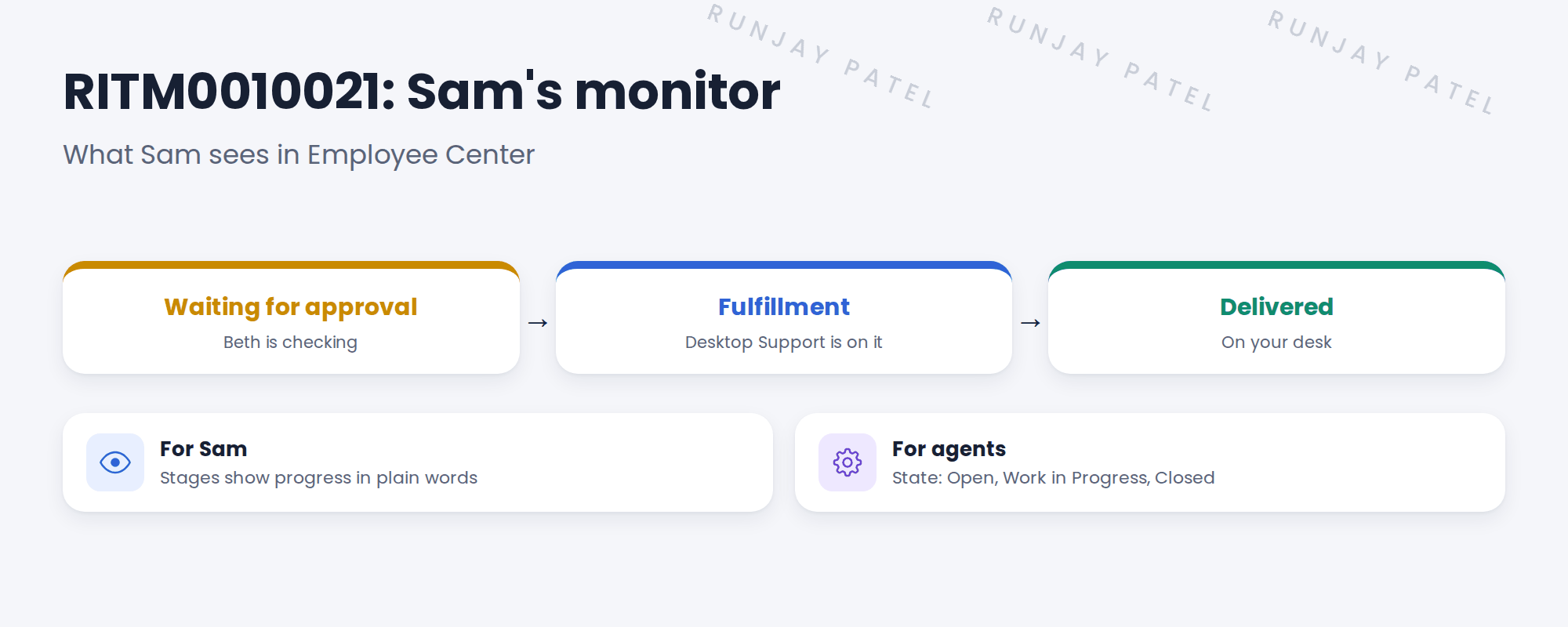
2 What stages are
Key term: Stage
A step in delivering an item, shown to the requester, like Fulfillment.
Key term: State
The record’s status for agents, like Open or Closed Complete.
3 How a flow sets stages
- In Flow Designer, open the flow’s properties and add the stages.
- Link each stage to the step where it starts.
- When the flow reaches a step, the RITM’s stage changes.
💡 Good to know: Use three to five stages. Use words Sam understands, not IT words.
📝 Note: Stages show on the RITM and in Employee Center as a progress bar.
4 Let’s try it: add stages to the monitor flow
- Open SNWR Monitor fulfillment in Flow Designer. Open the flow’s properties.
- Add three stages: Waiting for approval, Fulfillment, Delivered.
- Link Waiting for approval to the approval step, Fulfillment to the task step and Delivered to the close step.
- Activate the flow. Impersonate Sam and order a 32″ monitor.
- Open his request in Employee Center. Watch the stage change as Beth approves and the task closes.
5 Quick recap
- A stage shows the requester where the order is
- State is for agents
- SNWR: Waiting for approval, Fulfillment, Delivered
- The flow sets each stage
- Use 3 to 5 stages, in plain words
6 Check yourself
Think of your answer first. Then tap to check.
1 Stage or state: which one does Sam see? Show answer
Stage.
2 What sets the RITM’s stage? Show answer
The fulfillment flow, as it reaches each step.
3 Name SNWR’s three stages. Show answer
Waiting for approval, Fulfillment, Delivered.
4 Why add stages? Show answer
So requesters see progress and don’t need to call.
Nice work! Sam can now see where his order is. 🎉
Next up: Request SLAs and Fulfillment Targets
Was this lesson helpful?
Please log in to share lesson feedback.
Have a question or doubt?
Ask here and get help from instructors and fellow learners.
Only logged-in learners can post.





