


Interactions: Logging a Call or Chat
On this page
In this lesson, you will learn:
- What an interaction is
- Why SNWR logs every call
- How to create an incident from an interaction
- How interaction and incident stay linked
🔁 Quick look back: Last time: Creating Knowledge from Incidents. You learned how agents turn good incident fixes into draft knowledge articles.
1 “We only count half the work”
Abel answers 60 calls a day.
- Half are quick questions he answers on the spot.
- None of those are logged.
- Reports say the desk handles 30 contacts a day. Daniel can’t get more staff.
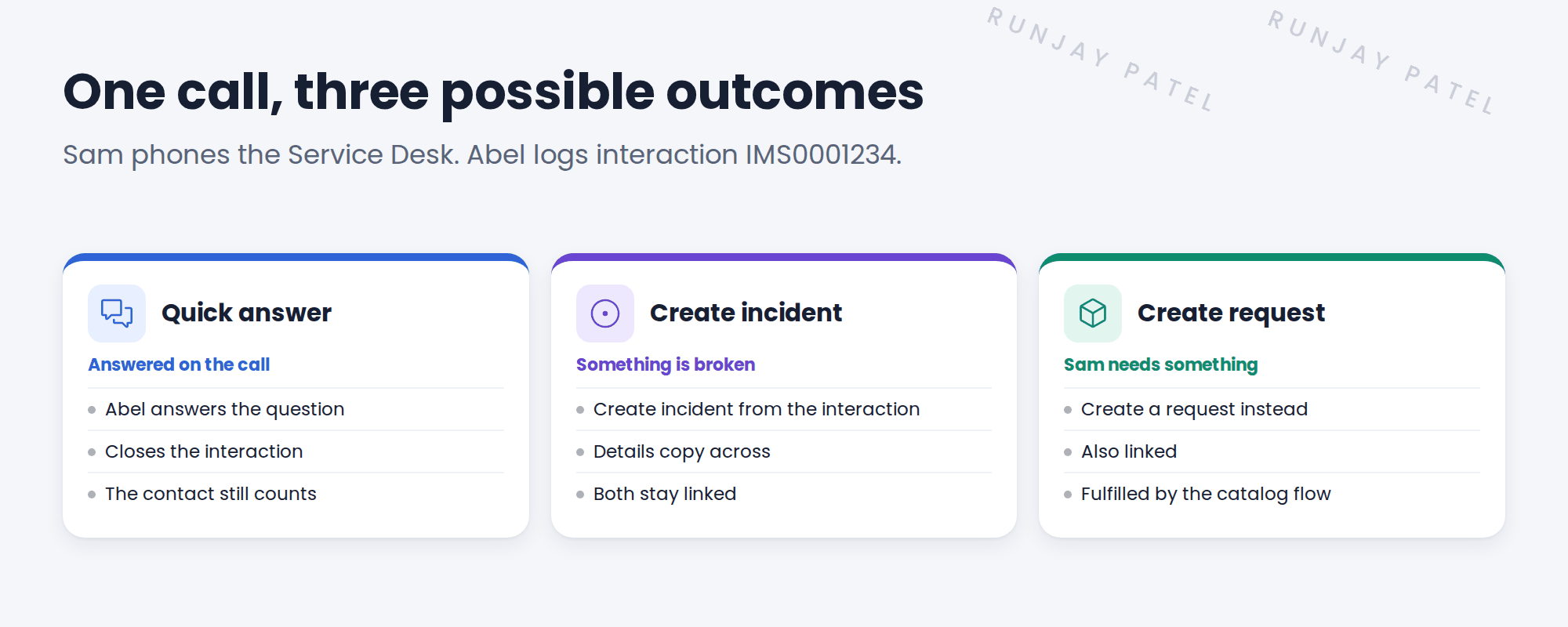
👉 The fix: log every call and chat as an interaction. Create a ticket only when one is needed.
2 What is an interaction?
Key term: Interaction
A record of one conversation with a person, like a phone call, chat or walk-up visit.
Key term: Related record
A ticket created from the interaction, like an incident or request.
3 Why it helps
| Benefit | For whom |
|---|---|
| Every contact is counted | Daniel, for staffing |
| The conversation is kept with the ticket | The next agent |
| Quick answers still show up in reports | Anita, for the value of the desk |
📝 Note: Interactions are created for you when chat is used. For phone and walk-up, the agent creates them.
💡 Good to know: Abel can start a new interaction from Service Operations Workspace while he’s still on the call.
4 Let’s try it: log a call and create an incident
- As Abel, in Service Operations Workspace, create a new interaction. Type: Phone. Opened for: Sam Lee.
- Add a short description: “VPN drops every hour”.
- Use the option to create an incident from the interaction.
- Open the new incident. Check the caller and description came across.
- Go back to the interaction and check the incident is listed as a related record.
5 Quick recap
- An interaction records one conversation
- Log every call and chat, even quick ones
- Create an incident or request from it only when needed
- The interaction and ticket stay linked
- Counting every contact shows the real workload
6 Check yourself
Think of your answer first. Then tap to check.
1 Sam asks a quick question on the phone. Does Abel log anything? Show answer
Yes, an interaction. He answers and closes it.
2 How does Abel turn an interaction into an incident? Show answer
He creates an incident from the interaction, and they stay linked.
3 Why does Daniel want every call logged? Show answer
So reports show the real workload, for staffing.
4 Who creates the interaction for a chat? Show answer
It’s created for you when chat is used.
Nice work! No conversation is lost at SNWR. 🎉
Next up: On-Call Scheduling
Was this lesson helpful?
Please log in to share lesson feedback.
Have a question or doubt?
Ask here and get help from instructors and fellow learners.
Only logged-in learners can post.





