


The Continual Improvement Cycle
On this page
In this lesson, you will learn:
- The four steps of the cycle
- SNWR’s first improvement
- What an improvement backlog is
- How the monthly review works
🔁 Quick look back: Last time: Satisfaction Surveys on Incident Close. You learned how a short survey on resolved incidents shows what callers think.
1 “The same VPN tickets keep coming back”
Three months after go-live, Daniel checks the dashboard.
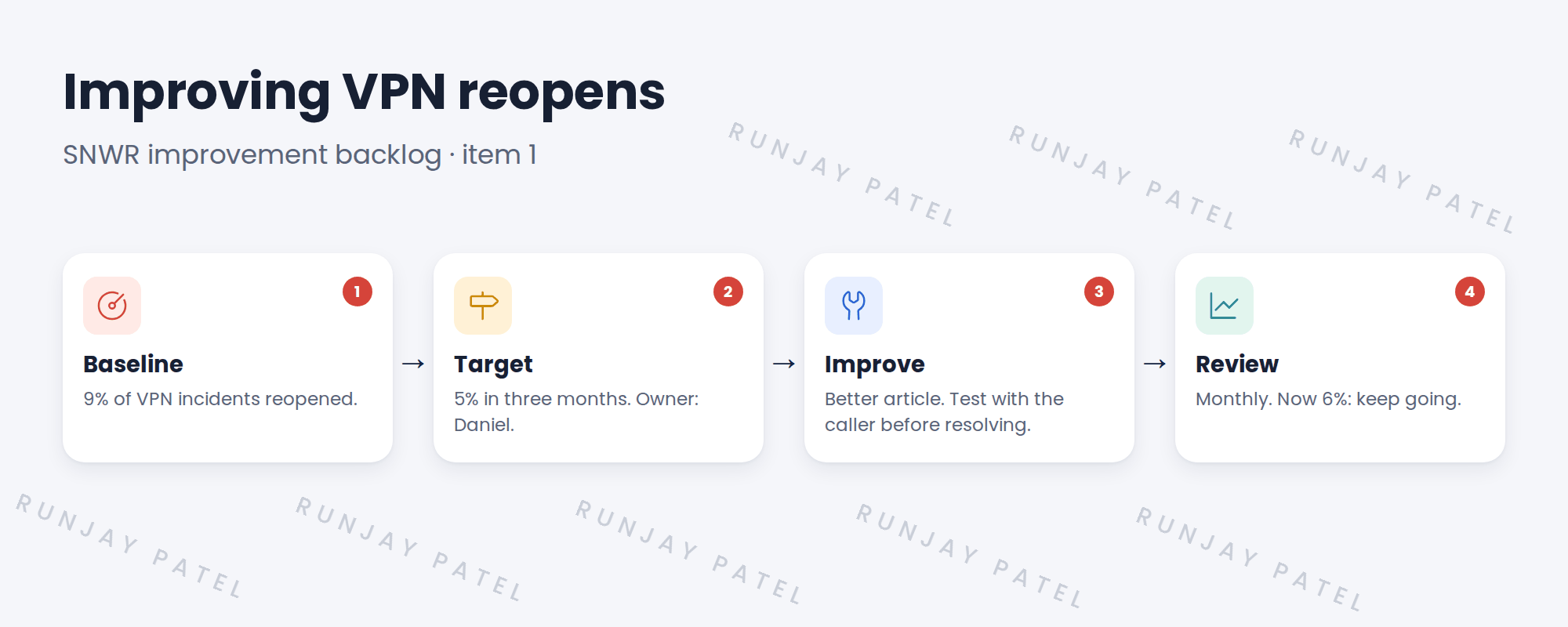
- 9% of VPN incidents are reopened.
- The target for all incidents is 5%.
- Nobody owns fixing it.
👉 The fix: run it through the improvement cycle, with an owner and a target.
2 The cycle
Key term: Baseline
Where you are now, like a 9% reopen rate.
Key term: Improvement backlog
A list of improvement ideas, each with an owner, target and status.
3 The SNWR improvement backlog
| Item | Owner · target |
|---|---|
| VPN reopen rate | Daniel · 9% → 5% |
| Monitor delivery time | Lucas · 4 days → 3 days |
| Failed changes on Network | Mei · 2 a month → 0 |
📝 Note: ServiceNow has a Continual Improvement Management app for this. A simple list works too. What matters is the monthly review.
⭐ Remember: Every improvement needs a number, an owner and a date.
4 Let’s try it: start the improvement backlog
- Open Continual Improvement Management if it’s on your instance. If not, create a simple list to track ideas.
- Create SNWR improvement backlog item 1: VPN reopen rate, baseline 9%, target 5%, owner Daniel Okafor.
- Add two actions: update KB0010210, and train agents to test with the caller.
- Build a report of VPN incident reopen rate by month.
- Add the report to the SNWR Service Desk Overview dashboard, for the monthly review.
5 Quick recap
- The cycle: baseline, target, improve, review
- SNWR’s first item: VPN reopen rate 9% → 5%
- The improvement backlog lists ideas with owners
- Review every month
- Every improvement needs a number, an owner and a date
6 Check yourself
Think of your answer first. Then tap to check.
1 What is the baseline for VPN reopens? Show answer
9%.
2 Who owns the VPN reopen item, and what’s the target? Show answer
Daniel, 5%.
3 What are the four steps of the cycle? Show answer
Baseline, target, improve, review.
4 The review shows 6%. What next? Show answer
Keep going, and check again next month.
Nice work! SNWR now keeps getting better. 🎉
Next up: Test Strategy for an ITSM Rollout
Was this lesson helpful?
Please log in to share lesson feedback.
Have a question or doubt?
Ask here and get help from instructors and fellow learners.
Only logged-in learners can post.





