


Using Services in Incident and Change
On this page
In this lesson, you will learn:
- Why service fields matter
- The Service and Service offering fields
- How to fill them for the agent
- How changes use them
🔁 Quick look back: Last time: Subscriptions and Who Can See a Service. You learned how subscriptions link people and places to offerings, and how to keep pipeline services hidden.
1 “How many email incidents last month?”
Arjun asks how many incidents hit SNWR Email.
- Some incidents say “email” in the description.
- Some have a CI. Most have nothing.
- The report shows 12. The real number is nearer 90.
👉 The fix: make Service and Service offering required, and fill them for the agent where you can.
2 The two fields
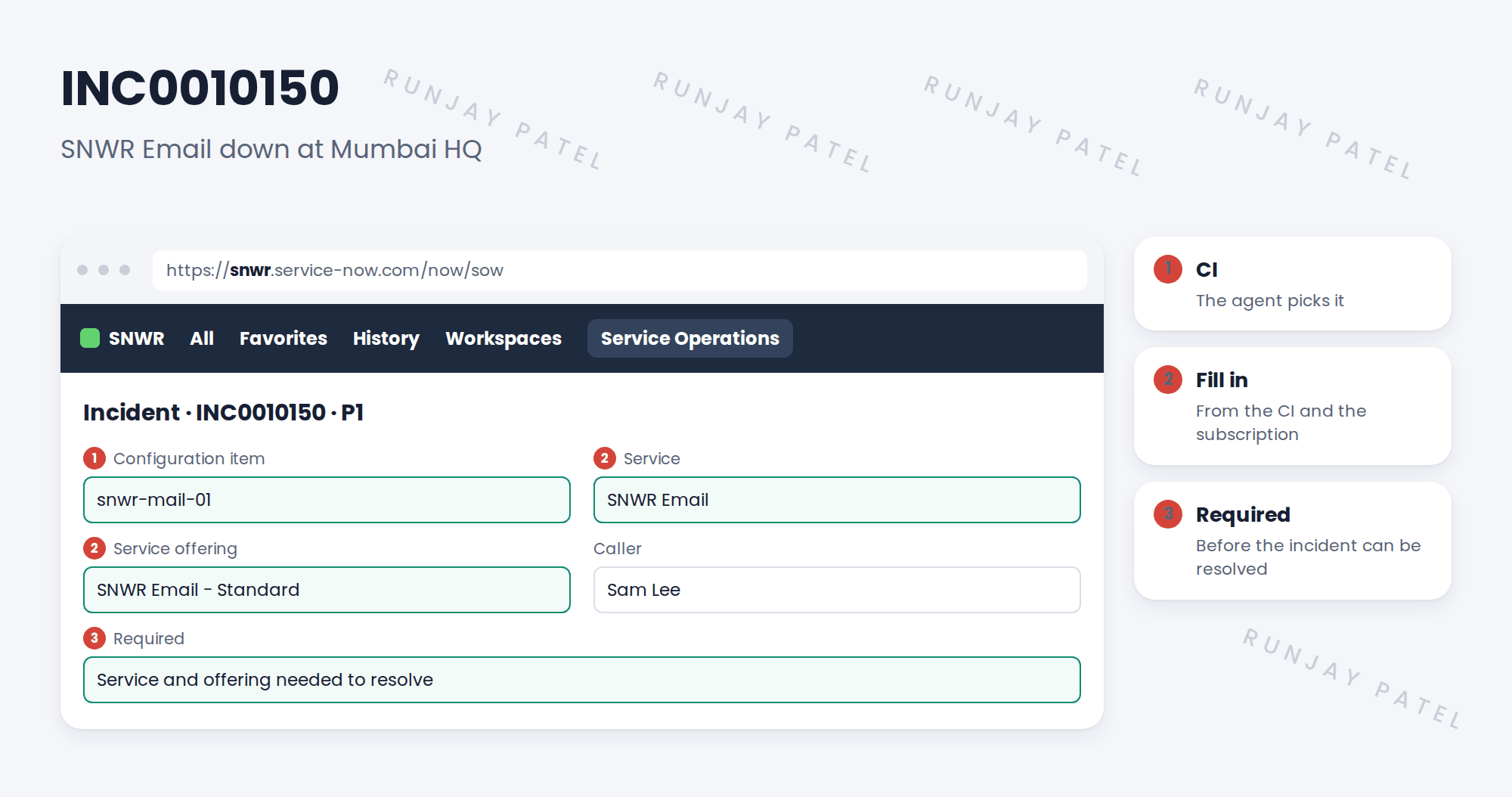
| Field | Example |
|---|---|
| Service | SNWR Email |
| Service offering | SNWR Email – Standard |
| Configuration item | snwr-mail-01 |
3 Filling them in
- Some releases fill Service from the CI for you. Test yours first.
- If not, add a simple rule that looks up the CI’s service.
- Make the fields required at Resolve, not at New, so agents aren’t slowed down on the phone.
📝 Note: On changes, Service and the impacted services list show what the change could affect. You’ll use this in the next chapter.
💡 Good to know: Need a refresher? See Fundamentals › Form Configuration › Form Layout.
4 Let’s try it: make the service fields required
- Open an incident form. Use Form Layout to add Service and Service offering if you don’t see them.
- Create a UI policy: when state is Resolved, make Service and Service offering mandatory.
- Create an incident with CI snwr-mail-01. Does Service fill in? Note what your release does.
- Try to resolve without a service. Check you’re stopped.
- Run a report: incidents by Service. Check SNWR Email shows.
5 Quick recap
- Records need a Service and Service offering
- Fill them from the CI where you can
- Make them required at Resolve
- Service reports are only as good as these fields
- Changes use services to show impact
6 Check yourself
Think of your answer first. Then tap to check.
1 Why make Service required at Resolve, not at New? Show answer
So agents aren’t slowed down while on the phone.
2 The CI is snwr-mail-01. Which service? Show answer
SNWR Email.
3 Why did Arjun’s report show 12 instead of about 90? Show answer
Most incidents didn’t name the service.
4 How do changes use services? Show answer
To show what the change could affect.
Nice work! SNWR’s records now name their service. 🎉
Next up: What CSDM Data Does SNWR’s Go-Live Need?
Was this lesson helpful?
Please log in to share lesson feedback.
Have a question or doubt?
Ask here and get help from instructors and fellow learners.
Only logged-in learners can post.





