


Locations, Departments and Companies
On this page
In this lesson, you will learn:
- Why ITSM needs locations, departments and companies
- Where to find these records
- How to build SNWR’s records
- How to link a user to them
🔁 Quick look back: Last time: The Foundation Data ITSM Needs, and Load Order. You learned which foundation data ITSM needs, and why you load it in a fixed order.
1 “Which office is down?”
Email is down, and 40 incidents arrive at once.
- Daniel asks: “Is it only Mumbai, or London too?”
- Nobody can tell, because the incidents don’t show a location.
- The report “Incidents by department” is empty as well.
👉 The fix: build the locations, departments and companies first, and link every user to them.
2 Three kinds of records
Key term: Location
A place where people work, like SNWR Mumbai HQ.
Key term: Department
A part of the company, like IT or Marketing.
Key term: Company
A business you deal with. SNWR itself, and vendors like Company B.
| Record | Where, and SNWR examples |
|---|---|
| Location | All › Organization › Locations SNWR Mumbai HQ · SNWR London Office |
| Department | All › Organization › Departments IT · Marketing |
| Company | All › Organization › Companies SNWR · Company B (vendor) |
3 How they connect
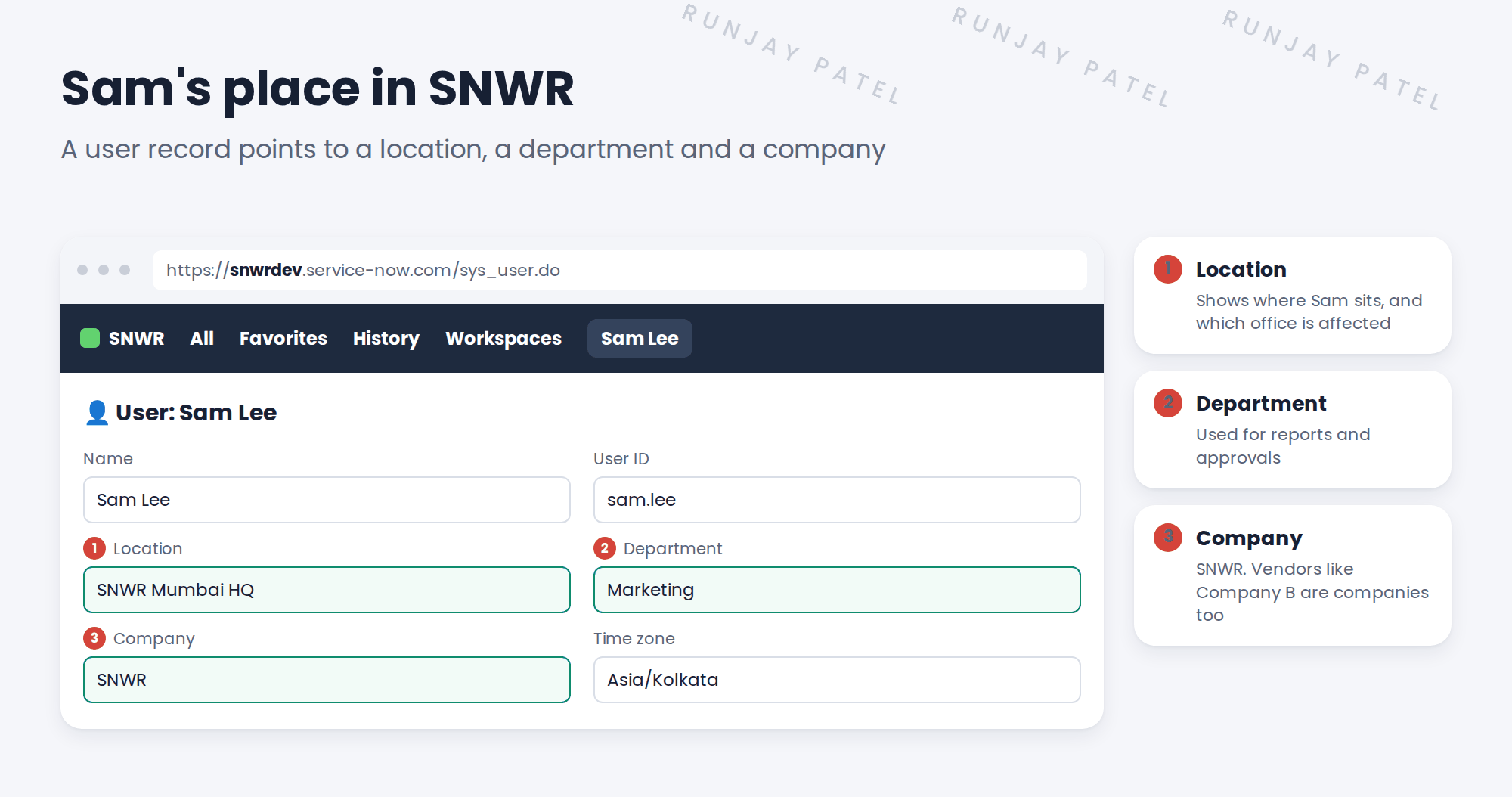
📝 Note: Company B is a company record with the Vendor box checked. You’ll use it later, when laptops are ordered from them.
4 Let’s try it: build SNWR’s records
- Go to All › Organization › Locations. Create SNWR Mumbai HQ (city Mumbai, country India) and SNWR London Office (city London, country United Kingdom).
- Go to Departments. Create IT and Marketing.
- Go to Companies. Create SNWR. Then create Company B and check Vendor.
- Open the user Sam Lee. Set Location to SNWR Mumbai HQ, Department to Marketing and Company to SNWR.
- Check Sam’s Time zone is Asia/Kolkata. Save.
5 Quick recap
- Locations show where people work
- Departments group people for reports and approvals
- Companies include SNWR itself and vendors like Company B
- All three live under All › Organization
- Link every user to a location, department and company
6 Check yourself
Think of your answer first. Then tap to check.
1 Email is down. Which field helps you see which office is affected? Show answer
The caller’s Location.
2 Is Company B a company record? Show answer
Yes. It’s a company with the Vendor box checked.
3 Where do you create departments? Show answer
All › Organization › Departments.
4 Why link users to a department? Show answer
So you can report on incidents by department, and route approvals.
Nice work! SNWR’s locations, departments and companies are ready. 🎉
Next up: Designing Assignment Groups
Was this lesson helpful?
Please log in to share lesson feedback.
Have a question or doubt?
Ask here and get help from instructors and fellow learners.
Only logged-in learners can post.





