


User Stories and the Design Decisions Log
On this page
In this lesson, you will learn:
- What a user story is
- How to write acceptance criteria
- What a design decisions log is
- How to write one story and one decision for SNWR
🔁 Quick look back: Last time: Scoping and Requirements Workshops. You learned how to run a workshop, show the baseline first, and sort needs into must, should, could and won’t.
1 “Why did we build it like this?”
It’s week 11, during UAT. Daniel looks at the incident form.
- “Why does the caller’s open incidents list show closed ones too?”
- Nobody wrote down what Daniel asked for in the workshop.
- Nobody remembers who decided to remove the Vendor field either.
👉 The fix: write each need as a user story with clear acceptance criteria, and record every design decision in one log.
2 User stories
Key term: User story
A short sentence that says who needs something, what they need, and why.
Key term: Acceptance criteria
A checklist that says when the story is done. If every point passes, the story is done.
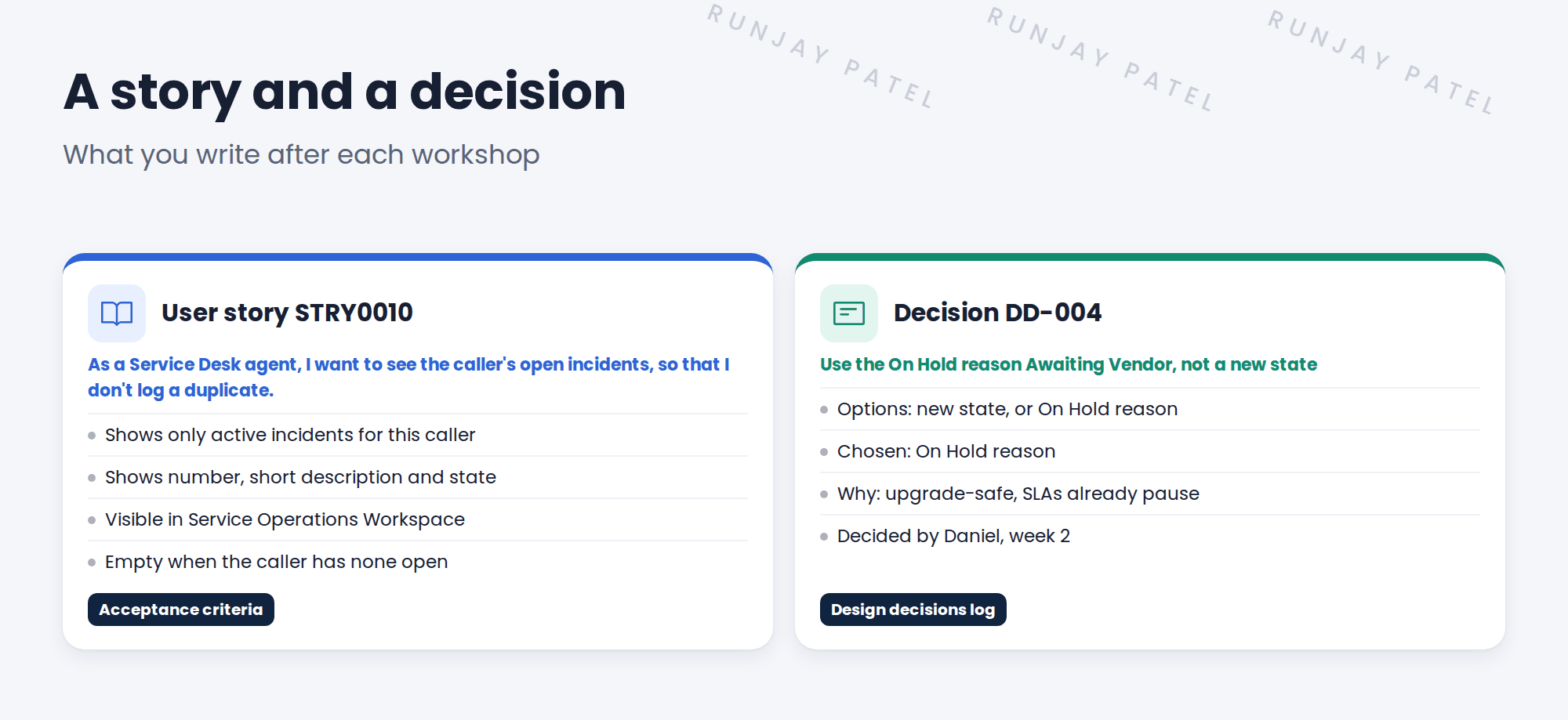
A user story always follows the same pattern:
As a [role], I want [something], so that [reason].
3 Good acceptance criteria
- Testable: someone can check it and say yes or no.
- Specific: “shows only active incidents”, not “works well”.
- Short: three to six points per story.
💡 Good to know: Testers use your acceptance criteria in UAT. Clear criteria make UAT fast.
4 The design decisions log
Key term: Design decisions log
One list of every design choice: what was decided, the options, why, who decided and when.
| Column | Example |
|---|---|
| ID | DD-004 |
| Decision | Use On Hold reason Awaiting Vendor, not a new state |
| Options | New state · On Hold reason |
| Why | Upgrade-safe. SLAs already pause on hold. |
| Decided by · When | Daniel Okafor · Week 2 |
📝 Note: You’ll meet decision DD-004 again in the next lesson, where you learn why staying close to the baseline matters.
5 Let’s try it: write a story and a decision
- Open a spreadsheet or a document. If your PDI has the Agile Development app, you can use its Stories list instead.
- Write a user story for Abel: he wants to see the caller’s open incidents. Use the As a / I want / so that pattern.
- Add four acceptance criteria. Check that each one can be answered yes or no.
- Add a row to a design decisions log for DD-004, with all five columns filled in.
- Read your story out loud. Would Daniel know exactly what he is getting?
6 Quick recap
- A user story says who needs what, and why
- Acceptance criteria say when the story is done
- Good criteria are testable, specific and short
- The design decisions log records what, why, who and when
- Testers use your criteria in UAT
7 Check yourself
Think of your answer first. Then tap to check.
1 What are the three parts of a user story? Show answer
As a [role], I want [something], so that [reason].
2 Is “the form works well” a good acceptance criterion? Show answer
No. It can’t be tested. Say exactly what must happen.
3 What five things does a design decision record? Show answer
The decision, the options, why, who decided, and when.
4 Who uses acceptance criteria during UAT? Show answer
The testers, such as the process owners.
Nice work! You can turn needs into stories and record decisions. 🎉
Next up: Stay Close to Baseline
Was this lesson helpful?
Please log in to share lesson feedback.
Have a question or doubt?
Ask here and get help from instructors and fellow learners.
Only logged-in learners can post.





