


Subscriptions and Who Can See a Service
On this page
In this lesson, you will learn:
- What a subscription is
- Who can subscribe
- How subscriptions help agents
- How to limit who sees services
🔁 Quick look back: Last time: Service Offerings and Service Commitments. You learned how service commitments record an offering’s promises, like 99.5% availability.
1 “Which email does Sam use?”
SNWR plans a Premium email offering next year.
- Agents won’t know who gets which offering.
- Pipeline services show up for everyone.
- An agent picks SNWR Video Calling, which isn’t live.
👉 The fix: subscribe people and places to offerings, and hide services that aren’t live.
2 Subscriptions
Key term: Subscription
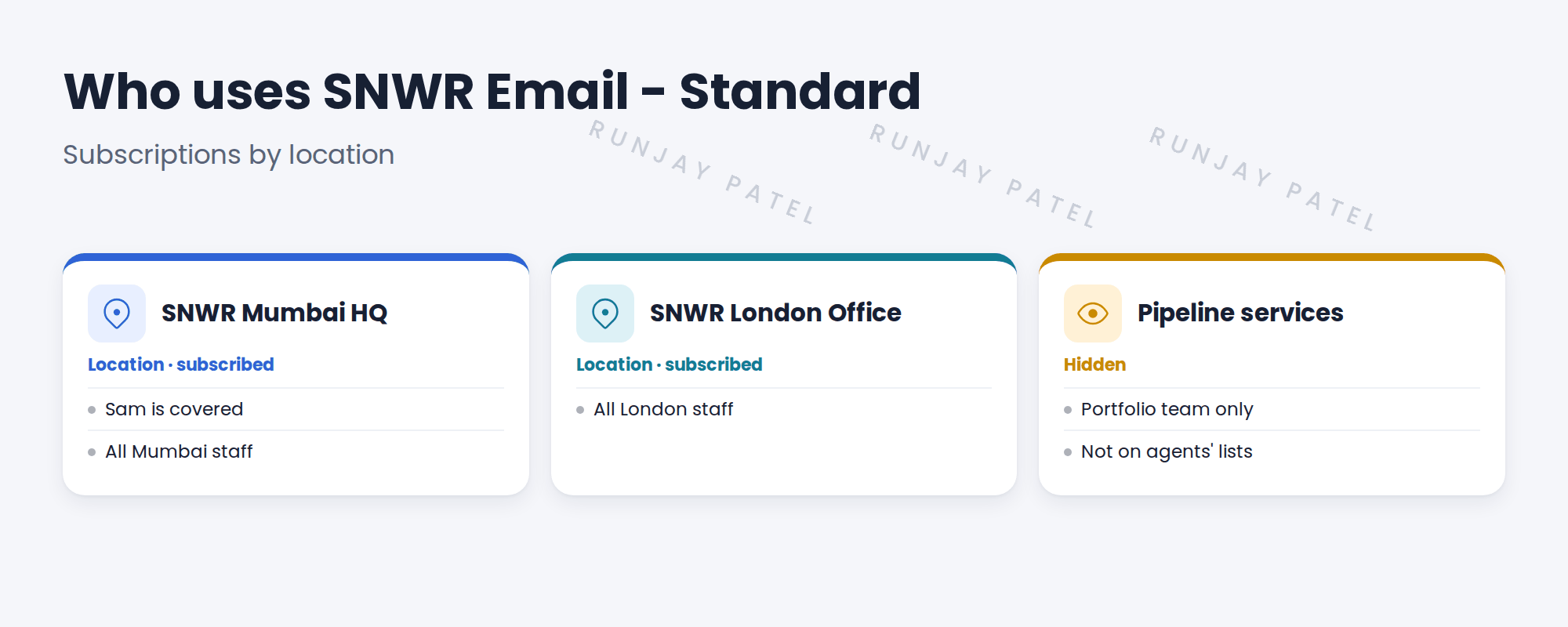
A link that says a user, group, location or company uses a service offering.
3 Who can subscribe
| Subscribe a… | Use it when |
|---|---|
| Location | Everyone at a site gets it, like Mumbai HQ |
| Group or department | One team gets it |
| User | A few named people get it |
💡 Good to know: Subscribe the biggest sensible unit, like a location. It’s less to maintain.
📝 Note: Agents can then see which offerings the caller uses, and pick the right one.
4 Let’s try it: subscribe Mumbai HQ
- Open SNWR Email – Standard. Find the subscriptions lists.
- Add SNWR Mumbai HQ as a subscribed location. Add SNWR London Office too.
- Open Sam’s user record. Check his location is SNWR Mumbai HQ.
- Open SNWR Video Calling (Pipeline). Plan who should see it, such as the portfolio team only.
- Record the visibility choice in the design decisions log.
5 Quick recap
- A subscription links users, groups or places to an offering
- SNWR Mumbai HQ subscribes to SNWR Email – Standard
- Subscribe the biggest sensible unit
- Agents see which offering the caller uses
- Keep pipeline services away from agents
6 Check yourself
Think of your answer first. Then tap to check.
1 How is Sam covered by SNWR Email – Standard? Show answer
Through his location, SNWR Mumbai HQ.
2 Subscribe 900 users one by one, or a location? Show answer
The location. It’s less to maintain.
3 Why hide pipeline services? Show answer
They aren’t live, so agents shouldn’t pick them.
4 Name three things you can subscribe. Show answer
Users, groups or departments, and locations.
Nice work! SNWR knows who uses each offering. 🎉
Next up: Using Services in Incident and Change
Was this lesson helpful?
Please log in to share lesson feedback.
Have a question or doubt?
Ask here and get help from instructors and fellow learners.
Only logged-in learners can post.





