


From Root Cause to Fix: Problem to Change
On this page
In this lesson, you will learn:
- Why the fix goes through a change
- How to create a change from a problem
- How to resolve the problem after the change
- How linked incidents are closed out
🔁 Quick look back: Last time: Problem Properties and Configuration. You learned how to configure who creates problems, what each state requires, and problems in the workspace.
1 “Just renew it now!”
Ravi could renew the certificate in ten minutes.
- But the gateway serves every VPN user.
- If the new certificate is wrong, nobody can connect.
- It needs a plan, a test, a way back and an approval.
👉 The fix: raise a change from the problem, and let the change process control the fix.
2 From problem to change
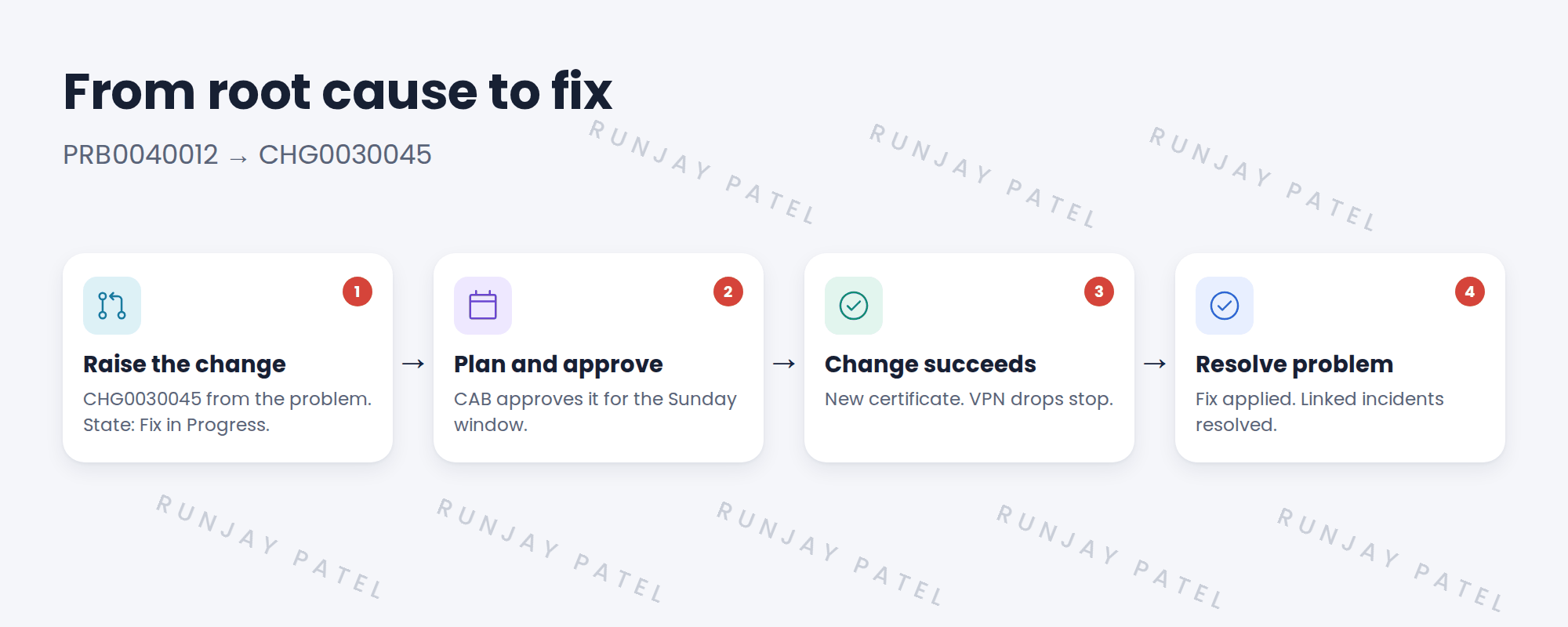
📝 Note: You’ll build the change itself in the Change Types, Change Risk and Change Approvals chapters. Here you just raise it from the problem.
3 Closing it out
- Wait until the change is closed, and check the drops really stopped for a week.
- Resolve the problem with a resolution code, and notes on the fix.
- Resolve the incidents still waiting on Awaiting Problem, and tell each caller.
- Ask: could this happen to another certificate? Ravi adds every certificate’s expiry date to a tracked list.
💡 Good to know: That last step fixes the second part of the root cause: nobody was tracking expiry dates.
⭐ Remember: Problem finds the cause. Change fixes it. Then close everything out.
4 Let’s try it: raise a change from a problem
- Open your problem. Use the option to create a normal change from it.
- Short description: Replace VPN gateway certificate. Save.
- Check the change links back to the problem, and the problem is in Fix in Progress.
- Pretend the change is done: close it as successful.
- Resolve the problem with a code and fix notes, then resolve one linked incident.
5 Quick recap
- Fixes to live systems go through a change
- Raise the change from the problem, so they’re linked
- The problem waits in Fix in Progress
- After the change works, resolve the problem
- Then resolve linked incidents and tell each caller
6 Check yourself
Think of your answer first. Then tap to check.
1 Why not just renew the certificate straight away? Show answer
It changes a live system. It needs a plan, a test, a way back and approval.
2 Which state is the problem in while the change is done? Show answer
Fix in Progress.
3 What do you do with incidents on Awaiting Problem after the fix? Show answer
Resolve them and tell each caller.
4 How did SNWR stop other certificates expiring? Show answer
Ravi added every certificate’s expiry date to a tracked list.
Nice work! The VPN problem is fixed for good. 🎉
Next up: Change Architecture: Tables and State Model
Was this lesson helpful?
Please log in to share lesson feedback.
Have a question or doubt?
Ask here and get help from instructors and fellow learners.
Only logged-in learners can post.





