


Catalog Item or Record Producer?
On this page
In this lesson, you will learn:
- The difference between the two
- When to use each
- How a record producer fills fields
- How to build SNWR Report a VPN problem
🔁 Quick look back: Last time: Catalog Item Design Standards. You learned SNWR’s item standard, with a clear name, few questions and a shared Requested for variable set.
1 “My VPN is broken. Is that a request?”
Sam’s VPN stops working. He looks in the catalog.
- He finds only order forms.
- He orders “VPN access”, which he already has.
- Desktop Support gets a request that should be an incident.
👉 The fix: give Sam a catalog form that creates an incident, not a request.
2 Two kinds of form
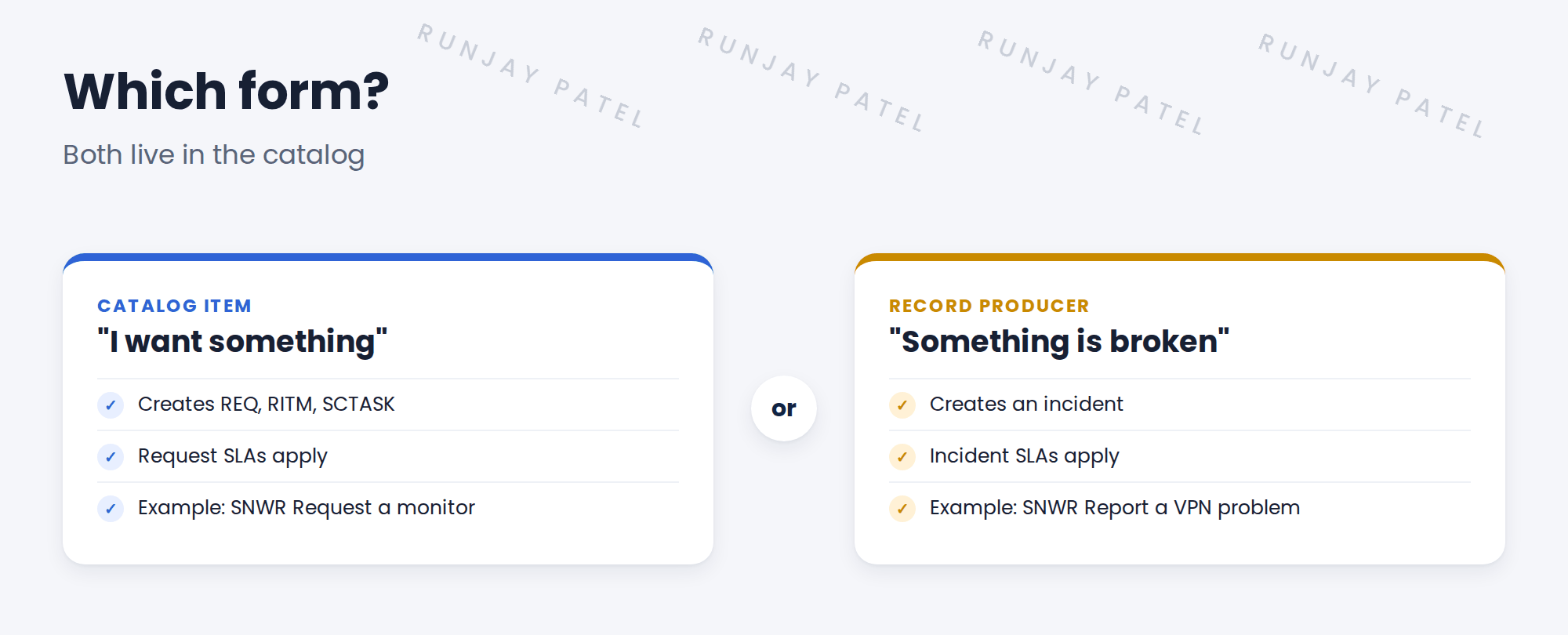
Key term: Record producer
A catalog form that creates a record on another table, like an incident, instead of a request.
Key term: Catalog item
A catalog form that creates a request: REQ, RITM and tasks.
3 Filling fields for the agent
| On the form, Sam gives | On the incident, it becomes |
|---|---|
| What’s wrong? | Short description |
| When did it start? | Description |
| (nothing) | Category Network, subcategory VPN |
| (nothing) | Channel: Self-service |
💡 Good to know: Set category and subcategory for the caller. Sam shouldn’t need to know SNWR’s categories.
💡 Good to know: Need a refresher? See Fundamentals › Record Producers › Mapping Variables to Fields.
4 Let’s try it: build the record producer
- Open Service Catalog › Record Producers and create SNWR Report a VPN problem. Table: Incident. Put it in the Access category, next to VPN access.
- Add variables What’s wrong? and When did it start?. Map the first to Short description.
- In the Script field, set category to network and subcategory to vpn, and contact type to self-service.
- Impersonate Sam and submit the form from Employee Center.
- Open the new incident. Check the fields are set, and it went to SNWR Network Support.
5 Quick recap
- A catalog item creates a request
- A record producer creates another record, like an incident
- Something broken? Use a record producer
- Set fields like category for the caller
- SNWR Report a VPN problem creates a Network › VPN incident
6 Check yourself
Think of your answer first. Then tap to check.
1 Sam wants a new monitor. Which form? Show answer
A catalog item.
2 Sam’s VPN is broken. Which form? Show answer
A record producer that creates an incident.
3 Why set category for Sam? Show answer
He shouldn’t need to know SNWR’s categories, and it routes the incident correctly.
4 Which SLAs apply to SNWR Report a VPN problem? Show answer
Incident SLAs, because it creates an incident.
Nice work! Sam can now report a broken VPN from the catalog. 🎉
Next up: Catalog Builder for Catalog Managers
Was this lesson helpful?
Please log in to share lesson feedback.
Have a question or doubt?
Ask here and get help from instructors and fellow learners.
Only logged-in learners can post.





