


Assignment Strategy
On this page
In this lesson, you will learn:
- What an assignment strategy is
- SNWR’s L1-first model
- Assignment rules vs data lookup vs flows
- How to build SNWR’s default rule
🔁 Quick look back: Last time: Priority Design: Impact and Urgency. You learned how impact and urgency set priority, and what they mean at SNWR.
1 “Who picked this up?”
On the first test day, 20 incidents are logged.
- Six have no assignment group, so nobody sees them.
- Four went straight to Network Support, who can’t fix password problems.
- Two were worked by two teams at once.
👉 The fix: agree one simple routing model with Daniel, then build the smallest set of rules that makes it work.
2 SNWR’s model: L1 first
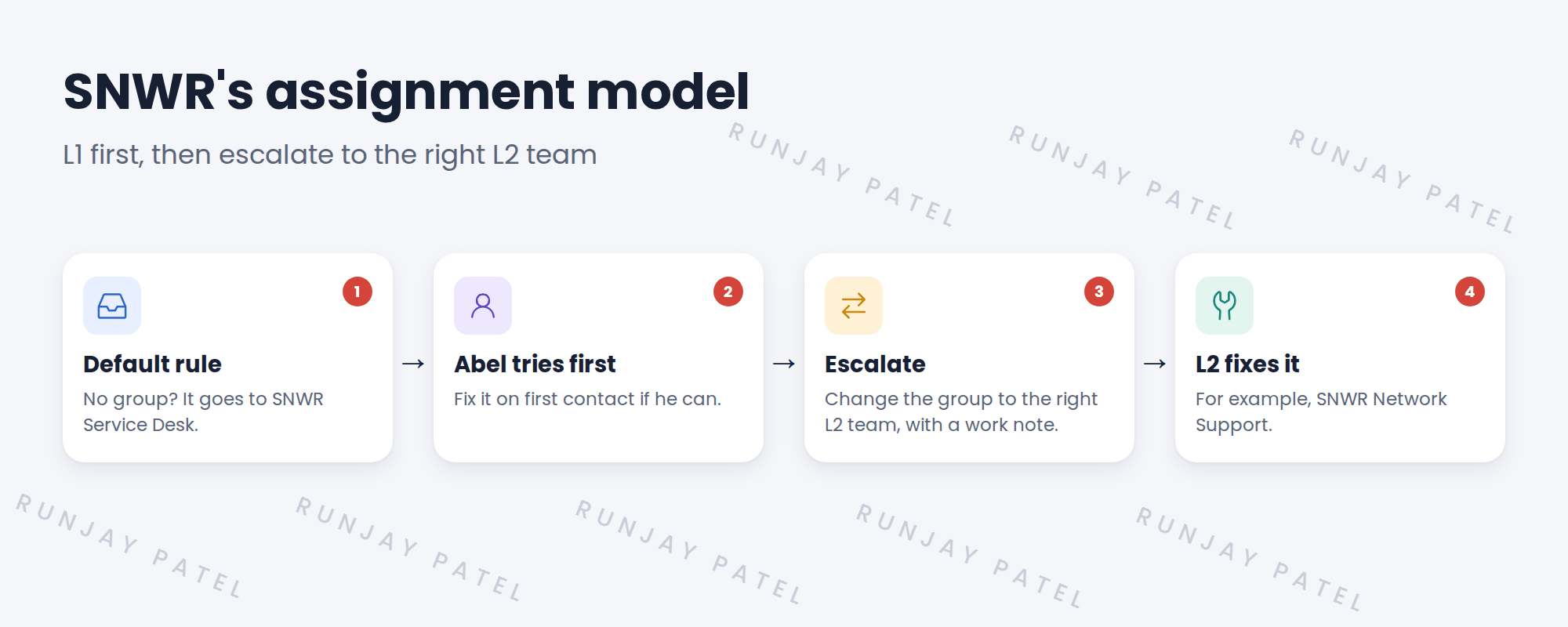
💡 Good to know: Fixing on first contact is fast and cheap. Daniel wants the Service Desk to solve most tickets without escalating.
3 Three tools for routing
| Tool | Good for | SNWR uses it? |
|---|---|---|
| Assignment rule | Simple “if this, then that group” routing | Yes: the default rule |
| Data lookup | Tables of values, like the priority matrix | Only for priority |
| Flow | Routing with many steps or approvals | Not for incidents on day one |
💡 Good to know: Need a refresher? See Fundamentals › Task Management › Assignment Rules & Data Lookup.
📝 Note: Assignment rules only run when the assignment group is empty. So they never undo a group that an agent picked.
4 Keep it simple
- One default rule is easier to support than 50 detailed ones.
- Agents escalate with a work note, so the next team knows what was tried.
- Later chapters add smarter routing: the CI’s support group, and Predictive Intelligence.
⭐ Remember: One default rule, L1 first, escalate with a work note.
5 Let’s try it: build the default rule
- Go to All › System Policy › Rules › Assignment (or search “Assignment Rules”). Click New.
- Name it SNWR – Default to Service Desk. Table: Incident.
- Condition: Assignment group is empty. Assign to group: SNWR Service Desk. Save.
- Create a new incident with no assignment group, and save it.
- Check that the assignment group is now SNWR Service Desk.
6 Quick recap
- SNWR uses an L1-first model: the Service Desk takes everything
- Agents escalate by changing the group and adding a work note
- One default assignment rule catches incidents with no group
- Assignment rules only run when the group is empty
- Smarter routing comes later, from the CMDB and AI
7 Check yourself
Think of your answer first. Then tap to check.
1 An incident is saved with no assignment group. Where does it go? Show answer
SNWR Service Desk, by the default assignment rule.
2 How does Abel escalate to Network Support? Show answer
He changes the assignment group and adds a work note.
3 Will the assignment rule overwrite a group an agent picked? Show answer
No. It only runs when the group is empty.
4 Why not build 50 detailed rules? Show answer
They’re hard to support. One simple rule plus escalation is clearer.
Nice work! SNWR’s incidents always land with the right team. 🎉
Next up: Incident Properties and Resolution Rules
Was this lesson helpful?
Please log in to share lesson feedback.
Have a question or doubt?
Ask here and get help from instructors and fellow learners.
Only logged-in learners can post.





