


Normal, Standard and Emergency Changes at SNWR
On this page
In this lesson, you will learn:
- The three change types
- When to use each one
- How Mei chose for three SNWR changes
- Common mistakes
🔁 Quick look back: Last time: Change Architecture: Tables and State Model. You learned the change tables and the normal change states.
1 “Does a reboot need CAB?”
In the first Change workshop, the questions come fast.
- “Restarting the mail service is safe. Does it really need CAB?”
- “Email is down right now. We can’t wait a week for CAB!”
- “The certificate change is risky. Who checks it?”
👉 The fix: use three change types, each with the right amount of control.
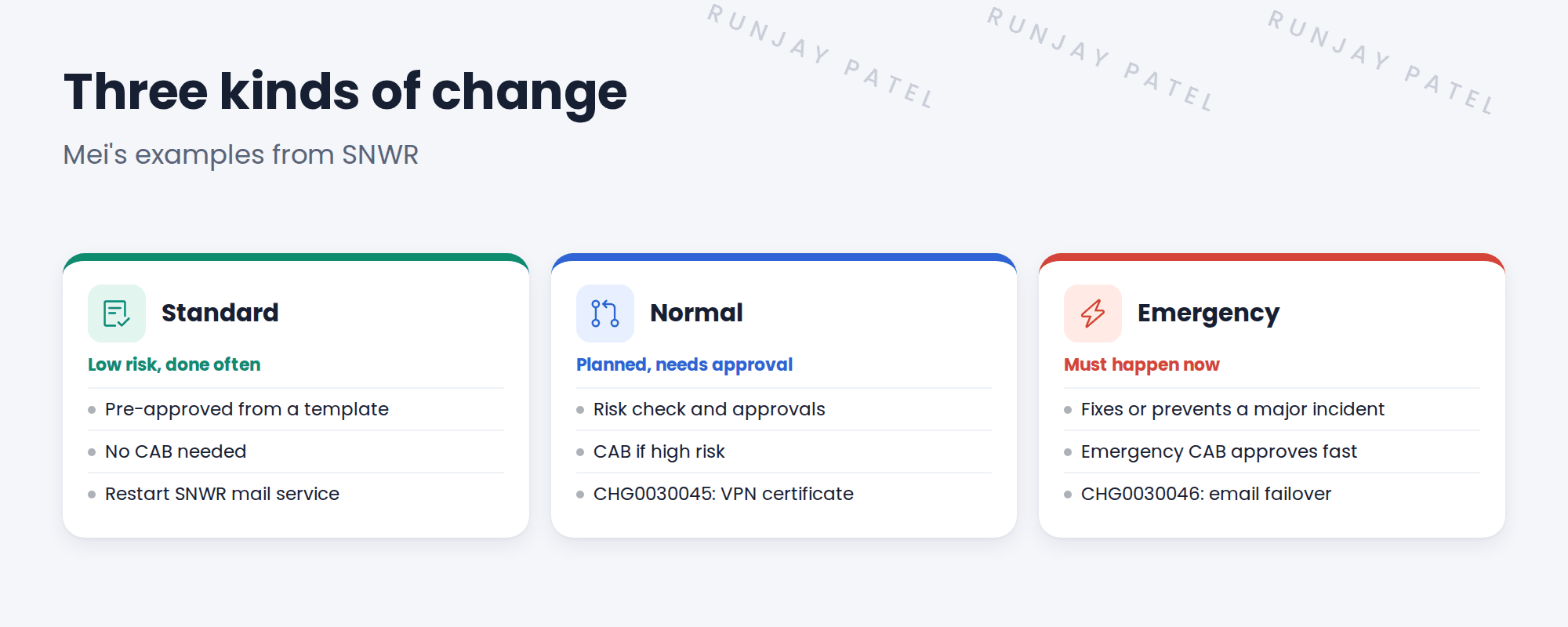
2 The three types
3 How Mei decides
- Is it on the standard change list? If yes, it’s standard.
- Must it happen right now to fix or stop a major incident? If yes, it’s emergency.
- Otherwise, it’s normal.
| Change | Type | Why |
|---|---|---|
| Restart SNWR mail service | Standard | Done many times, low risk, has a template |
| Replace VPN gateway certificate | Normal | Risky, can be planned for Sunday |
| Fail over SNWR Email to snwr-mail-02 | Emergency | Email is down now, for a whole office |
4 Common mistakes
- Using emergency just to skip CAB. Mei watches the emergency change count every month.
- Making risky work “standard” to save time.
- Doing a change with no record at all.
⚠️ Golden rule: An emergency change is for fixing or preventing a major incident, not for being late with planning.
⭐ Remember: Standard if it’s on the list. Emergency if it can’t wait. Normal for the rest.
5 Quick recap
- Standard: low risk, pre-approved from a template
- Normal: planned, with risk check and approvals
- Emergency: can’t wait; fixes or prevents a major incident
- Decide: on the list? can’t wait? otherwise normal
- Don’t use emergency to skip planning
6 Check yourself
Think of your answer first. Then tap to check.
1 Restarting the mail service has a template. Which type? Show answer
Standard.
2 Email is down for a whole office and needs a failover now. Which type? Show answer
Emergency.
3 The certificate replacement can be planned for Sunday. Which type? Show answer
Normal.
4 Is “we’re late” a good reason for an emergency change? Show answer
No. Emergency is for fixing or preventing a major incident.
Nice work! You can pick the right change type. 🎉
Next up: Change Models
Was this lesson helpful?
Please log in to share lesson feedback.
Have a question or doubt?
Ask here and get help from instructors and fellow learners.
Only logged-in learners can post.





