


Closing and Reviewing a Major Incident
On this page
In this lesson, you will learn:
- How to resolve a major incident cleanly
- What a post-incident review is
- What a good review contains
- Why every major incident leads to a problem
🔁 Quick look back: Last time: Incident Communication Plans. You learned how a communication plan sends regular updates to leaders and staff during a major incident.
1 “Will it happen again?”
At 11:05, SNWR Email is back on the backup server.
- Everyone is relieved, and goes back to normal work.
- Nobody writes down what happened.
- Two months later, the same disk fails on the other server.
👉 The fix: resolve it properly, review it honestly, and open a problem to fix the root cause.
2 Resolve it properly
- Confirm with Arjun and a few Mumbai users that email really works.
- Resolve INC0010150 with a resolution code and clear notes.
- The 40 child incidents are resolved with it, and every caller is told.
- Send the final all-clear from the communication plan.
📝 Note: Resolving the major incident doesn’t mean the work is done. The review and the problem come next.
3 The post-incident review
Key term: Post-incident review
A short report after a major incident: what happened, why, what went well and what to improve.
Key term: Blameless
The review looks at what happened and why, not at who to blame.
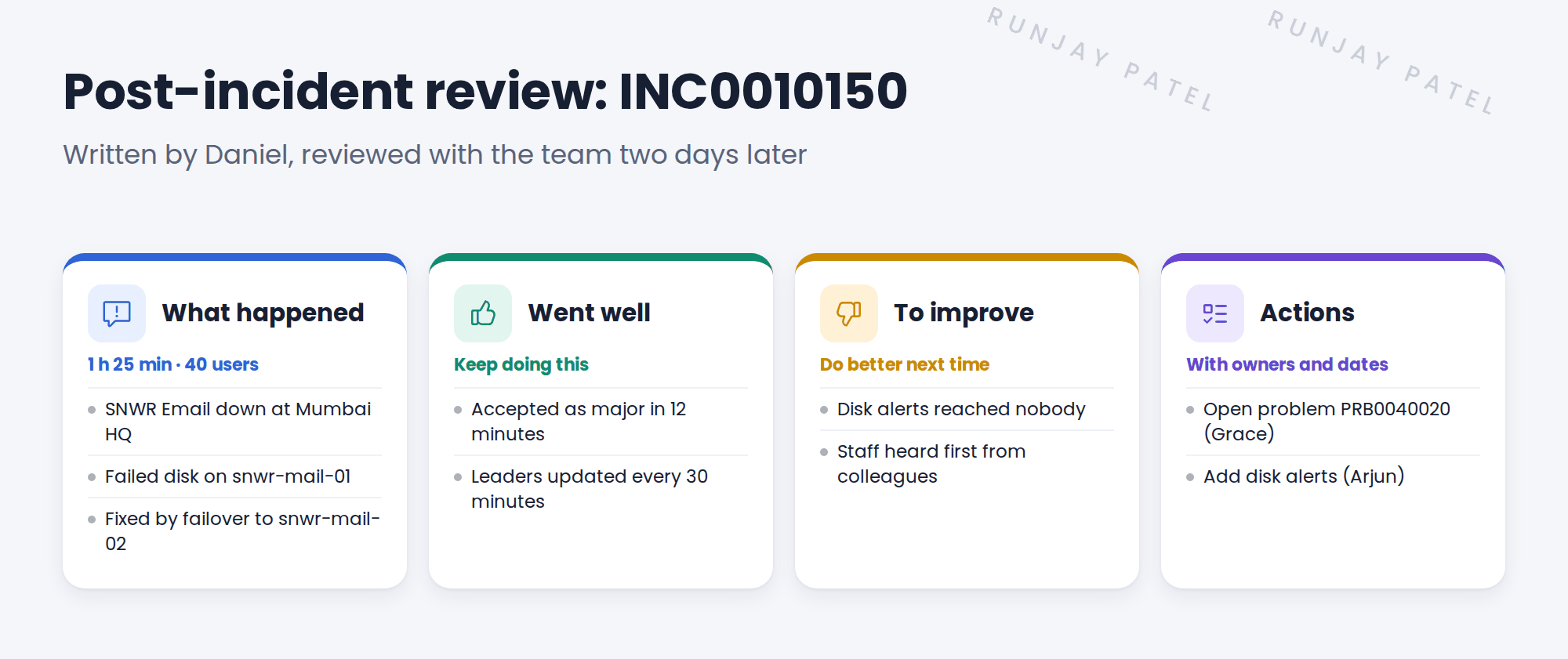
💡 Good to know: Hold the review within a few days, while people remember the details.
4 Always open a problem
The failover fixed the symptom. The root cause is still unknown: why did the disk fail, and why did nobody know?
Daniel opens PRB0040020 from the major incident, and Grace takes it from there.
⭐ Remember: Resolve, review, then open a problem. Every major incident, every time.
5 Let’s try it: close and review a test major incident
- Open your test major incident. Resolve it with a code and notes.
- Check that its child incidents were resolved too.
- Write a short review in the incident’s notes, or in a document: what happened, went well, to improve, actions.
- From the incident, create a problem (use the Create Problem option in the menu).
- Open the new problem and check it’s linked to the major incident.
6 Quick recap
- Confirm the fix, then resolve with a code and notes
- Child incidents are resolved with the parent
- A post-incident review covers what happened, what went well and what to improve
- Reviews are blameless
- Every major incident leads to a problem
7 Check yourself
Think of your answer first. Then tap to check.
1 Does resolving the major incident end the work? Show answer
No. The review and the problem come next.
2 What does blameless mean? Show answer
The review looks at what happened and why, not who to blame.
3 Why open a problem after the failover worked? Show answer
The failover fixed the symptom. The root cause is still unknown.
4 When should the review happen? Show answer
Within a few days, while people remember.
Nice work! SNWR’s major incidents now end with lessons learned. 🎉
Next up: Outages and Service Status for Employees
Was this lesson helpful?
Please log in to share lesson feedback.
Have a question or doubt?
Ask here and get help from instructors and fellow learners.
Only logged-in learners can post.





