


Service Catalog and Request Review
On this page
In this lesson, you will learn:
- The request structure
- Items, record producers and order guides
- Fulfillment, approvals and SLAs
- Where to go back if you’re unsure
🔁 Quick look back: Last time: Change Review. You learned the key change facts, through SNWR’s three kinds of change.
1 “RITM or SCTASK?”
Catalog and Request is 30 of the 118 practice test questions.
- Many questions ask which record holds what.
- Others ask which form to use.
- The names sound alike.
👉 The fix: review them through Sam’s monitor and the new joiner order guide.
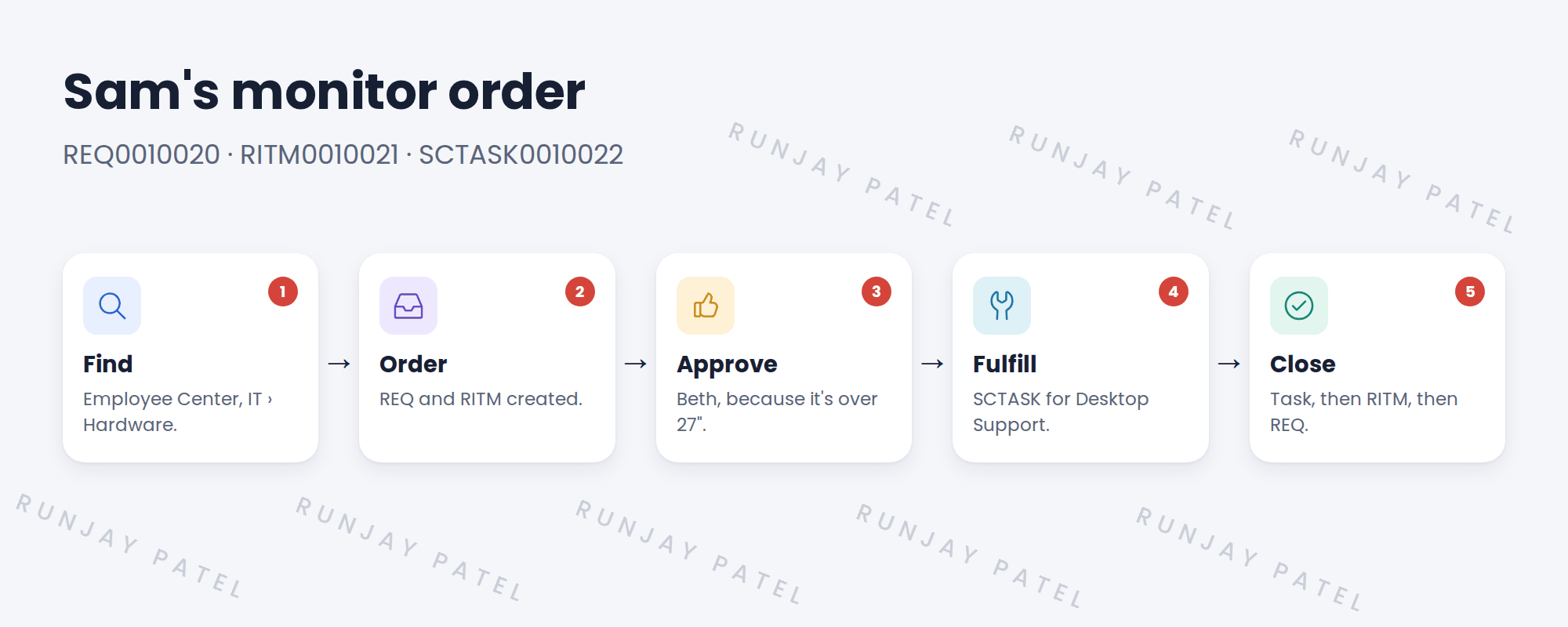
2 Sam’s monitor, start to finish
3 Key facts to know
| Topic | Remember |
|---|---|
| REQ / RITM / SCTASK | Whole order / one item with its answers / one piece of work |
| Record producer | A catalog form that creates another record, like an incident |
| Order guide | Asks a few questions, then orders several items; can cascade answers |
| Variable set | Questions built once, reused on many items |
| User criteria | Available for / Not available for. Not available for wins |
| Stages | What the requester sees; set by the flow |
| Request SLA | On the RITM; can pause while waiting for approval |
💡 Good to know: If a question says “creates an incident from the catalog”, think record producer.
4 Quick recap
- REQ = order, RITM = item, SCTASK = work
- Record producers create other records
- Order guides order several items at once
- User criteria: Not available for wins
- Flows set approvals, tasks and stages
5 Check yourself
Think of your answer first. Then tap to check.
1 Where are a requester’s answers stored? Show answer
On the RITM. See Catalog Design › Request Architecture: REQ, RITM and SCTASK.
2 A catalog form must create an incident. What do you build? Show answer
A record producer. See Catalog Design › Catalog Item or Record Producer?
3 A user matches Available for and Not available for. Can they order? Show answer
No. Not available for wins. See Catalog Design › Catalog Audience: User Criteria and Visibility.
4 What passes the start date to every item in an order guide? Show answer
Cascading variables. See Request Fulfillment › Order Guides for New Joiners.
Nice work! Catalog and Request are fresh again. 🎉
Next up: Service Portfolio and CMDB Review
Was this lesson helpful?
Please log in to share lesson feedback.
Have a question or doubt?
Ask here and get help from instructors and fellow learners.
Only logged-in learners can post.





